8
User manual
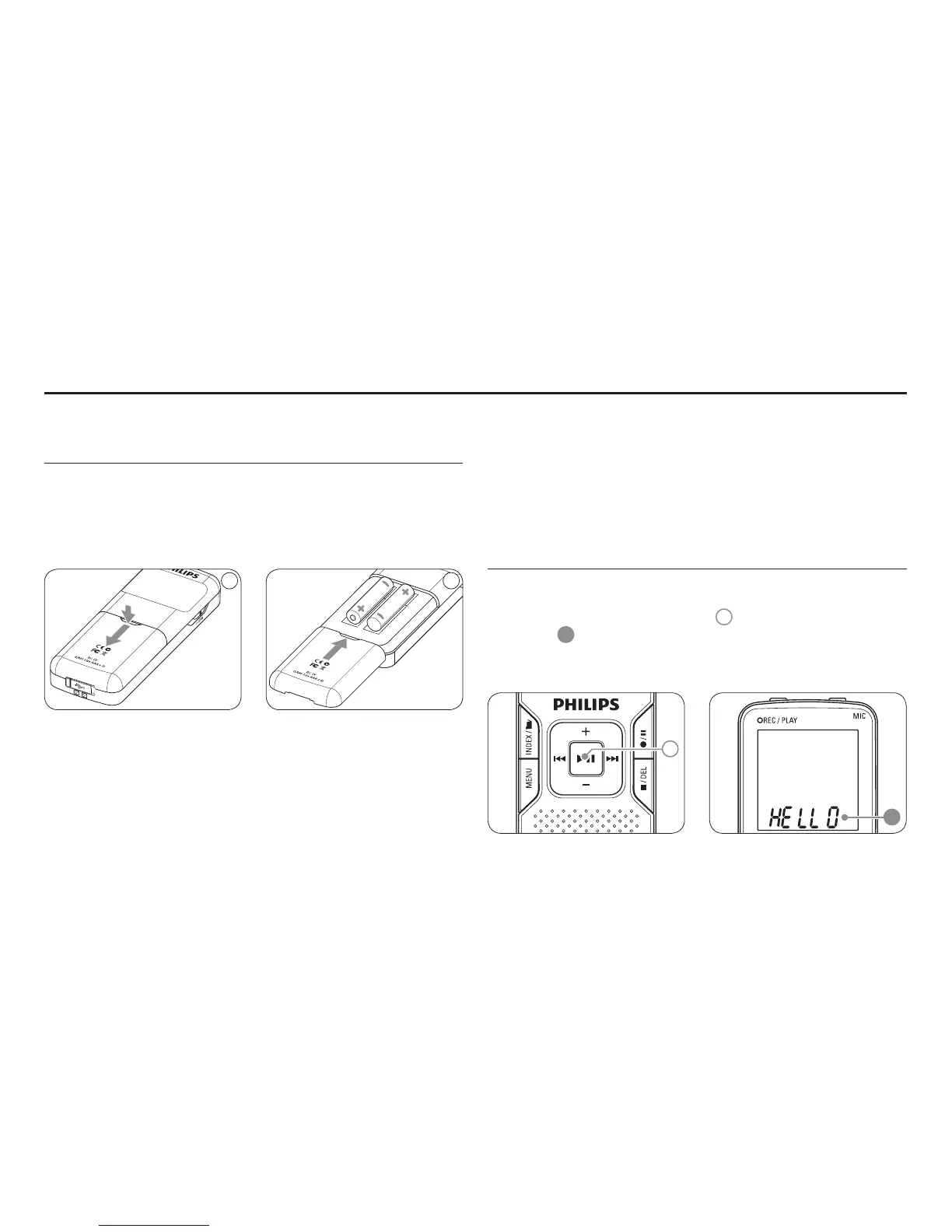
Insert the batteries 4.1
Slide open the battery cover.1
Place the batteries in the correct polarity as indicated and close 2
the cover.
1 2
D Note
Remove the batteries if you will not be using the Voice Tracer for an •
extended period. Leaking batteries may damage the Voice Tracer.
If the Voice Tracer malfunctions, remove the batteries and re-insert •
them.
Stop the recorder before replacing the batteries. Removing the •
batteries while the recorder is in use may corrupt the file.
When the batteries are nearly empty, the battery indicator blinks.•
If it takes longer than 2 minutes to replace the battery, you may have •
to reset the time.
Power on/o4.2
To power on, press the 1
f button
1
until the display shows
HELLO
A
.
To power o, press the 2
f button while the recorder is stopped
until the display shows
BYE.
1
A
Get started 4



 To Next Page