
 Need help?
Do you have a question about the Philips M100A and is the answer not in the manual?
Apparatus should not be exposed to rain or moisture, nor liquids like vases, to prevent fire or electric shock.
Unauthorized modifications may void user authority to operate the equipment.
Lists all components included in the product package, ensuring the user has all necessary items.
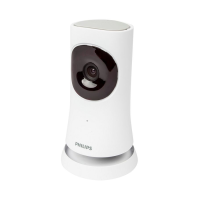
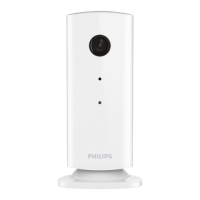
Provides a visual guide and labels for the different parts and features of the wireless home monitor.
Lists prerequisites for setup: Wi-Fi router, network name, password, and app download.
Step-by-step instructions on how to connect the Philips wireless home monitor to your Wi-Fi network.
Guides the user on launching and using the Philips In.Sight App after the monitor is set up.
Explains the meaning of monitor connection status lights and app icons for user guidance.
Setup and configuration for motion and audio detection alerts, including Dropbox integration.
Instructions for taking photos and recording videos with the monitor, saving them to Dropbox.
Instructions on how to watch the monitor feed remotely via a web browser.
Details on accessing advanced settings like alerts, monitor light, and sharing preferences.
Guidance on sharing the monitor's video feed with family, friends, or colleagues.
Technical details of the monitor, including resolution, lens, connectivity, and dimensions.
Solutions for problems connecting the monitor to a Wi-Fi network and Wi-Fi compatibility.
Guidance on resolving slow video streaming, delay issues, and remote viewing session limits.
 General
| Connectivity | Wi-Fi |
|---|---|
| Night Vision | Yes |
| Motion Detection | Yes |
| Two-Way Audio | Yes |
| Resolution | 720p |
| Storage | MicroSD card |


 To Next Page