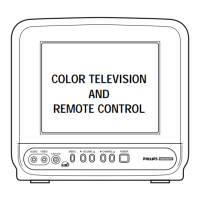
COLOR TELEVISION
AND
REMOTE CONTROL
PR0935B1
Owner’s Manual
FEATURES
• Infrared Remote Control operates your
TV and helps you set up on-screen features.
• Standard Broadcast (VHF/UHF) or
Cable TV (CATV) channel capability
• Auto Install quickly and easily selects sta-
tions available in your area.
• Sleeptimer automatically turns off the TV
at preset times.
• Language Selection allows you to choose
English or Spanish on-screen menus.
• Automatic Shut Off turns off the TV after
15 minutes when it is on a channel that is
not receiving a broadcast signal (for exam-
ple, if a station has gone off the air for the
night).
• FM Mode allows you to listen to the FM
radio.
Getting Started
Warning/Precautions . . . . . . . . . . . . . . . . . . . . . . . . . . .1
Features . . . . . . . . . . . . . . . . . . . . . . . . . . . . . . . . . . . . .1
Registration . . . . . . . . . . . . . . . . . . . . . . . . . . . . . . . . . .1
Hooking Up Your TV . . . . . . . . . . . . . . . . . . . . . . . . .2-3
VCR Connections . . . . . . . . . . . . . . . . . . . . . . . . . . . . .3
Power Cord Connections . . . . . . . . . . . . . . . . . . . . . . .4
Audio/Video In Jacks . . . . . . . . . . . . . . . . . . . . . . . . . . .4
Auto Install . . . . . . . . . . . . . . . . . . . . . . . . . . . . . . . . . .5
Basic TV and Remote Control Operation . . . . . . . . . . .5
Features
Channel Edit . . . . . . . . . . . . . . . . . . . . . . . . . . . . . . . . .6
Language . . . . . . . . . . . . . . . . . . . . . . . . . . . . . . . . . . . .6
Volume . . . . . . . . . . . . . . . . . . . . . . . . . . . . . . . . . . . . .6
Sleeptimer . . . . . . . . . . . . . . . . . . . . . . . . . . . . . . . . . . .6
Picture Adjustments . . . . . . . . . . . . . . . . . . . . . . . . . . . .7
FM Mode . . . . . . . . . . . . . . . . . . . . . . . . . . . . . . . . . . .7
General Information
Glossary . . . . . . . . . . . . . . . . . . . . . . . . . . . . . . . . . . . . .7
Tips . . . . . . . . . . . . . . . . . . . . . . . . . . . . . . . . . . . . . . . .8
Index . . . . . . . . . . . . . . . . . . . . . . . . . . . . . . . . . . . . . . .8
Warranty . . . . . . . . . . . . . . . . . . . . . . . . . . . . . . . . . . . .8
For Customer Use
Enter below the Serial Number and the Model Number
of your television (located on the back of the TV). Keep
this information for future reference.
Model No. __________________________
Serial No.___________________________
Printed in Malaysia - 1 - IB8220E001 / 0EMN01693 / L0942UC ★★★★★
Federal Communications Commission
Warning: Any unauthorized changes
or modifications to this equipment
void the user’s authority to operate it.
Once your PHILIPS MAGNAVOX purchase is registered, you’re eligible to receive all the privileges of owning a PHILIPS MAGNAVOX product. So complete and return the
Warranty Registration Card enclosed with your purchase at once. And take advantage of these important benefits.
Return your Warranty Registration card today to ensure you receive
all the benefits you’re entitled to.
Congratulations
on your
purchase,
and welcome to the
“family!”
Dear PHILIPS MAGNAVOX product owner:
Thank you for your confidence in PHILIPS MAGNAVOX. You’ve selected one of the best-built, best-backed products
available today. And we’ll do everything in our power to keep you happy with your purchase for many years to come.
As a member of the PHILIPS MAGNAVOX “family,” you’re entitled to protection by one of the most comprehensive warranties and outstand-
ing service networks in the industry.
What’s more, your purchase guarantees you’ll receive all the information and special offers for which you qualify, plus easy access to accessories
from our convenient home shopping network.
And most importantly you can count on our uncompromising commitment to your total satisfaction.
All of this is our way of saying welcome–and thanks for investing in a PHILIPS MAGNAVOX product.
Sincerely,
Robert Minkhorst
President and Chief Executive Officer
Know these
safetysymbols
t This “bolt of lightning” indicates uninsulated material within your unit which may cause an electrical
shock. For the safety of everyone in your household, please do not remove product covering.
s The “exclamation point” calls attention to features for which you should read the enclosed literature
closely to prevent operating and maintenance problems.
WARNING: TO PREVENT FIRE OR SHOCK HAZARD, DO NOT EXPOSE THIS EQUIPMENT TO
RAIN OR MOISTURE.
CAUTION: To prevent electric shock, match wide blade of plug to wide slot and fully insert.
ATTENTION: Pour éviter les choc électriques, introduire la lame la plus large de la fiche dans la borne cor-
respondante de la prise et pousser jusqu’au fond.
Warranty
Verification
Registering your product within 10 days con-
firms your right to maximum protection
under the terms and conditions of your
PHILIPS MAGNAVOX warranty.
Owner
Confirmation
Your completed Warranty
Registration Card serves as
verification of ownership in the
event of product theft or loss.
Model
Registration
Returning your Warranty Registration Card
right away guarantees you’ll receive all
the information and special offers which you
qualify for as the owner of your model.
P.S. Remember, to get the most from your PHILIPS MAGNAVOX product, you must return your
Warranty Registration Card within 10 days. So please mail it to us right now!

 Need help?





 To Next Page
 General