English
13
Controls
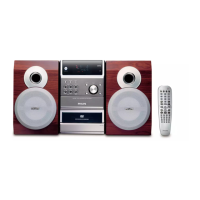
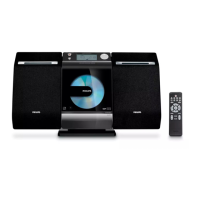
Controls on the system
1 STANDBY-ON y
– switches the system on or to standby mode.
2 iR sensor
– infrared sensor for remote control.
3 PROGRAM
–DVD/VCD/CD/MP3-CD/USB: enters the
program menu.
– Picture CD: during playback, to select a slide
show mode.
–Tuner: programs preset radio stations.
4 Mode Selection
9 ............................. In DISC/USB mode, to stop
playback or clear a program.
......................................... for Demo (on the system
only) to activate/deactivate
the demonstration.
2; ........................... In DISC/USB mode, to start or
interrupt playback.
PRESETí/ë
Disc/USB: skips to the previous/next chapter/
title/track.
Tuner: selects a preset radio station.
TUNING 22/33
Tuner
– press to tune to a lower/higher radio frequency
gradually.
– press and hold, then release the key to start
automatic search for a radio frequency
downward/upward.
Disc/USB
– searches fast backward/forward.
5 Display screen
– to view the current status of the system.
6 SOURCE
– to select the respective sound source : TUNER,
DISC, USB or AUX.
7 VOLUME -/+
– adjusts the volume upward/downward.
– adjusts the hours and minutes in clock/timer
setting mode.
– selects a source in timer setting mode.
8 n
– to connect a headphone.
9 EJECT
– ejects a disc from the disc loader.
0 AUX-IN
– connects an external non-USB device.
! USB DIRECT
– jack for the external USB mass storage device.
@ SLIDE OPEN 4
– slides down to expose some buttons and jacks
on the front panel.
Controls on the remote control
1 STANDBY-ON y
– switches the system on or to standby mode.
2 Numeric Keypad (0-9)
– inputs a track/title/chapter number of the disc.
3 PROGRAM
–DVD/VCD/CD/MP3-CD/USB: enters the
program menu.
– Picture CD: during playback, to select a slide
show mode.
–Tuner: programs preset radio stations.
4 SOURCE
– to select the respective sound source: DISC,
TUNER, USB or AUX.
5 SYSTEM MENU (disc mode only)
– to enter or exit the system menu bar.
6 DISC MENU (disc mode only)
–DVD/VCD: enters or exits the disc contents
menu.
– VCD2.0: switches the playback control mode on
or off .
7 2/3
Tuner
– press to tune to a lower/higher radio frequency
gradually.
– press and hold, then release the key to start
automatic search for a radio frequency
downward/upward.
Disc/USB
– searches fast backward/forward.
– In DISC mode, to select a movement direction in
the disc menu or system menu bar.
* = Press and hold the button for more than three seconds.
pg001-pg016_MCD289-55-Eng-A 2008.1.30, 15:3413



 To Next Page