2-2
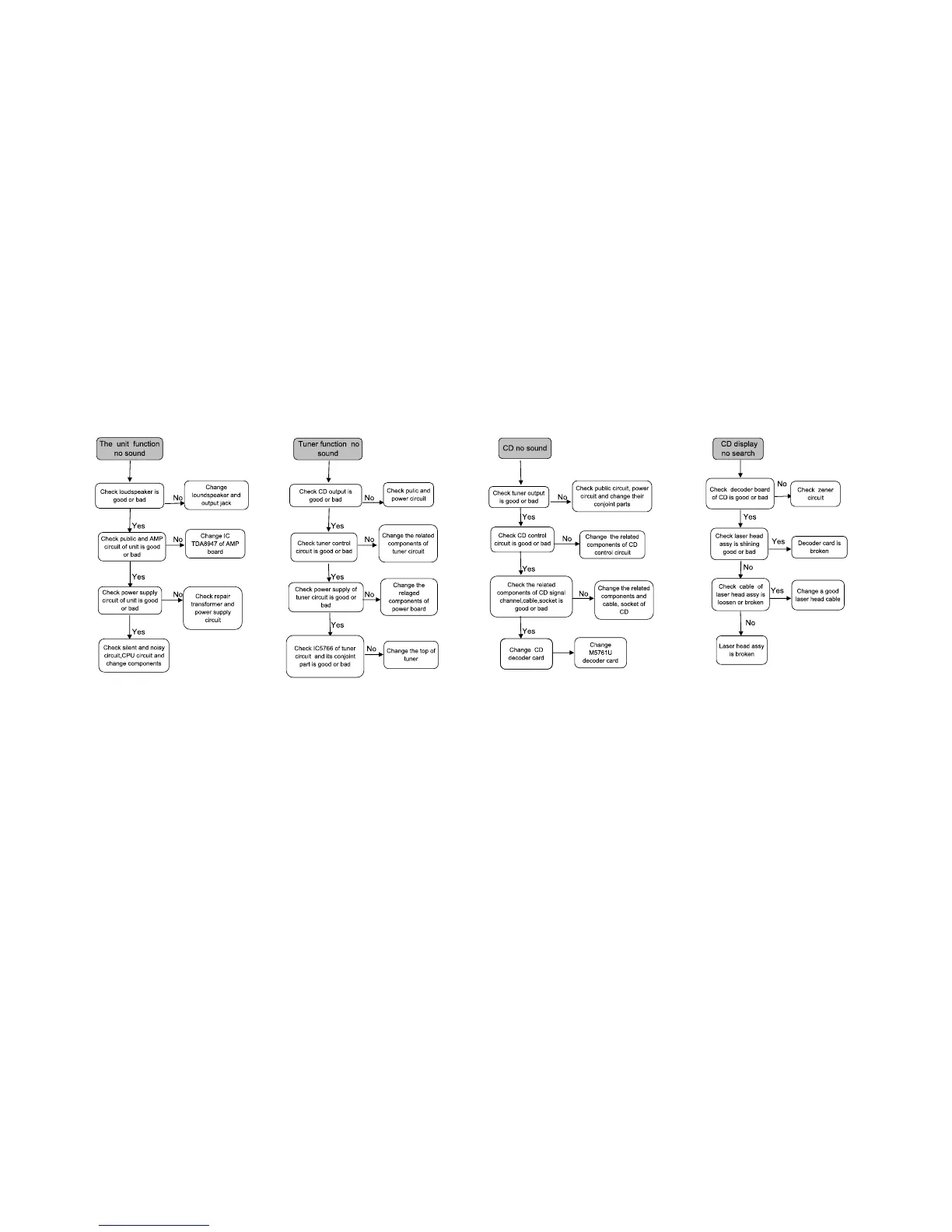
MALFUCTION CHECK CHART
2-2
*In case automatic wireless connection fails(include the case of after repairing)
you can,
1.Enter standby mode
a.for MCD289/12/58 , Press and hold Standby Key from Echo Standby to enter Standby mode , Clock or "__.__" shown on VFD.
b.for MCD289/98/55/79 , Press Standby key to enter Standby mode.
2.press and hold key on the set for 3 seconds until ‘PAIRING’ appears on the display.
3.press and hold PAIR on the subwoofer until ‘PAIR OK’ appears on the display.
4.switch on the system for automatic setup of wireless connection.



 To Next Page