23
English
System Menu Options
Audio Setup Page
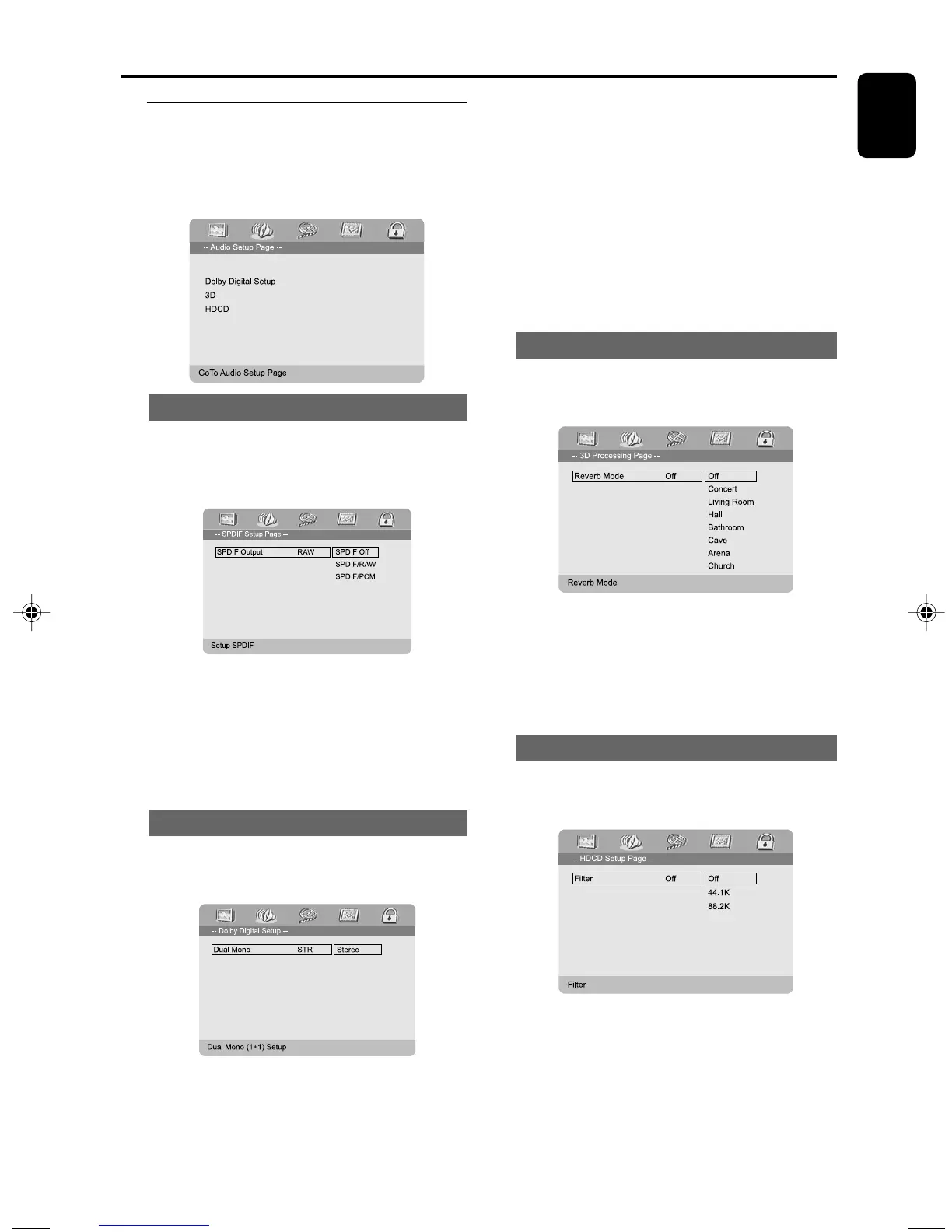
The options included in Audio Setup page are:
“Digital Audio Setup”, “Dolby Digital Setup”,
“3D”, “HDCD” and “Night Mode”.
Night Mode
Digital Audio Setup
Digital Audio Setup
The options included in SPDIF (Sony/Phillips
Digital Interface Format) Setup Page are: “SPDIF
Off ”, “SPDIF/RAW” and “SPDIF/PCM”.
➜ SPDIF Off: Tu r ns off the SPDIF output.
➜ SPDIF/RAW: If you have connected your
DIGITAL OUT (COAXIAL or OPTICAL) to a
multi-channel decoder/receiver.
➜ SPDIF/PCM: Only if your receiver is not
capable of decoding multi-channel audio.
Dolby Digital Setup
The option included in Digital Audio Setup is:
“Dual Mono”.
Dual Mono
Select the setting that matches the number of
speakers you have connected.
➜ Stereo: Left mono sound will send output
signals to Left speaker and Right mono sound
will send output signals to Right speaker.
➜ L-Mono: Left mono sound will send output
signals to Left speaker and Right speaker.
➜ R-Mono: Right mono sound will send output
signals to Left speaker and Right speaker.
3D
The option included in 3D Processing is:
“Reverb Mode”.
Reverb Mode
Reverb mode provides a virtual surround sound
experience using just two speakers.
➜ Off, Concert, Living Room, Hall,
Bathroom, Cave, Arena and Church.
HDCD
The option included in HDCD (High Definition
Compatible Digital) is: “Filter”.
Filter
Sets the audio output cutoff frequency point
when playing an HDCD disc.
➜ Off, 44.1K and 88.2K.
pg001-033_MCD703_55_Eng 2006.3.8, 13:0723



 To Next Page