8
English
IMPORTANT!
– The type plate is located at the
bottom of the system.
– Before connecting the AC power cord
to the wall outlet, ensure that all
other connections have been made.
–Never make or change any
connections with the power switched on.
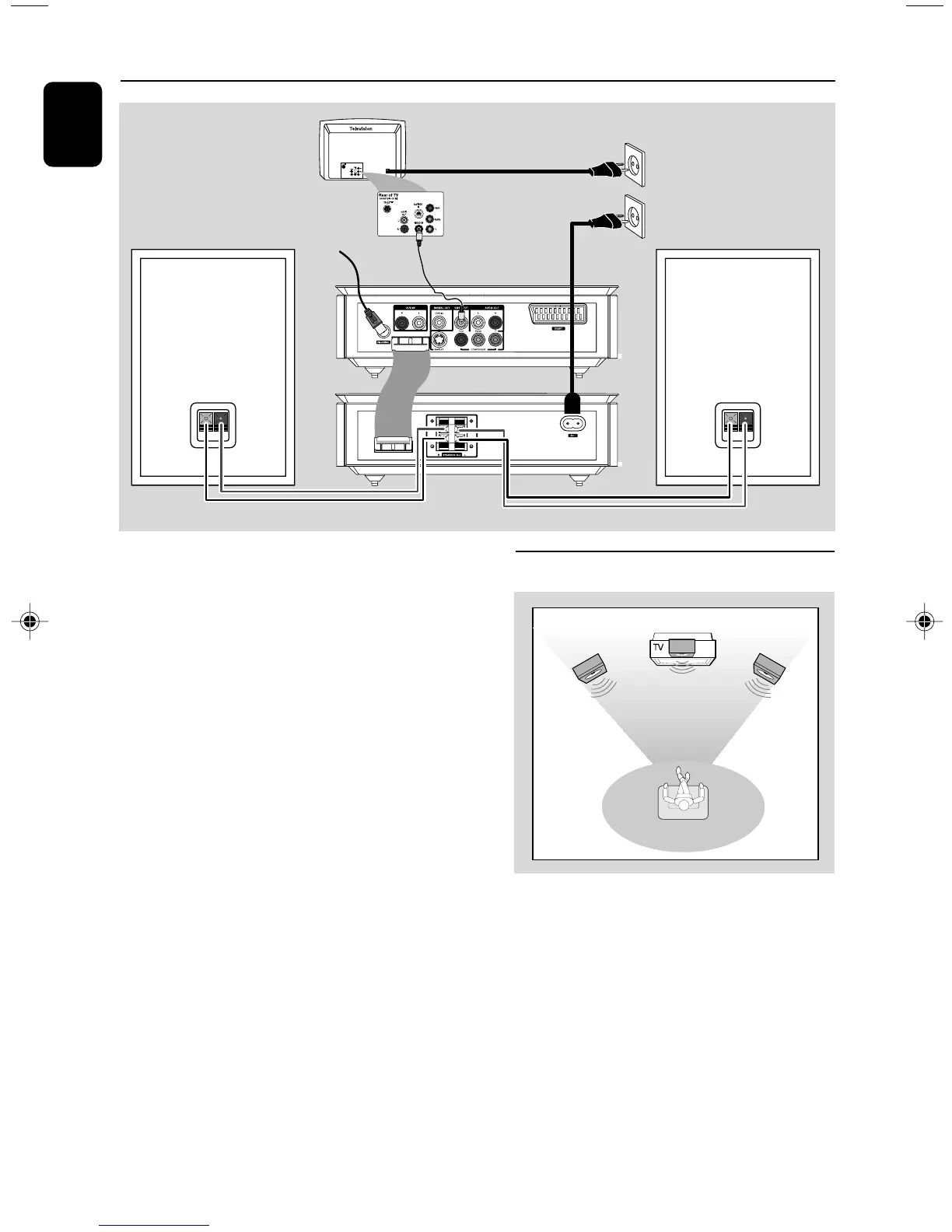
Connections
Speaker
(right)
Speaker
(left)
FM antenna
AC power
Step 1: Placing speakers
Front
speaker
( left )
Front
speaker
( right )
VIEWING AREA
Place the front left and right speakers at equal
distances from the TV set and at an angle of
approximately 45 degrees from the listening
position.
Notes:
–To avoid magnetic interference, do not position
the front speakers too close to your TV set.
– Allow adequate ventilation around the DVD
System.
pg 001-040_MCD716_58_Eng 2010.8.20, 13:268


 To Next Page