EN 13
English
4 Play
Play a disc
1
Press CD to select the disc source.
2 Press to open the disc compartment.
3 Insert a disc with the printed side facing
outward.
4 Press to close the disc compartment.
Play starts automatically. If not, press »
.
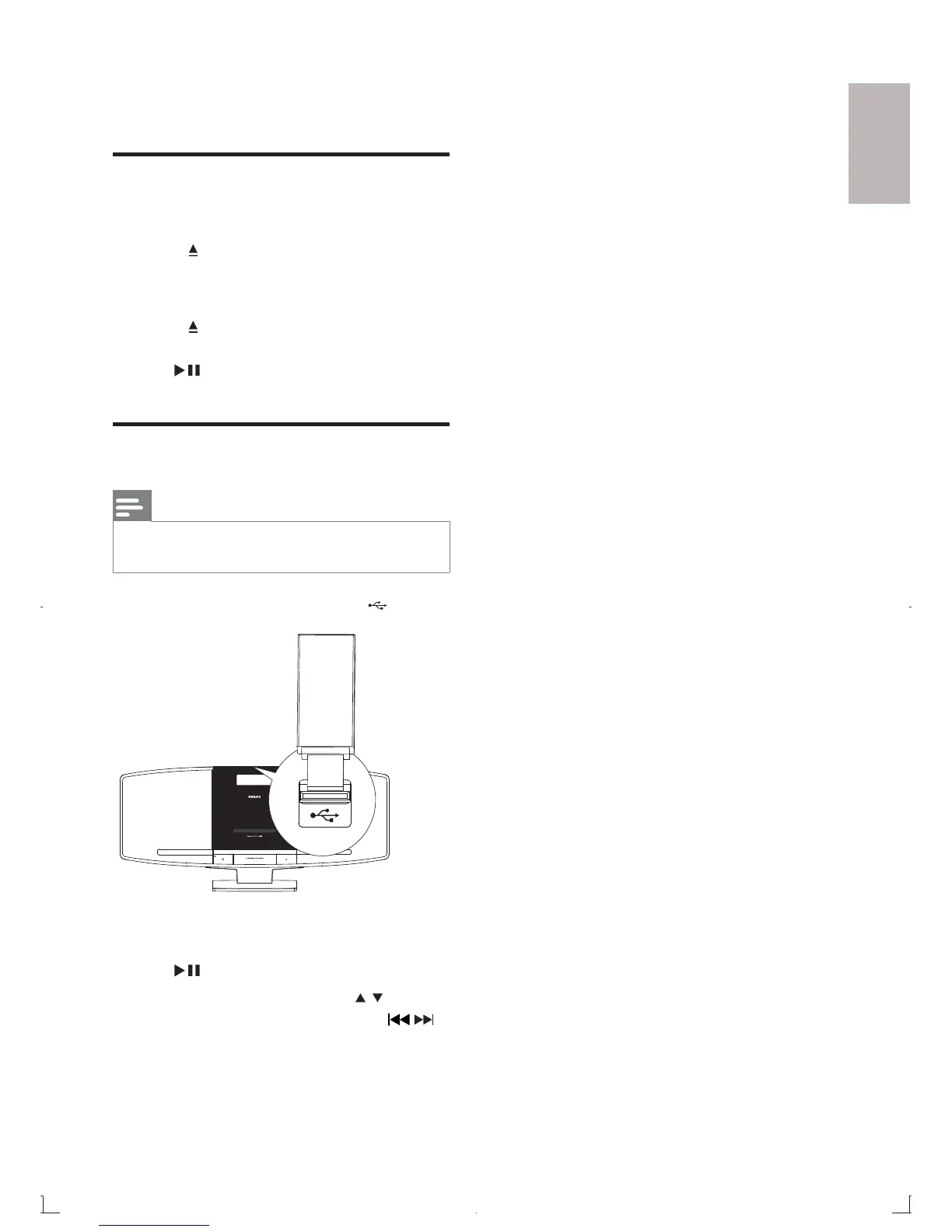
Play from USB
Note
Ensure that the USB device contains playable audio •
content.
1 Insert the USB device into the socket.
2 Press USB to select the USB source.
Play starts automatically. If not, press »
.
To select a folder, press •
/ .
To select an audio file, press •
/ .



 To Next Page