Battery status indications
Battery status Indicator mode
Almost empty Flashing orange light
Charging Flashing white light
Fully charged Solid white light
Note: Approx. 30 minutes after the battery is fully
charged, the battery status indicator switches off
automatically.
Using the appliance
Trimming tips
- When trimming for the first time, start by using
the comb with the maximum trimming length
setting to familiarize yourself with the appliance.
- Since all hairs do not grow in the same direction,
you may want to try different trimming directions
(i.e. upwards, downwards, or across). Practice is
best for optimum results.
- Always make smooth and gentle movements and
be sure the surface of the comb always stays in
contact with your skin.
- For best results, use the appliance on clean, dry
hair, as wet hair tends to stick to the body.
- When too many hairs have accumulated on the
appliance, remove the hairs before and/or during
use, for best trimming results (see 'Cleaning').
Detaching and attaching cutting elements
1 To detach a cutting element, place your finger
near the teeth of the cutting element and push
gently upwards until the cutting element is
released from the handle (Fig. 5).
2 To attach a cutting element, insert the plastic
notch at the back of the cutting element into the
guiding slot in the handle and gently press the
teeth of the cutting element downwards until they
click into place (Fig. 6).
Detaching the precision shaver and nose
and ear hair trimmer
1 Place your finger on the recess at the back of the
attachment and push the attachment off the
handle (Fig. 7). Use your other hand to prevent the
attachment from falling on the floor.
Attaching and detaching combs
1 To attach any type of comb onto a cutting
element,slide the front part of the comb onto the
teeth and press the notch at the back of the comb
downwards until it clicks into place (Fig. 8).
2 To detach any type of comb from the cutting
element, carefully push its back part off the
appliance and then slide it off the cutting element
(Fig. 9).
Comb colors
The combs provided with the appliance have different
colors depending on their intended use. Select the
type of comb suitable for the part of the body that
you want to trim.
Comb color Intended use
Black Beard and scalp hair
Medium gray Scalp hair
Light gray Body; eyebrows
Switching the appliance on and off
To switch the appliance on or off, press the on/off
button once (Fig. 10).
Attachments for use on beard
Always comb your beard or moustache with a fine
comb before you start trimming.
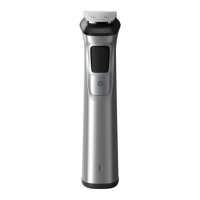
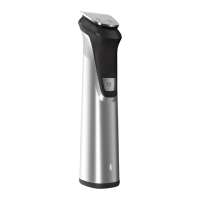
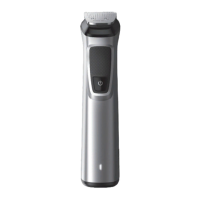
Full-size hair trimmer
Use the full-size hair trimmer without a comb to trim
hair close to the skin (to a length of approx. 0.5mm)
or to create clean lines around your beard, neck and
sideburns.
1 To trim hair close to the skin, place the flat side of
the cutting element against your skin and make
strokes against the direction of hair growth (Fig.
11).
2 For contouring, hold the cutting element
perpendicular to the skin and move it upwards or
downwards with gentle pressure (Fig. 12).
Long beard comb
Attach the black beard comb to the full-size hair
trimmer to trim your beard evenly to the length of 9
mm (see 'Attaching and detaching combs'). The
appliance (MG7960/18) comes with 1 long beard
comb.
1 Attach the long beard comb to the full-size hair
trimmer.
2 To trim in the most effective way, move the comb
against the direction of hair growth (Fig. 13). Make
sure that the surface of the comb always stays in
contact with the skin.
Attachments for use on beard and head
Precision trimming comb
Attach the black precision trimming comb to the full-
size hair trimmer to trim your beard or hair to a short
length ranging from 1 mm to 3 mm.
1 Attach the precision trimming comb to the full-size
hair trimmer (see 'Attaching and detaching
combs').
2 Scroll the wheel on the comb to set the length
(Fig. 14). The numbers on the comb relate to the
number of millimeters of hair length that will
remain after trimming.
3 To trim in the most effective way, move the comb
against the direction of hair growth (Fig. 13). Make
sure that the surface of the comb always stays in
contact with the skin.
Adjustable beard and hair combs
Use a black adjustable beard and hair comb to trim
your beard or scalp hair evenly to the desired length.
The appliance comes with 1 (MG7960/18) or 2
(MG7960/28) black adjustable beard and hair combs.
The numbers on the combs relate to the number of




 To Next Page