11
English
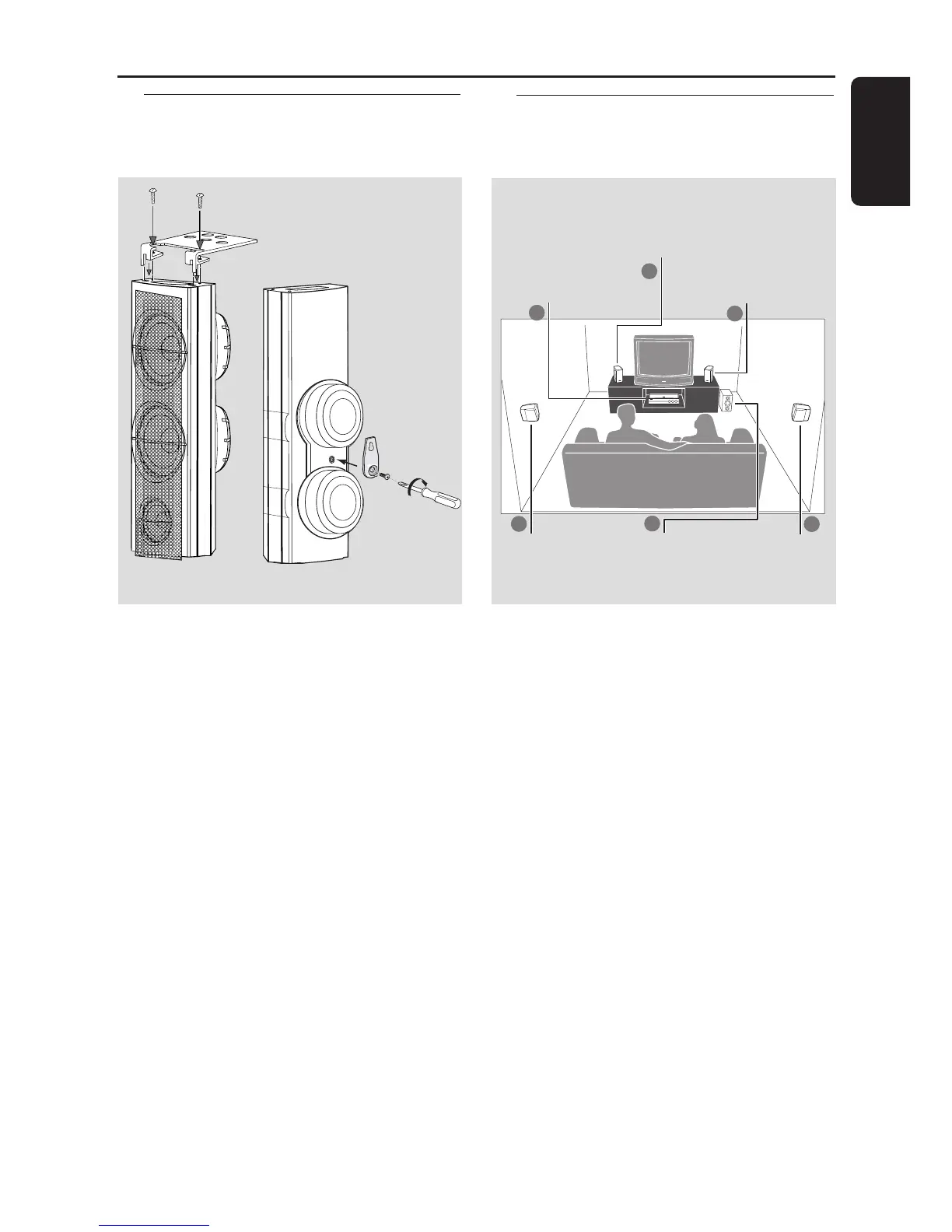
Step 2: Placing the speakers
and subwoofer
For best possible surround sound, all the
speakers (except the subwoofer) should be
placed at the same distance from the listening
position.
1 Place the front left and right speakers at equal
distances from the TV and at an angle of
approximately 45 degrees from the listening
position.
2 Place the center speaker above the TV or the
DVD system so that the center channel’s sound
is localized.
3 Place the surround speakers at normal listening
ear level facing each other or mounted on the
wall.
4 Place the subwoofer on the floor near the TV.
Notes:
– To avoid magnetic interference, do not position
the front speakers too close to your TV.
– Allow adequate ventilation around the DVD
system.
1
1
3
3
2
4
Center speaker and
DVD system
Front Speaker
(Left)
Front Speaker
(Right)
Surround
Speaker (Left)
Surround
Speaker (Right)
Subwoofer
Connections
Step 1: Set up the speakers
1 Before connecting the speakers to the DVD
system, firmly attach the mini speaker stands to
the front and the surround speakers using the
supplied screws.
OR
2 Alternatively, you can choose to mount the
speakers on the wall. Attach the supplied
bracket firmly to the rear of the speakers using
the supplied screws. Then mount a screw (not
supplied) on the wall where the speaker is to be
hung and hook the speaker securely onto the
mounted screw.
CAUTION!
You should get a qualified person to
attach the brackets to the wall. DO
NOT do it by yourself to avoid
unexpected damage to the equipment
or injury to personnel.
1 OR 2



 To Next Page