15
English
Connections
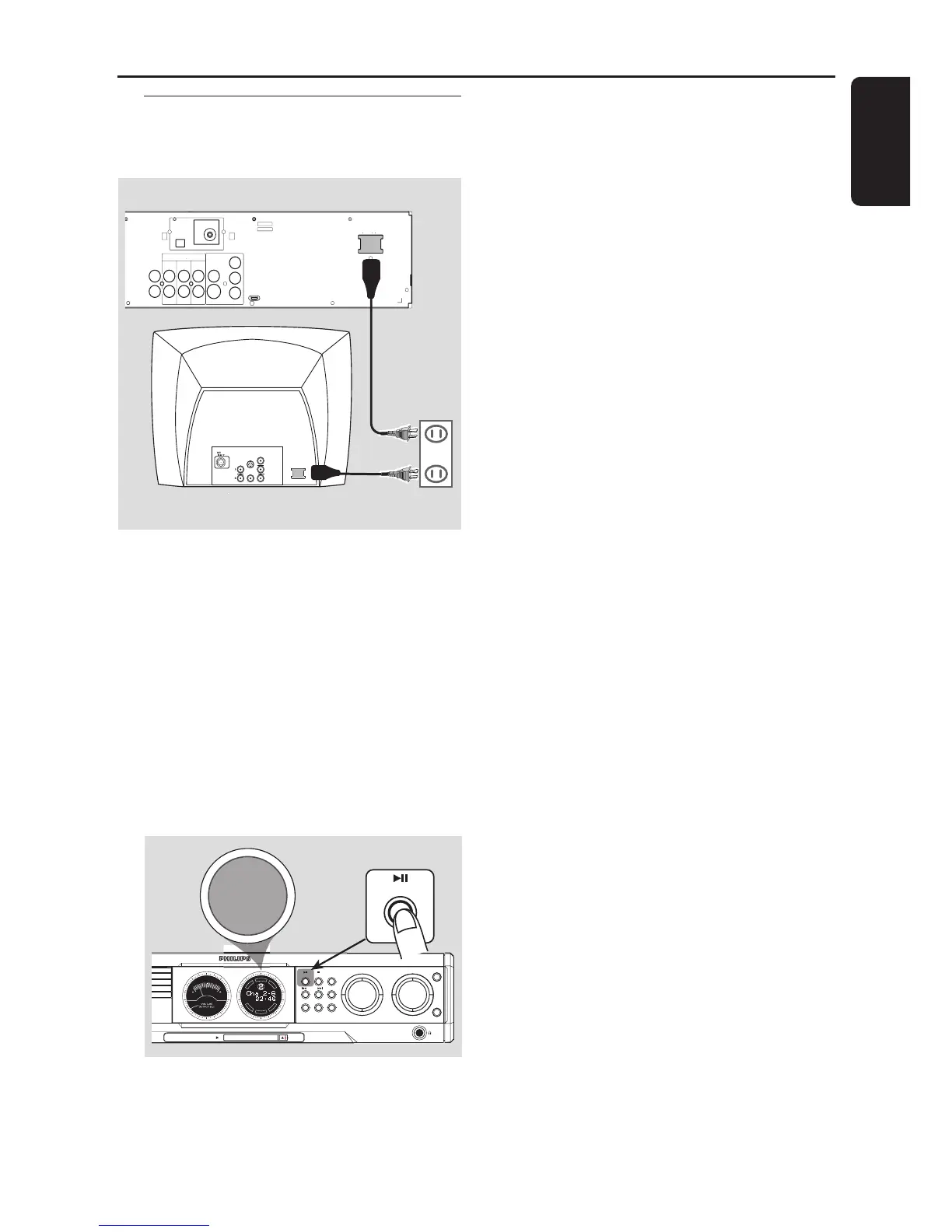
Step 6: Connecting the power
cord
DIGITAL
OUT
DIGITAL
IN
AUX
IN
TV
IN
LINE
OUT
AUDIO
VIDEO
OUT
CVBS
S-VIDEO
FM ANTENNA
AM
L
R
~ AC MAINS
~ AC MAINS
Pr
Pb
Y
AUDIO
OUT
Pr/Cr
Pb/Cb
Y
S-VIDEO
IN
VIDEO IN
COMPONENT
VIDEO IN
P-SCAN
ON OFF
After everything is connected
properly, plug in the AC power cord to
the power outlet.
Never make or change any connections with the
power switched on.
On the DVD system,
"AUTO INSTALL - PRESS PLAY" may
appear on the display panel. Press ÉÅ on the
front panel to store all available radio stations or
press Ç to exit (see page 37 “Tuner
Operations”.)
DVD VIDEO DIGITAL SURROUND SYSTEM
STOPPLAY• PAUSE SEATING
TREBLE
BASS
SOURCE
VOLUME
PROG TUNING CLOCK•TIMER
SURROUND
SEARCH
HANGER
EJECT
MEDIA SLOT
DVD
D
I
S
C
S
U
R
-
R
R
I
G
H
T
C
E
N
T
R
E
L
E
F
T
S
U
B
S
U
R
-
L
PLAY• PAUSE
AUTO INSTALL - PRESS PLAY



 To Next Page