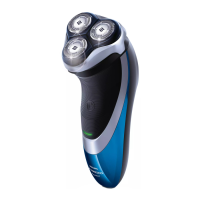
Replacing the shaving heads
1 Switch off the shaver.
2 Press the release buttons on the shaving
unit and pull the shaving head holder off
the shaving unit.
3 Turn the retaining rings counterclockwise
and remove them. Place them aside in a
safe place.
4 Remove the shaving heads from the
shaving head holder.
Discard the used shaving heads
immediately to avoid mixing them with the
new shaving heads.
5 Place new shaving heads in the holder.
6 Place the retaining rings back onto the
shaving heads and turn them clockwise to
reattach the retaining ring.
21
English


 To Next Page
 Loading...