
 Need help?
Do you have a question about the Philips OLED806 Series and is the answer not in the manual?
Explains the TV's Home screen, channels, apps, and live TV.
Describes how to add and manage apps, including the Philips TV Collection.
Provides steps to open and navigate the Home screen.
Emphasizes reading safety instructions before using the TV.
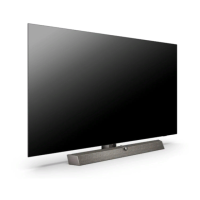
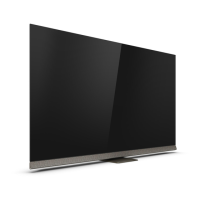
Instructions for installing the TV stand and wall mounting options.
Advice on optimal TV placement for viewing and Ambilight effect.
Guidance on connecting and handling the TV's power cable.
Describes the main buttons and their functions on the remote control.
Explains the process of pairing the remote control with the TV.
How to use voice search functionality with the remote control.
Location and importance of the TV's IR sensor for remote control.
Information on replacing batteries in the remote control.
Instructions on how to clean the remote control properly.
How to switch the TV on, off, or to standby mode.
Using the TV's physical buttons for basic operations when the remote is unavailable.
General guidance on installing TV channels.
Information about channel lists, icons, and radio stations.
How to sort and filter channel lists based on various criteria.
Procedures for tuning, switching, and locking channels, including parental rating.
Describes subtitle and audio language preferences.
CAM settings, HbbTV, and programme info.
Creating, editing, renaming, removing, and reordering favourite channel lists.
Using Teletext, options, and setup.
Using interactive TV services and HbbTV.
Covers overview, process, settings, and details like transponders and CAMs.
Covers antenna installation, updates, reinstallation, DVB settings, and advanced configuration.
How to copy channel lists using a USB drive.
Guidelines for connecting devices, including HDMI ARC/eARC and EasyLink.
How to use CI+ modules and smart cards for premium channels.
Connecting HTS via HDMI, sound issues, and sync.
Connecting mobile devices wirelessly.
Connecting and operating a Blu-ray player.
Pairing, selecting, and removing Bluetooth devices.
Connecting headphones and game consoles.
Connecting, formatting, and using USB drives for recording/pausing.
Viewing media and photos from USB flash drives.
Connecting digital cameras and camcorders.
Connecting a computer as a PC monitor with optimal settings.
Connecting to a network, Wi-Fi, and wired connections.
Managing network settings, static IP, Wi-Fi, and clearing memory.
Signing in with Google, managing Android settings.
Using the Philips TV Collection app for premium apps.
Overview of apps, Google Play Store, and app sources.
Renting movies, playing games, and listening to music.
Installing apps, parental controls, and payments.
How to launch and close applications.
Setting app locks and restricted profiles.
Locking rated apps and managing restricted profiles.
Stopping apps, clearing cache, and managing storage.
Checking TV memory usage and using USB drives for storage.
How to start and use the TV's internet browser.
Features and settings available in the internet browser.
Selecting and switching between connected input devices.
Device specific settings and controls.
Assigning icons and renaming connected devices.
Updating the Sources menu with new devices.
Instructions for connecting the TV to a network.
Pairing, selecting, and removing Bluetooth devices.
Adjusting picture styles, colour, contrast, sharpness, and brightness.
Optimizing picture quality with noise reduction, sharpness, and colour enhancement.
Adjusting HDR settings, contrast, gamma, light sensor, and motion styles.
Fine-tuning motion clarity, picture format, and Dolby Vision notification.
Adjusting sound styles, TV placement, and DTS Play-Fi setup.
Mimi personalization, room calibration, and advanced sound settings.
Configuring digital audio formats, levels, and delays.
Turning Ambilight on/off and adjusting its basic styles.
Adjusting Ambilight styles, lounge light, colours, and effects.
Adjusting screen off and other energy-saving options.
Managing eco settings, USB drives, and keyboard settings.
OLED screen care, EasyLink, and HDMI Ultra HD settings.
Auto film mode, HbbTV settings, and OLED screen settings.
Configuring clock, region, and language preferences.
Managing installed apps and storage.
Enabling features for users with hearing, visual, or speech impairments.
Setting PIN codes for child lock.
Locking rated apps and managing restricted profiles.
Viewing media files from a computer or NAS via Media Server.
Adding and viewing favourite media files and folders.
Accessing and managing popular and recently played media.
Viewing media files from USB drives.
Playing video files, options, and control bar.
Viewing photos and control bar.
Viewing 360 photos and their options.
Playing music files, options, and control bar.
Requirements for using the TV Guide feature.
Information about the availability and sources of TV Guide data.
Opening, tuning, viewing details, and searching by genre.
Setting and managing programme reminders and recordings.
Recording requirements, scheduling, conflicts, and auto end margin.
How to pause and resume TV broadcasts.
Pausing, resuming, and replaying TV broadcasts.
Downloading and using the TV remote app.
Casting apps and content to the TV.
Sources for games and necessary equipment.
Connecting gamepads and playing games from consoles.
Adjusting Ambilight styles, turning it off, lounge light, sunrise alarm, and ambisleep.
Lounge light, sunrise alarm, and ambisleep settings.
Connecting and configuring Philips Hue bulbs and wireless speakers with Ambilight.
Understanding Top Picks recommendations and agreeing to terms.
How to use the Now on TV feature for current programmes.
Renting movies and TV shows online.
Opening and renting movies from video on demand services.
Features and requirements for Freeview Play.
How to access and use Freeview Play.
Overview of Amazon Alexa voice control on the TV.
Setup and usage instructions for Alexa voice control.
Updating via internet, USB, and OAD.
How to view the current TV software version.
Automatic updates, history, open source, and announcements.
Energy efficiency, disposal, and power details.
Compliance declarations for radio equipment.
Information about the TV's operating system.
Details on tuners, display types, resolutions, connectivity, and sound.
Supported file systems, playback formats, subtitles, and media server software.
Benefits and process of registering your TV.
Accessing on-screen help and downloading the PDF manual.
Solutions for power, remote control, and sound problems.
Instructions for cleaning and protecting the OLED screen.
Resolving issues like no picture, poor reception, and incorrect picture format.
Addressing sound issues, HDMI/USB problems, and Bluetooth connectivity.
Changing menu language, online help, and contacting support.
Covers electrical safety, injury risks, battery safety, heat, and environmental factors.
Preventing tip-over incidents and ensuring safe placement.
Instructions for cleaning and protecting the TV screen.
Cleaning and maintaining leather surfaces.
Product info, warranty, CE compliance, and EMF.
Privacy policy and privacy settings for Smart TV.
Information on HDMI, Dolby Vision, Dolby Atmos, DTS, Wi-Fi Alliance, and Kensington trademarks.
Listing of other registered and unregistered trademarks.
 General
| Display Type | OLED |
|---|---|
| Resolution | 4K Ultra HD (3840 x 2160) |
| Operating System | Android TV |
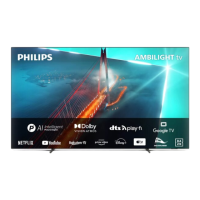
| Ambilight | 3-sided Ambilight |
| HDMI Ports | 4 |
| Processor | P5 AI Perfect Picture Engine |
| Refresh Rate | 120 Hz |
| USB Ports | 3 |
| Bluetooth | Bluetooth 5.0 |
| Ambient Light Sensor | Yes |
| Screen Sizes | 48", 55", 65", 77" |
| HDR | HDR10+, Dolby Vision, HLG |
| Audio | Dolby Atmos |
| Wi-Fi | 802.11ac |
| Voice Assistants | Google Assistant, Alexa |







 To Next Page
