12 EN
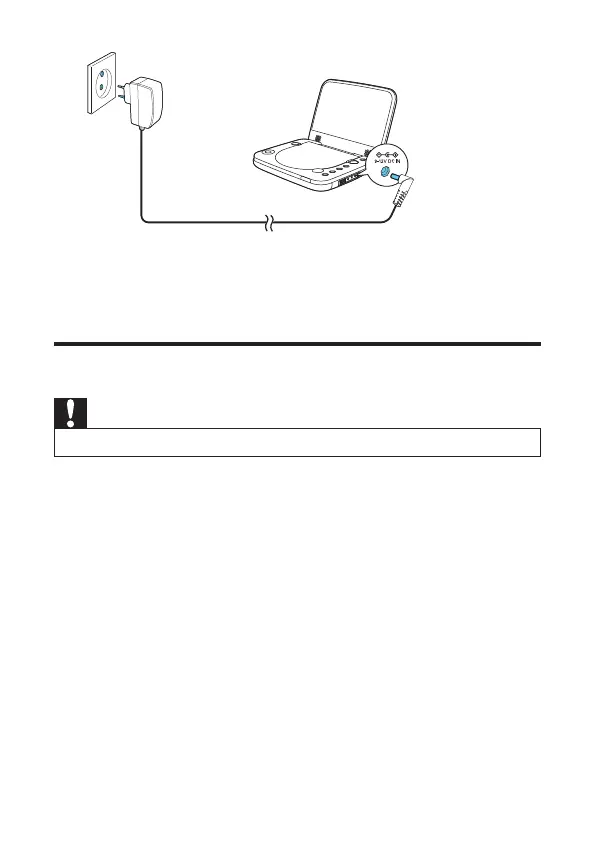
» The charging indicator turns on (red).
» When the battery is fully charged, the indicator turns off.
Connect additional equipment
Caution
Turn off your player before connecting to any additional equipment.
<RXFDQFRQQHFWWKHSOD\HUWRD79RUDQDPSOLÀHUWRHQMR\'9'V
1 Connect the to the AV cable (not supplied) to the AV OUT jack of the
player.
2 Match the color of the AV cables (not supplied) with the jacks on your TV:
the yellow cable is for the yellow video jack
the red/white cable is for the red/white audio jacks.



 To Next Page