20
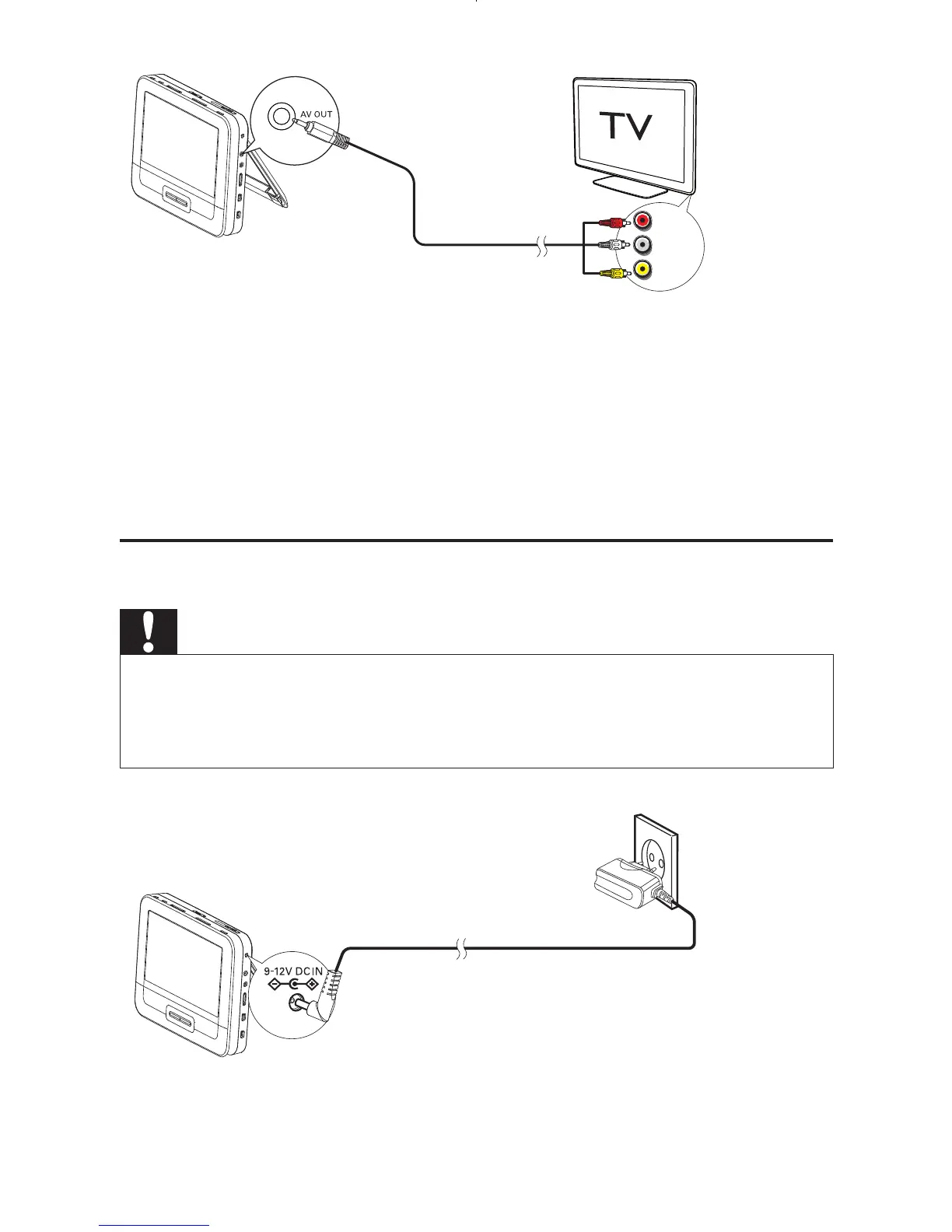
1 Connect a AV cable (not supplied) to:
the • AV OUT jack of this player
the audio/video jacks of your TV. •
2 Match the colors of the AV cable with the jacks:
the yellow cable is for the video jack•
the red/white cable is for the audio jacks.•
Connect power from household source
Caution
Risk of product damage! Ensure that the power supply voltage corresponds to the •
voltage pointed on the back or the underside of the player.
Risk of electric shock! When you unplug the AC adaptor, always pull the plug from
•
the socket. Never pull the cable.
1 Connect the AC adaptor cable to:
L
R
VIDEO IN
EN



 To Next Page