11
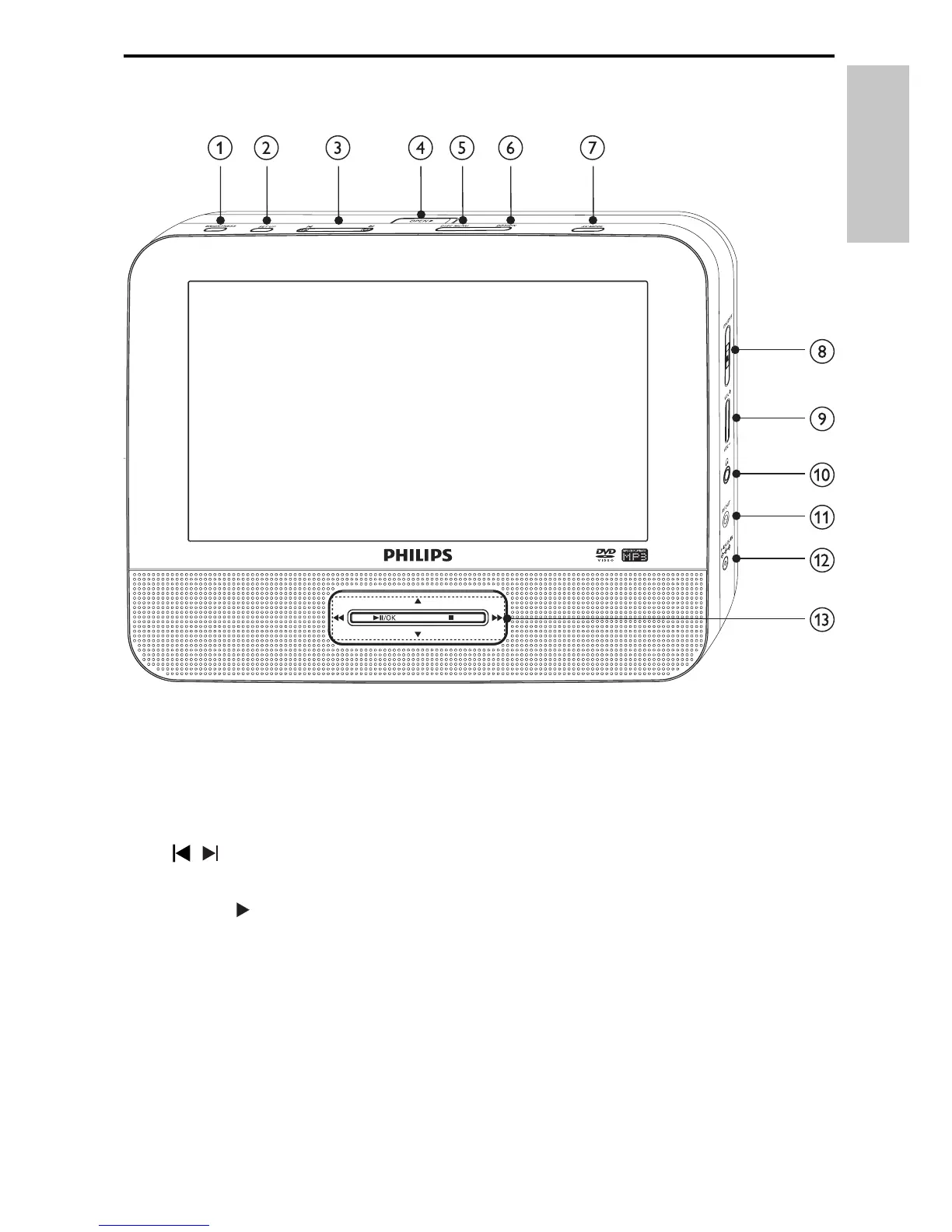
Overview of the main unit
a
BRIGHTNESS
Adjusts screen brightness.
•
b
SETUP
Accesses or exits the setup menu.
•
c
,
Skips to the previous or next title, chapter, or track.
•
d
OPEN
Opens the disc compartment.
•
e
DISC MENU
For DVD, accesses or exits disc menu.
•
For VCD, turns on or off PBC (Playback Control) mode.
•
For VCD version 2.0 or SVCD with PBC turned on, returns to the
•
menu.
English
EN


 To Next Page