14 EN
Connect power
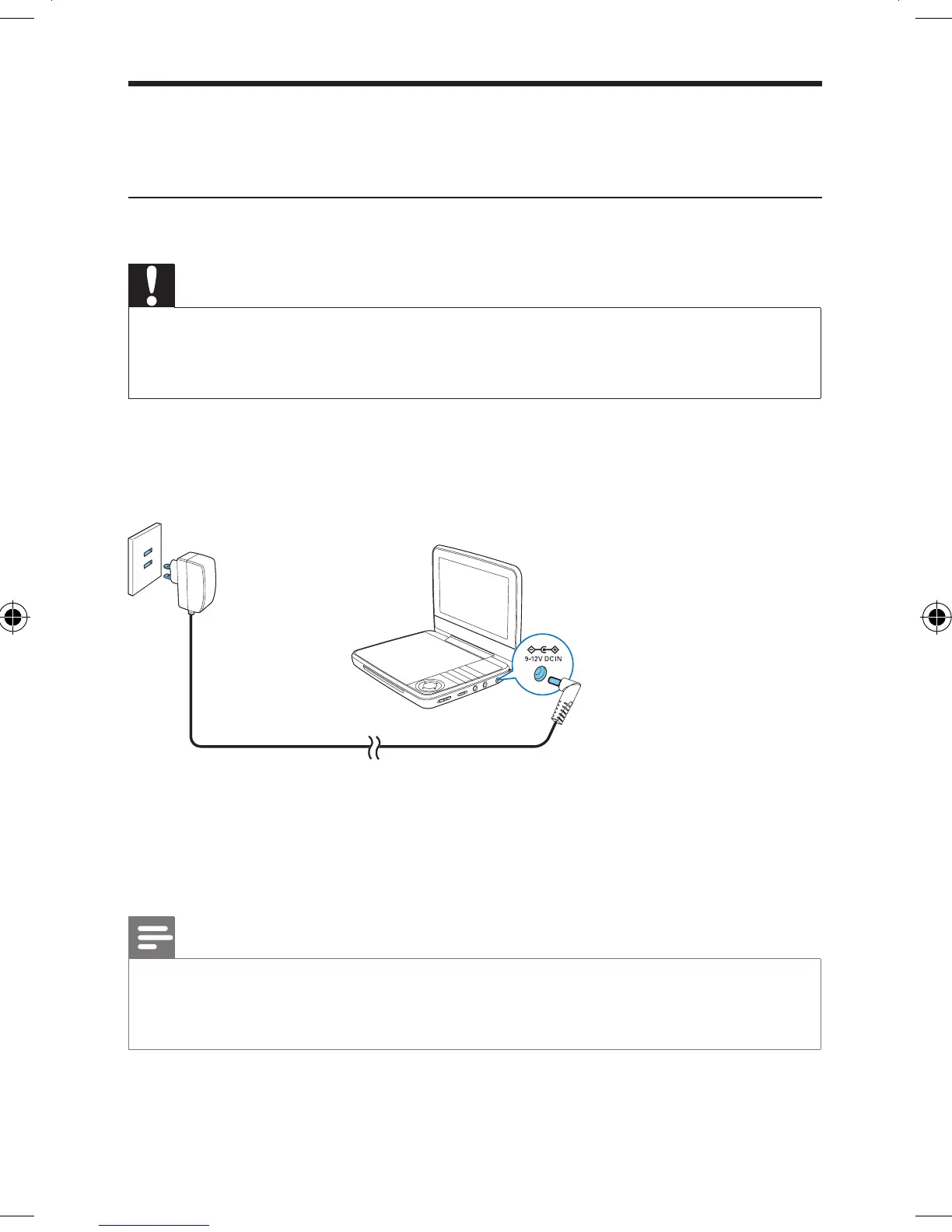
Charge the battery
Caution
• Risk of product damage! Ensure that the power supply voltage corresponds to the voltage printed
on the bottom of the player.
• Use only the supplied adaptors to charge the battery.
1 Slide the POWERON/OFF switch to OFF position.
2 Connect the supplied AC adaptor to the player and to the AC outlet.
» The charge indicator turns on. It takes about 4.5 hours to fully charge
the battery.
» When the battery is fully charged, the charge indicator turns off.
Note
• You can only charge the player when it is powered off.
• To maximize battery life, recharge the battery immediately once the battery is fully discharged. If
you do not use the player for a long time, recharge the battery once every two months.
PET741M_37_UM_V1.0.indb 14 2/1/2013 9:40:01 AM


 To Next Page