8 EN
will be displayed.
If any foreign object is detected, will be
ashing.
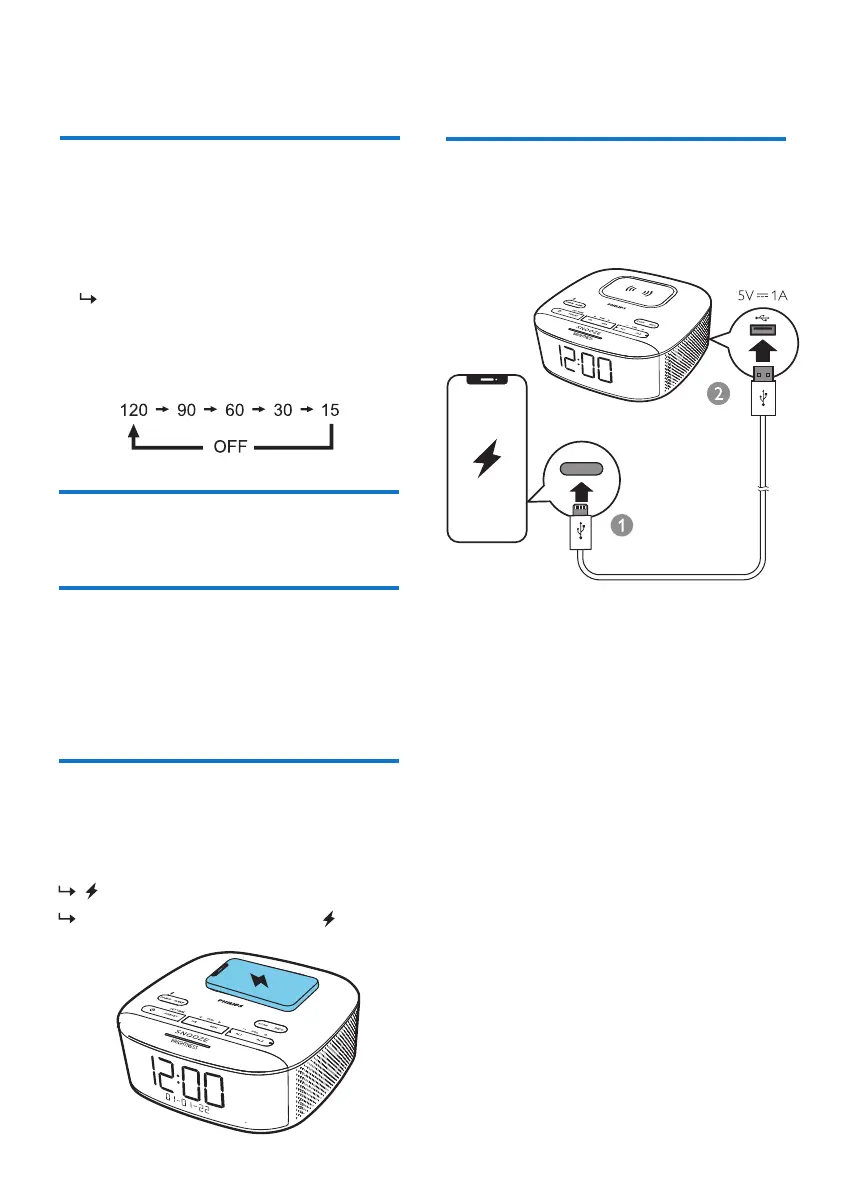
Set sleep timer
This clock radio can switch to standby mode
automatically after a preset period.
• Press
(in minutes).
SLEEP repeatedly to select a period
The clock radio switches to standby mode
automatically after the preset period.
To deactivate the sleep timer:
Charge an external USB device through the
USB port on the back of this unit.
• Press SLEEP repeatedly until [
OFF
] (o)
appears.
Adjust volume
Charge through USB port
While listening, press -VOL+ to adjust volume.
Adjust display brightness
Press
BRIGHTNESS
repeatedly to select
dierent brightness levels:
Wirelessly charge your
smartphone
Put your smartphone on the wireless charging
pad, the wireless charging will be activated.
•
High
•
Medium
•
Low



 To Next Page