EN
11
5
Press any key to confirm the new setup.
> When setup was successful AMP, in the selector window, switches off, then blinks twice
briefly. The remote control returns to normal operation mode. You can now use the
AMP volume controls in SAT mode.
> When setup was not successful AMP, in the selector window, switches off and then
blinks for at least 1 second. Start again from step 1.
• To restore the original setup, you have to revert the remote control back to the
factory default settings. For this see ‘Restoring all original functions’.
Restoring all original functions (Facory reset)
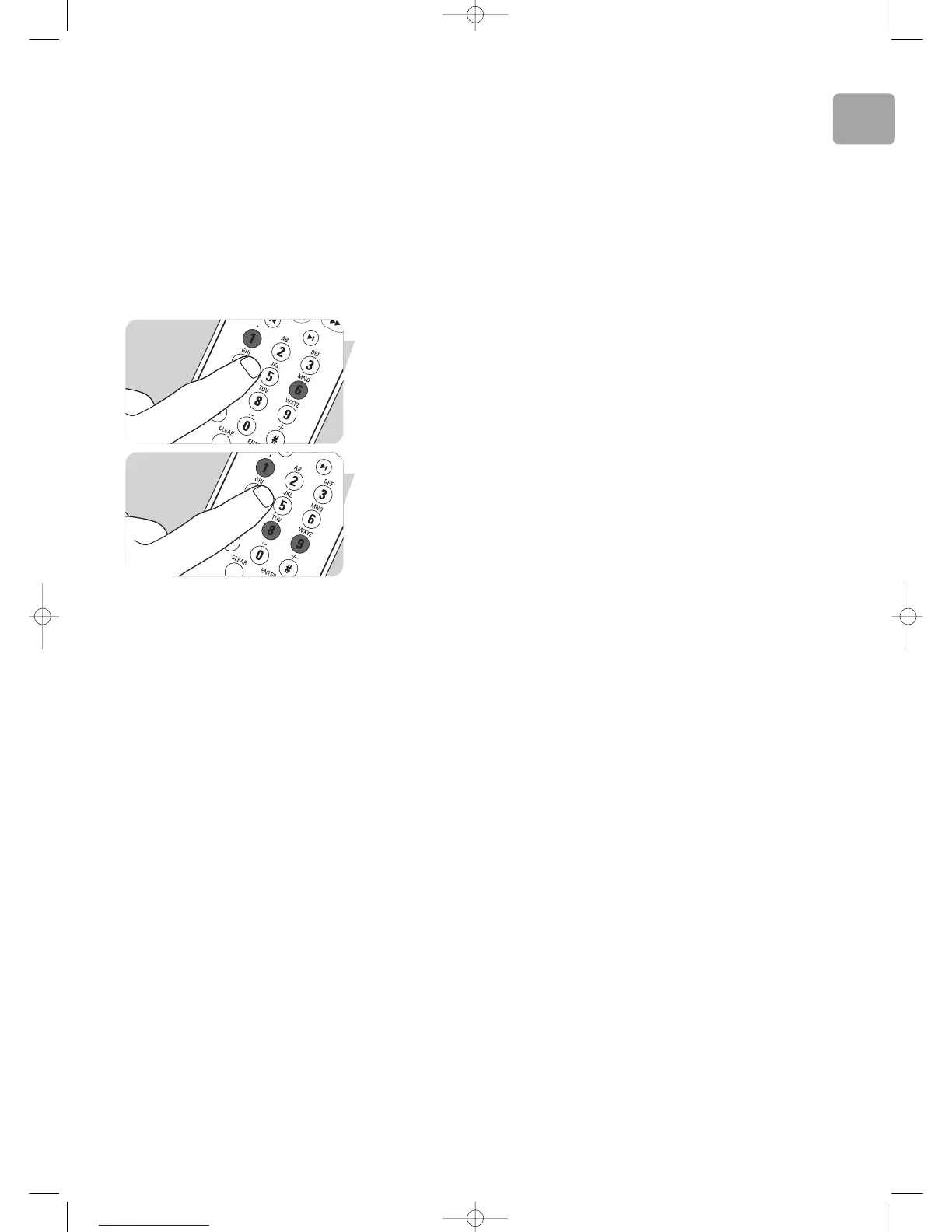
1 Press digit keys 1 and 6 (12) simultaneously for 3 seconds.
> After 3 seconds one of the device indicators in the selector window (PC, TV, AMP, SAT
or DVD) blinks twice and then remains lit .
2 Press digit keys 9, 8, 1 (12).
> The device indicator blinks once after every key press. After the last key press, the
device indicator blinks twice and then remains lit.
> When factory reset was successful the device indicator blinks twice, then remains lit.
The indicator then blinks twice again and the remote control returns to normal
operation mode. All user settings are set back to the factory default settings.
> When factory reset was not successful the indicator switches off and then blinks for at
least 1 second. Start again from step 1.







 To Next Page