EN
4
Note: When a key or key combination is pressed for longer than 30 seconds, the remote
control will stop transmitting IR signals.
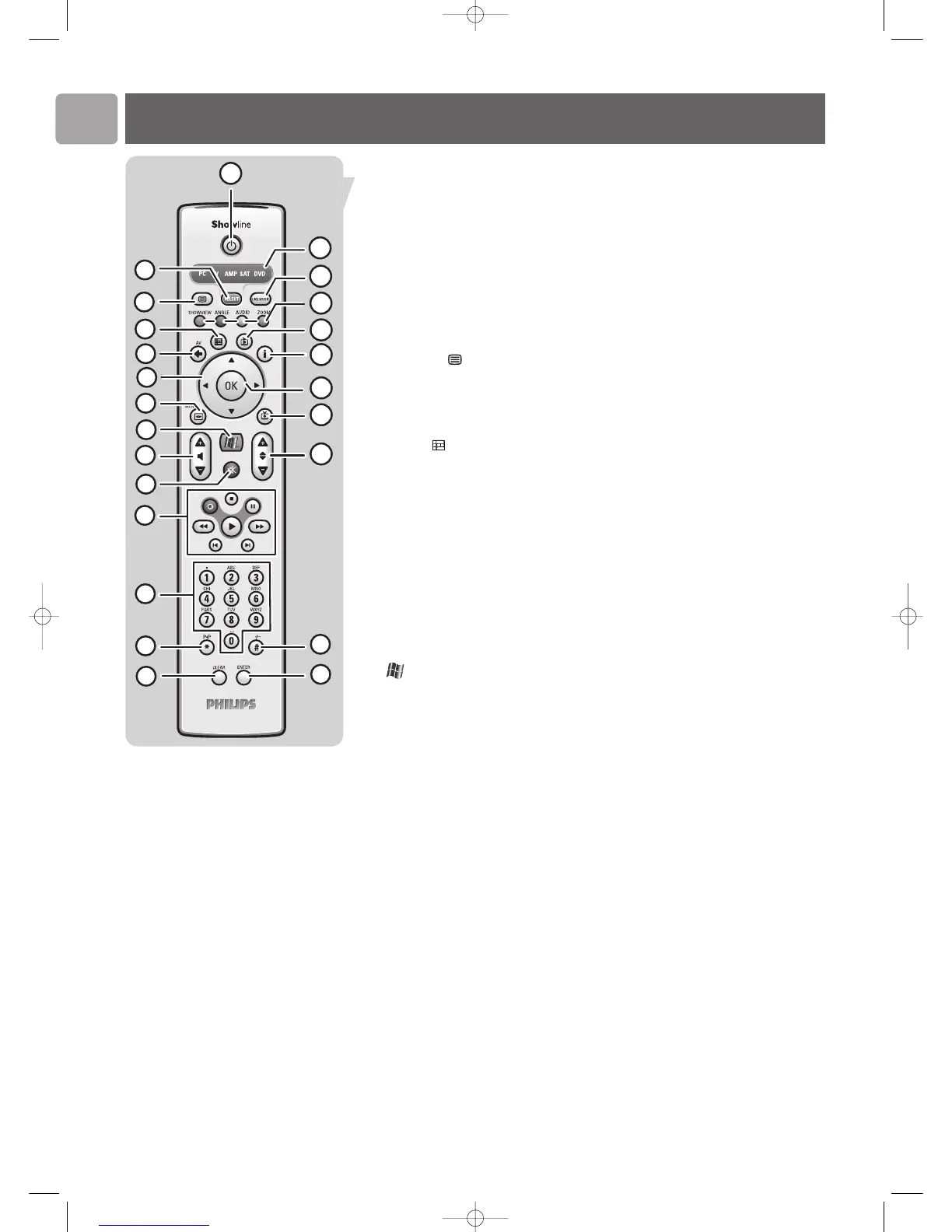
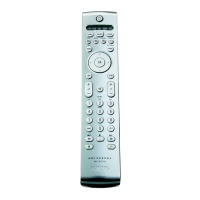
1
yy
Standby
Switches the Media Center ON or to standby.
2 SELECT
Selects the device you wish to operate via the remote control:
PC (Media Center), TV, AMP(amplifier), SAT (cable/satellite set-top box), DVD.
Notes:
– After switching on the Media Center, the remote control will automatically go to Media
Center mode.
– When selecting devices, the SELECT key must be pressed within 10 seconds each time
3 Teletext ( )
TV: text.
DVD: system menu, OSD (On Screen Display).
AMP: sleep.
SAT: text, text on / off.
4 Guide ( )
TV / DVD: guide.
SAT: guide. EPG (Electronic Program Guide).
5 AV (Audio / Video)
TV: selects external audio / video source.
DVD: return, exit menu.
SAT: return, exit menu, back up.
6 1 2 3 4
Cursor left, right, up and down keys. Menu navigation keys.
7 MENU
TV: menu.
DVD: disc menu.
AMP / SAT: menu (On Screen Display).
8
Opens Microsoft Windows
®
XP Media Center edition home menu.
9 – Volume +
Adjusts the volume down (–) and up (+) of your Philips TV.
For adjusting the volume of other TV brands, see CHAPTER ‘Installing the remote
control’.
10 Mute (s)
Mutes speaker and headphones output.
11 0 (Record)
DVD / SAT: record.
9 (Stop)
DVD / SAT: stop.
; (Pause)
DVD / SAT: pause.
5 6 (Search)
DVD / SAT: fast backward (5) / fast forward (6).
AMP: center speaker volume down (5) / up (6).
2 (Play)
DVD / SAT: play.
¡ ™ (Skip)
DVD / SAT: previous (¡) / next (™).
AMP: rear speaker volume down (¡) / up (™).
Functional overview









 To Next Page