EasyManua.ls Logo

Philips RC624 RDS - Previous;Next Track; Track Scan

Philips RC624 RDS
12 pages
Print Icon
To Next Page IconTo Next Page
To Previous Page IconTo Previous Page
Loading...
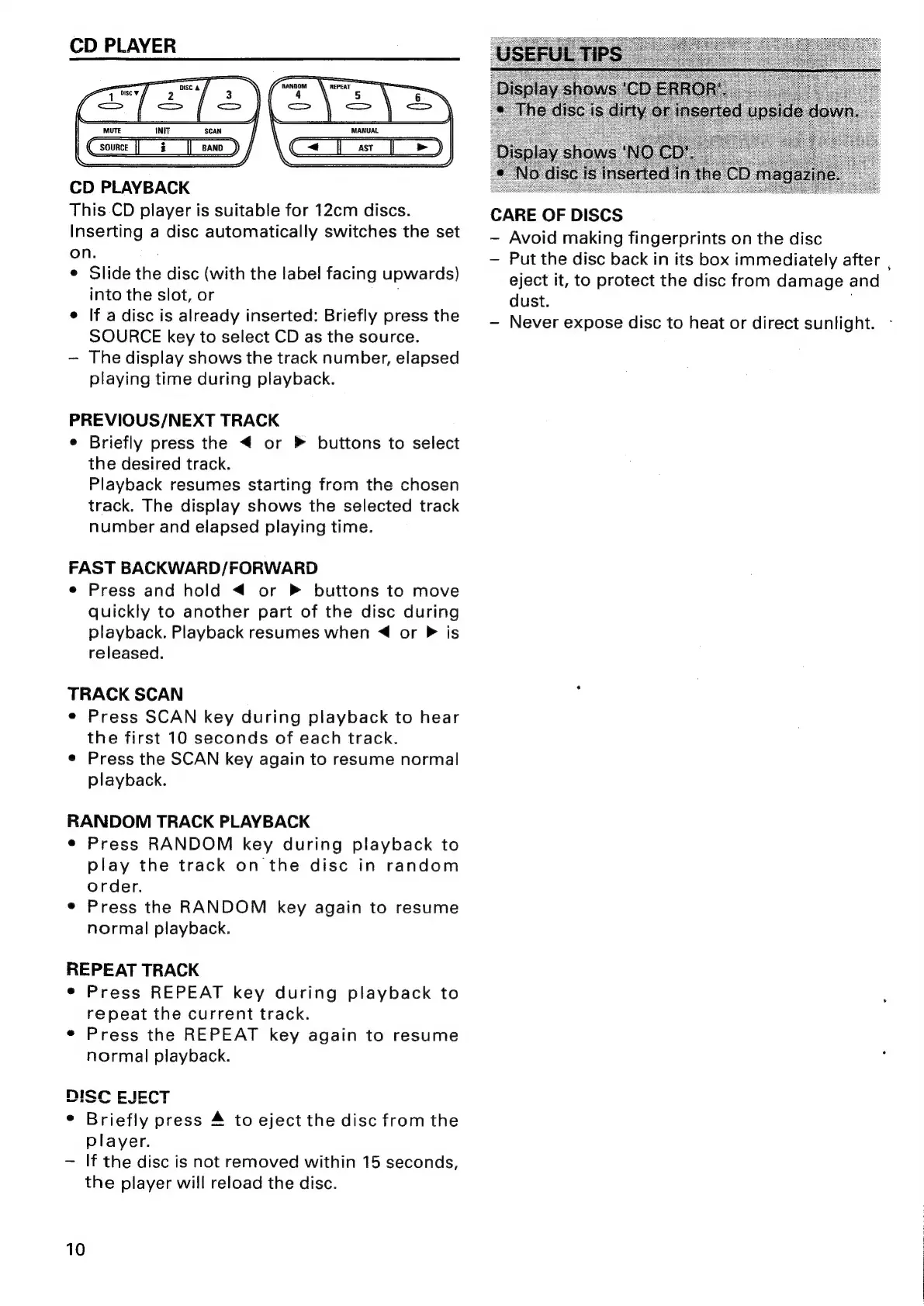
CD
PLAYER
MANUAL
|_
>)
CD
PLAYBACK
This
CD
player
is
suitable
for
12cm
discs.
Inserting
a
disc
automatically
switches
the
set
on.
©
Slide
the
disc
(with
the
label
facing
upwards)
into
the
slot,
or
e
If
a
disc
is
already
inserted:
Briefly
press
the
SOURCE
key
to
select
CD
as
the
source.
The
display
shows
the
track
number,
elapsed
playing
time
during
playback.
PREVIOUS/NEXT
TRACK
e
Briefly
press
the
<
or
»
buttons
to
select
the
desired
track.
Playback
resumes
starting
from
the
chosen
track.
The
display
shows
the
selected
track
number
and
elapsed
playing
time.
FAST
BACKWARD/FORWARD
e
Press
and
hold
<
or
buttons
to
move
quickly
to
another
part
of
the
disc
during
playback.
Playback
resumes
when
<<
or
P
is
released.
TRACK
SCAN
e
Press
SCAN
key
during
playback
to
hear
the
first
10
seconds
of
each
track.
e
Press
the
SCAN
key
again
to
resume
normal
playback.
RANDOM
TRACK
PLAYBACK
e
Press
RANDOM
key
during
playback
to
play
the
track
on
the
disc
in
random
order.
¢
Press
the
RANDOM
key
again
to
resume
normal
playback.
REPEAT
TRACK
¢
Press
REPEAT
key
during
playback
to
repeat
the
current
track.
e
Press
the
REPEAT
key
again
to
resume
normal
playback.
riefly
press
4
to
eject
the
disc
from
the
player.
If
the
disc
is
not
removed
within
15
seconds,
the
player
will
reload
the
disc.
10
CARE
OF
DISCS
-
Avoid
making
fingerprints
on
the
disc
Put
the
disc
back
in
its
box
immediately
after
,
eject
it,
to
protect
the
disc
from
damage
and
dust.
,
Never
expose
disc
to
heat
or
direct
sunlight.

Related product manuals