EasyManua.ls Logo

Philips RC624 RDS - Page 4

Philips RC624 RDS
12 pages
Print Icon
To Next Page IconTo Next Page
To Previous Page IconTo Previous Page
Loading...
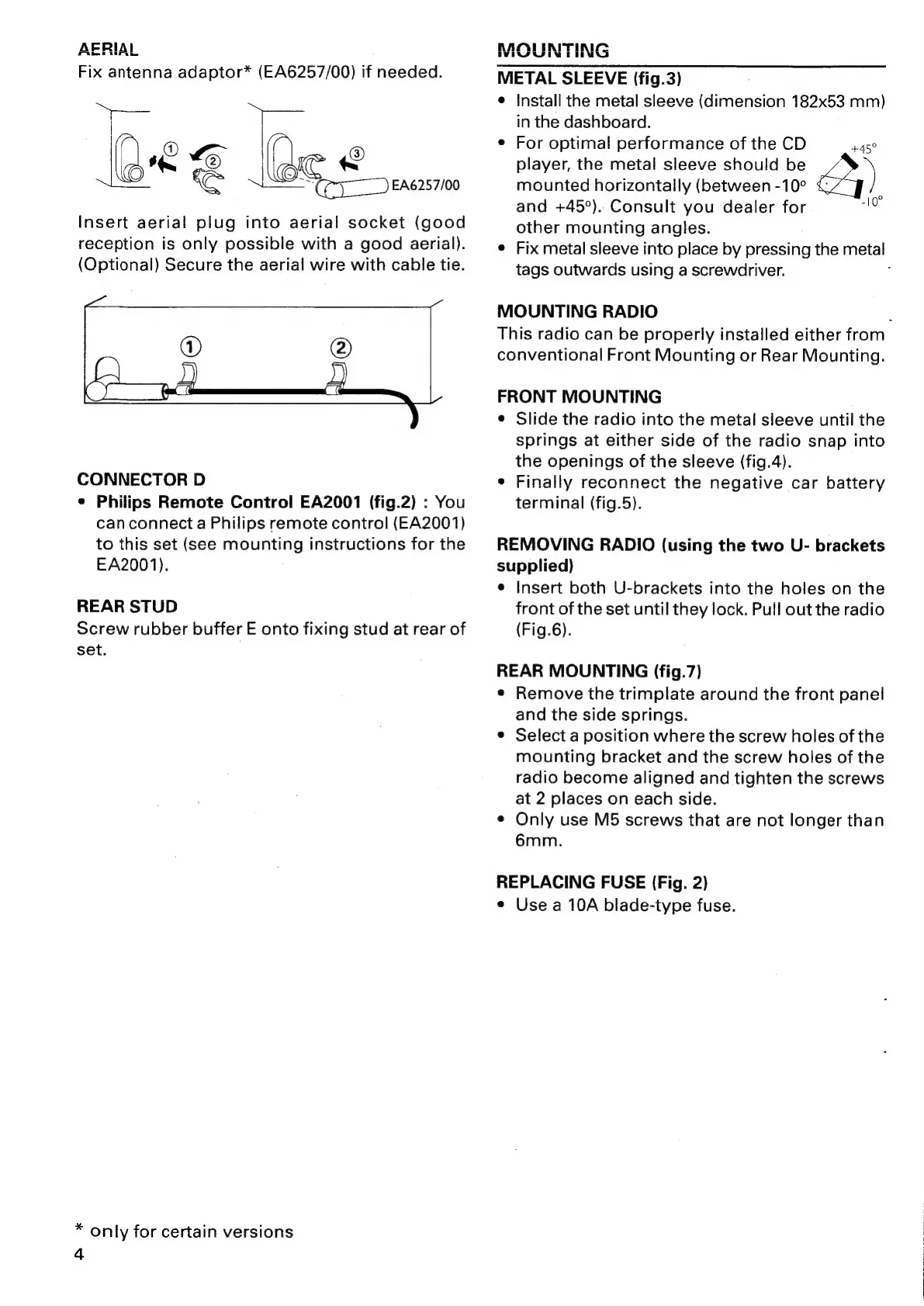
AERIAL
Fix
antenna
adaptor*
(EA6257/00)
if
needed.
Kes
ee
Ree
a
:
Bee.
EA6257/00
Insert
aerial
plug
into
aerial
socket
(good
reception
is
only
possible
with
a
good
aerial).
(Optional)
Secure
the
aerial
wire
with
cable
tie.
@
@)
CONNECTOR
D
¢
Philips
Remote
Control
EA2001
(fig.2)
:
You
canconnect
a
Philips
remote
control
(EA2001)
to
this
set
(see
mounting
instructions
for
the
EA2001).
REAR
STUD
Screw
rubber
buffer
E
onto
fixing
stud
at
rear
of
set.
*
only
for
certain
versions
4
MOUNTING
METAL
SLEEVE
(fig.3)
e
{nstall
the
metal
sleeve
(dimension
182x53
mm)
in
the
dashboard.
e
For
optimal
performance
of
the
CD
+45°
player,
the
metal
sleeve
should
be
)
mounted
horizontally
(between
-10°
and
+45°).
Consult
you
dealer
for
ae
other
mounting
angles.
e
Fix
metal
sleeve
into
place
by
pressing
the
metal
tags
outwards
using
a
screwdriver.
:
MOUNTING
RADIO
F
This
radio
can
be
properly
installed
either
from
conventional
Front
Mounting
or
Rear
Mounting.
FRONT
MOUNTING
¢
Slide
the
radio
into
the
metal
sleeve
until
the
springs
at
either
side
of
the
radio
snap
into
the
openings
of
the
sleeve
(fig.4).
e
Finally
reconnect
the
negative
car
battery
terminal
(fig.5).
REMOVING
RADIO
(using
the
two
U-
brackets
supplied)
e
Insert
both
U-brackets
into
the
holes
on
the
front
of
the
set
until
they
lock.
Pull
out
the
radio
(Fig.6).
REAR
MOUNTING
(fig.7)
¢
Remove
the
trimplate
around
the
front
panel
and
the
side
springs.
e
Select
a
position
where
the
screw
holes
of
the
mounting
bracket
and
the
screw
holes
of
the
radio
become
aligned
and
tighten
the
screws
at
2
places
on
each
side.
¢
Only
use
M5
screws
that
are
not
longer
than
6mm.
REPLACING
FUSE
(Fig.
2)
e
Use
a
10A
blade-type
fuse.

Related product manuals