Need help?
Do you have a question about the Philips Roku TV 32PFL6472 and is the answer not in the manual?
Register your Philips TV for exclusive offers, warranty tracking, and product support.
Access the detailed user manual by visiting the support page and entering your TV model number.
Obtain assistance by calling the customer care center or using the online chat support.
High-quality audio and video connection for devices like Blu-ray players, consoles, and home theater systems.
Standard quality analog audio L/R input jacks for connecting audio devices.
Standard quality composite video input jack for older video devices.
Connect a 75 ohm cable for antenna or satellite box input.
High-quality audio output via optical (TOSLINK) cable for soundbars or home theater.
Connect USB drives for media playback and Live TV pause features.
Guide on how to open the battery cover and insert AAA batteries correctly.
Explanation of the functions for each button on the remote control.
Connect the AC power cord and use the remote to turn on the TV for initial setup.
Follow the guided on-screen instructions to connect to a wireless network and configure settings.
Create or link a Roku account to activate your TV and access streaming channels.
Explains safety symbols and general precautions for electrical shock and fire hazards.
Provides guidance on safe TV placement to prevent tipping and injury to children.
Details safety procedures and recommendations for wall mounting the TV.
Specifies the required space around the TV for wall installation.
Guidance on positioning the TV to avoid direct sunlight, dust, and vibration.
Ensures adequate space for ventilation to prevent overheating.
Information on product packaging recycling and end-of-life disposal.
Precautions for battery usage, mixing, and disposal according to local regulations.
Outlines the terms, coverage, exclusions, and limitations of the one-year limited warranty.
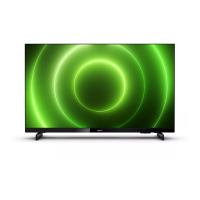
This document provides a quick start guide and detailed information for the Philips Roku TV, specifically models 32PFL6472 and 32PFL6452. It covers setup, connections, remote control usage, smart TV activation, antenna connection, and important safety instructions, as well as warranty and environmental care information.
The Philips Roku TV is a smart television designed to provide both traditional broadcast TV viewing and access to a wide range of streaming entertainment. It integrates the Roku platform, allowing users to access thousands of streaming channels, movies, and TV shows. The TV supports high-quality audio and video connections, including HDMI, and features a built-in tuner for over-the-air antenna or free cable reception. It is designed for ease of use, with on-screen instructions guiding users through initial setup and network connection. The TV automatically updates its software when connected to the internet, ensuring access to the latest features and improvements. A key feature is the ability to pause live TV for up to 90 minutes when a 16 GB or larger USB drive is connected, enhancing the viewing experience for broadcast content.
Initial Setup and Connectivity: Upon powering on, the TV guides users through an initial setup process, including connecting to a preferred wireless network. It automatically detects available wireless networks, requiring the user to have their network name and password ready. If a wireless connection is not immediately desired, the TV can still be used as a regular television by selecting "Connect to the Internet later." Once connected, the TV automatically updates its software, which may take a few minutes.
Smart TV Activation: To access the full range of streaming channels and smart features, the TV requires activation with a Roku account. This process involves using a smartphone, tablet, or computer to link the TV to a Roku account. Roku accounts are free, and while a credit card is not mandatory for account creation, providing one facilitates renting and purchasing content from the Roku Channel Store. A unique PIN can be set to prevent unauthorized purchases.
Remote Control: The included remote control is intuitive, with dedicated buttons for power, back, OK, instant replay, rewind scan, home, directional keypad (D-Pad), sleep timer, options, fast forward scan, play/pause, and featured channel shortcuts. The D-Pad allows navigation through menus and, when watching antenna TV, brings up the channel list or Smart Guide. The options button provides quick access to picture settings, display options, and the ability to move streaming channel icons.
Connections: The TV offers various connection options:
Live TV Features: When connected to an antenna, the Live TV tile on the home screen provides access to local broadcast TV. While in the live TV input, the remote's D-Pad left button brings up a smart guide with antenna TV channels. The play/pause button allows pausing live TV for up to 90 minutes (with a connected USB drive). The RWD scan and FWD scan buttons enable fast forwarding and rewinding within the paused live TV content.
Controls on the TV: The TV itself has a power button located at the bottom, which can be pressed to turn the TV on/select a connected device, or pressed and held to turn it off. There is also a remote control sensor and a factory reset button (press and hold for about 10 seconds).
Software Updates: The TV automatically receives regular software updates in the background when connected to the internet, ensuring it always has the latest features and security enhancements without user intervention.
Factory Reset: A factory reset option is available by pressing and holding a button on the TV for approximately 10 seconds. This clears most user data and resets the TV to its factory default state. After a factory reset, users will need to re-perform the guided setup, activation, channel scan, and parental control settings.
Environmental Care: The product packaging is designed for recycling, and users are encouraged to contact local authorities for recycling information. The TV itself contains recyclable and reusable materials. Users are advised to dispose of the TV and used batteries according to local regulations.
Battery Installation: The remote control requires two AAA (1.5 V) batteries. The battery cover slides down for easy access, and users should ensure batteries are inserted with correct polarity. Warnings are provided against mixing old and new batteries, different battery types, and exposing batteries to excessive heat.
Cleaning: The TV should be cleaned only with a dry cloth.
Mounting: For wall mounting, users are advised to consult the "Wall mount bracket kit" section in the important safety instructions for recommended kits. It is recommended to use a mount specified by the manufacturer and follow all installation instructions. Professional installation is suggested if there are any doubts about safe mounting. Specific clearances (top, left/right, bottom) are recommended when installing the unit on a wall to ensure proper ventilation.
Troubleshooting and Support: For additional support, users can refer to the online owner's manual at www.philips.com/support. Philips also provides customer care support via phone and chat for assistance with the product.
 General
| Display Technology | LED |
|---|---|
| Screen Size | 32 inches |
| Refresh Rate | 60 Hz |
| Smart TV | Yes |
| Operating System | Roku TV |
| HDMI Ports | 3 |
| USB Ports | 1 |
| Built-in Wi-Fi | Yes |
| Ethernet Port | Yes |

 To Next Page