4 Carefully shake off excess water and leave the
shaving heads open to let the shaving unit dry
completely.
Never dry the shaving unit with a towel or tissue,
as this may damage the shaving heads.
Cleaning the shaving unit in the Jet Clean
System (specic types only)
The Jet Clean system comes in two types:
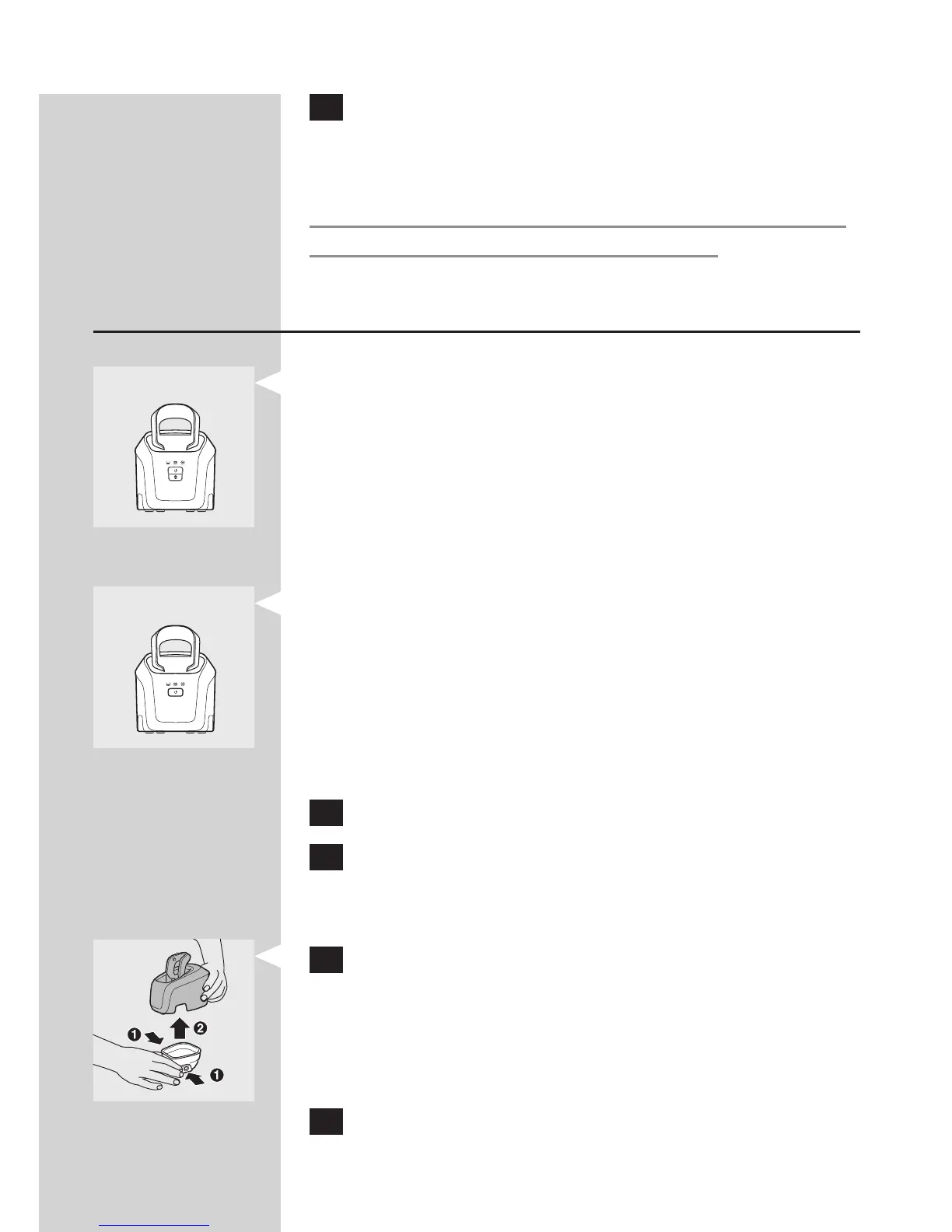
Type RQ1008 has three cleaning programs: the
eco program, the auto program and the intensive
program. Press the up/down button to select the
cleaning program you prefer.
Note: The eco program has a shorter drying time, to
save energy. The intensive program is a more thorough
cleaning program.
Type RQ1007 has one automatic cleaning
program. When you press the on/off button,
the Jet Clean System starts cleaning in the
automatic cleaning program.
Preparing the Jet Clean System for use
Fill the cleaning chamber before rst use.
1 Put the small plug in the Jet Clean System.
2 Put the adapter in the wall socket.
The holder automatically moves to the highest
position.
3 Simultaneously press the release buttons on
both sides of the cleaning chamber (1). Then lift
the Jet Clean System off the cleaning chamber
(2).
The cleaning chamber remains behind.
4 Unscrew the cap from the bottle with cleaning
uid.
-
-
,
,



 To Next Page