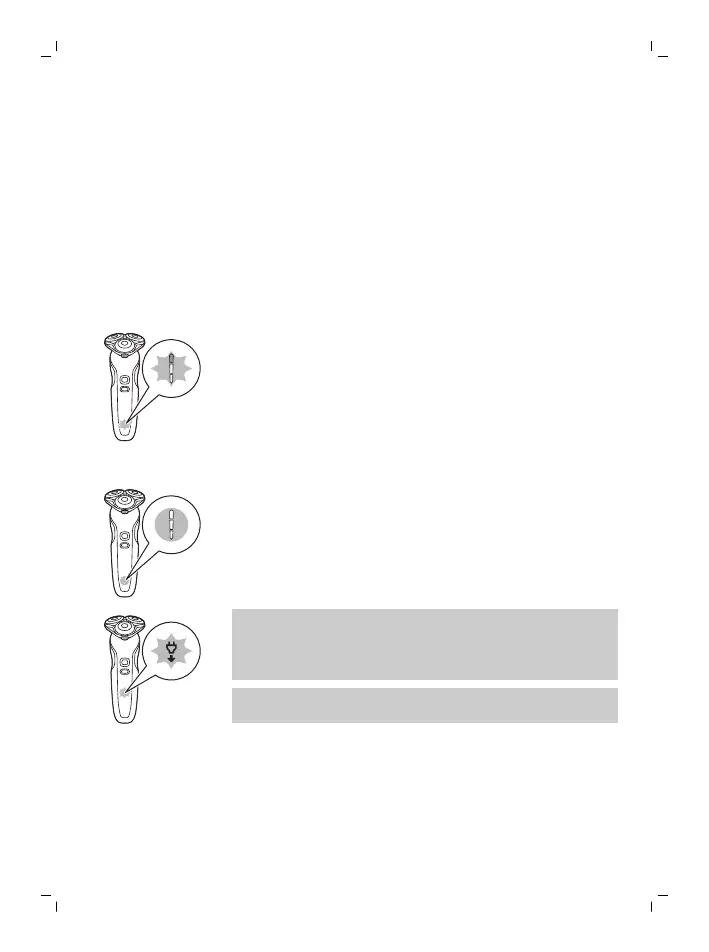
The display
Battery charge indicator
Quick charge: When the battery is empty and you
connect the shaver to a wall socket, the lights of
the battery charge indicator light up white one
after the other repeatedly. When the battery
contains enough energy for one shave, the bottom
light of the battery charge indicator starts flashing
white slowly.
As charging continues, each light flashes and then
lights up continuously to indicate to what level the
battery has been charged.
Battery fully charged
When the battery is fully charged, all lights of the
battery charge indicator light up white
continuously.
Note: When you press the on/off button while the
shaver is still connected to the wall socket, the
'unplug for use' symbol lights up (see '’Unplug for
use’ reminder').
Note: When the battery is full, the display switches
off automatically after 30 minutes.
10
English



 To Next Page