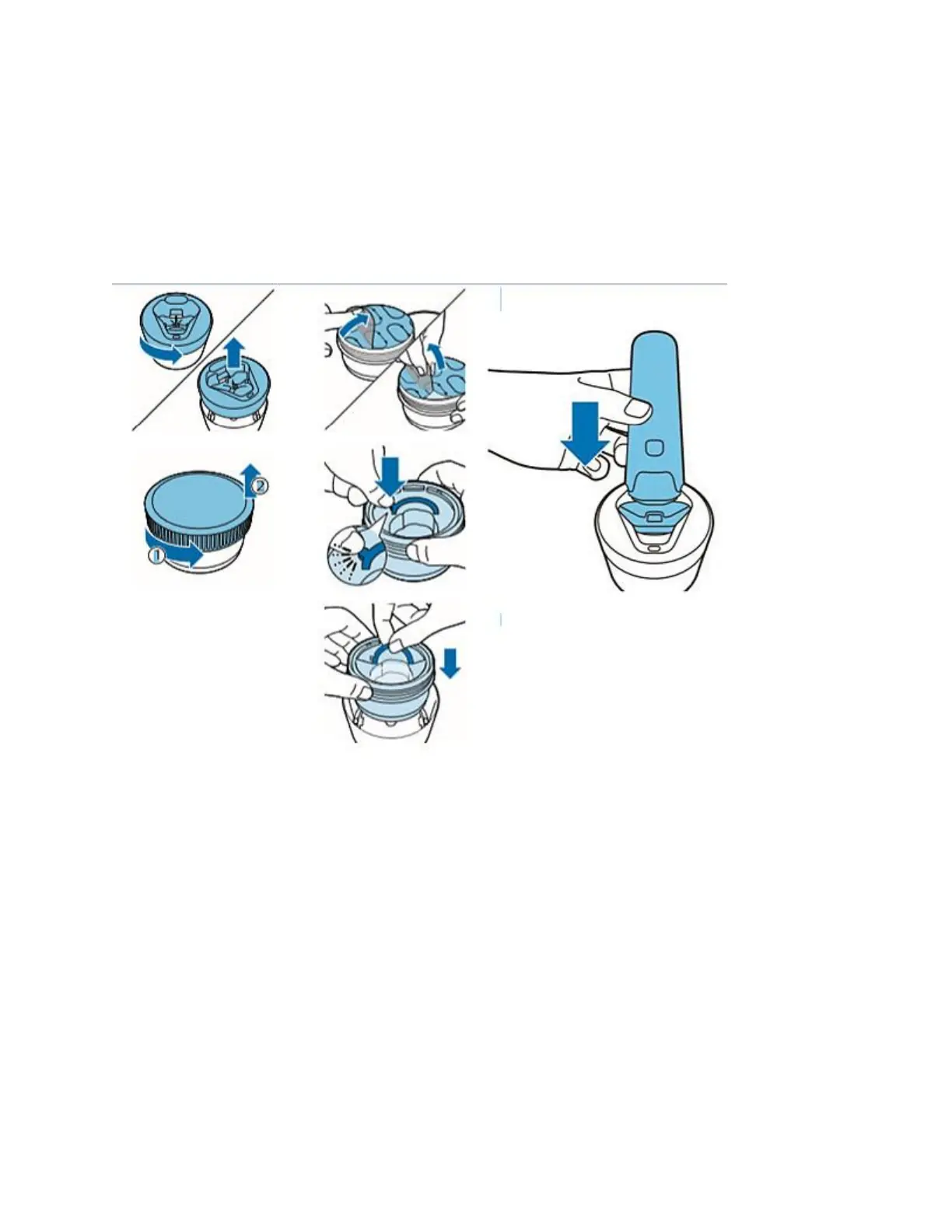
How to replace the cleaning cartridge in the Quick Clean Pod
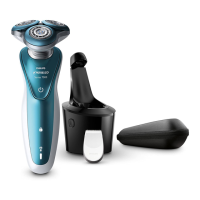
1. Twist and remove the top of the Philips Quick Clean Pod.
2. Twist the lid off of the Philips Quick Clean Pod Cartridge.
3. Lift the tab on the seal and pull it by the corner to remove the seal from the Philips Quick
Clean Pod Cartridge.
4. Press the small circular piece on the handle of the Philips Quick Clean Pod Cartridge to break
the snap hook on the handle.
5. Place the Philips Quick Clean Pod Cartridge into the Philips Quick Clean Pod.
Can I replace the battery of my Philips Shaver?
Your Philips Shaver comes with a customised built-in battery. Do not try to replace the battery
yourself.
If you are having trouble charging your shaver, read our article: My Philips Shaver is not
charging or contact us for further help.
My Philips Shaver is making a loud noise
If your shaver is making a strange or loud noise, it is probably because it is not assembled
correctly. This can cause a rattling noise and we advise that you reassemble your shaver. For full
instructions on how to do it, refer to your user manual. You can also refer to the video below that
shows you how to remove the shaving heads and how to install them again.





 To Next Page