EasyManua.ls Logo

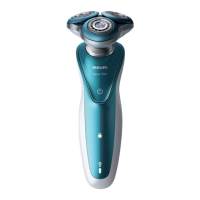
Philips S7786/47 - User Manual

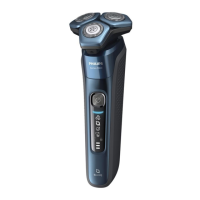
Philips S7786/47
80 pages
Print Icon
To Next Page IconTo Next Page
Loading...
S7786, S7782
フィ
シェー
S7782/57, S7786/54,
S7786/50, S7786/47
取扱説明書
Series7000

Questions and Answers

  • E
    Eduardo RiveraSep 5, 2025
    Why I can’t find the Bluetooth name of Philips Speaker System on my Bluetooth device?
    • S
      Steven PorterSep 5, 2025
      If you can't find the Bluetooth name of the unit on your device, ensure that the Bluetooth function is activated on your Bluetooth device. You may also need to re-pair the unit with your Bluetooth device.
  • S
    smithcherylSep 5, 2025
    What to do if the subwoofer is idle or the indicator of subwoofer does not light up on my Philips Speaker System?
    • M
      Michaela DavisSep 6, 2025
      To reset the subwoofer, unplug the power cord from the mains for a few minutes.
  • J
    Jill PerkinsSep 6, 2025
    How to troubleshoot a Philips Clock Radio with no power?
    • C
      Christina JohnsonSep 6, 2025
      If your Philips Clock Radio isn't turning on, ensure the AC power plug is correctly connected. Also, verify that the AC outlet has power.
  • R
    ramirezmorganSep 6, 2025
    What to do if my Philips Clock Radio is not responding?
    • K
      Kristen WolfeSep 6, 2025
      If your Philips Clock Radio isn't responding, disconnect the AC power plug and then reconnect it. After that, try turning the unit on again.
  • A
    Andrea TranSep 7, 2025
    Why does my Philips Clock Radio keep losing its clock/alarm settings?
    • C
      Christian CarpenterSep 7, 2025
      If the clock or alarm setting on your Philips Clock Radio is erased, reset the clock and alarm. This issue can occur if the power has been interrupted or the power plug has been disconnected. You may also need to replace the backup batteries.
  • B
    Brett PetersenSep 7, 2025
    How to fix poor Bluetooth audio quality on Philips Clock Radio?
    • E
      Eric HenrySep 7, 2025
      To improve poor audio quality via Bluetooth on your Philips Clock Radio: * Move your Bluetooth device closer to the clock radio, or remove any obstacles between them. * Ensure that the Bluetooth function is enabled on your device. * Disconnect other Bluetooth devices that may be connected to the clock radio.

Philips S7786/47 Specifications

General IconGeneral
TypeElectric Shaver
ModelS7786/47
Shaver SystemRotary
Number of shaver heads/blades3
Skin careYes
Wet & Dry UseYes
Power sourceBattery
Battery TypeLithium-ion
Charging time1 hour
DisplayYes
Travel lockYes
Replaceable headYes
Precision TrimmerYes
Cordless UseYes
Corded UseNo
ColorBlack
Run time60 minutes
Quick charge5 min
Replacement shaving head(s) period2 year(s)

Related product manuals