English
Contents
Introduction_______________________________________________________ 6
General description_______________________________________________ 6
What do the icons on my appliance handle mean?_____________ 7
What does the icon on my Quick Clean Pod mean?_____________ 9
How do I charge my appliance?__________________________________ 9
How do I use my appliance and the attachments?______________ 11
How do I clean my appliance and the attachments?____________ 20
How do I use the Quick Clean Pod?______________________________ 24
How do I connect my shaver and smartphone?_________________ 27
How do I replace the shaving heads?____________________________ 30
Ordering accessories_____________________________________________ 31
Troubleshooting__________________________________________________ 32
Introduction
Congratulations on your purchase and welcome to
Philips! To fully benefit from the support that
Philips offers, register your product at
www.philips.com/welcome or via the app.
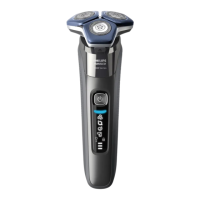
General description
1 Pop-up trimmer
2 Trimmer release slide
3 Shaving unit
4 Shaving unit release button
5 On/off button
6 Handle
7 Socket for small plug
8 Charging stand
9 Supply unit
10 Small plug
11 Protection cap
12 Pouch
13 Philips Quick Clean Pod cartridge
14 Quick Clean Pod
6
English





 To Next Page