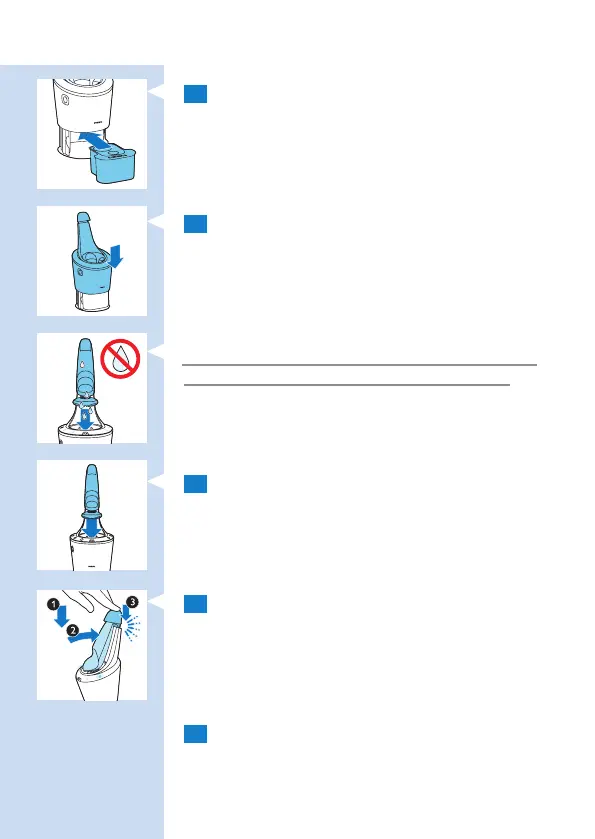
5 Place the cleaning cartridge in the SmartClean
system.
6 Push the top part of the SmartClean system
back down (‘click’).
Using the SmartClean system
Always make sure to shake excess water off the
shaver before you place it in the SmartClean.
1 Hold the shaver upside down above the holder.
Make sure the front of the shaver points
towards the SmartClean system.
2 Place the shaver in the holder (1), tilt the
shaver backwards (2) and press down the top
cap to connect the shaver (‘click’) (3).
, The battery symbol and the on/off button
start to ash, which indicates that the shaver is
charging.
3 Press the on/off button on the SmartClean
system to start the cleaning program.
26 ENGLISH



 To Next Page