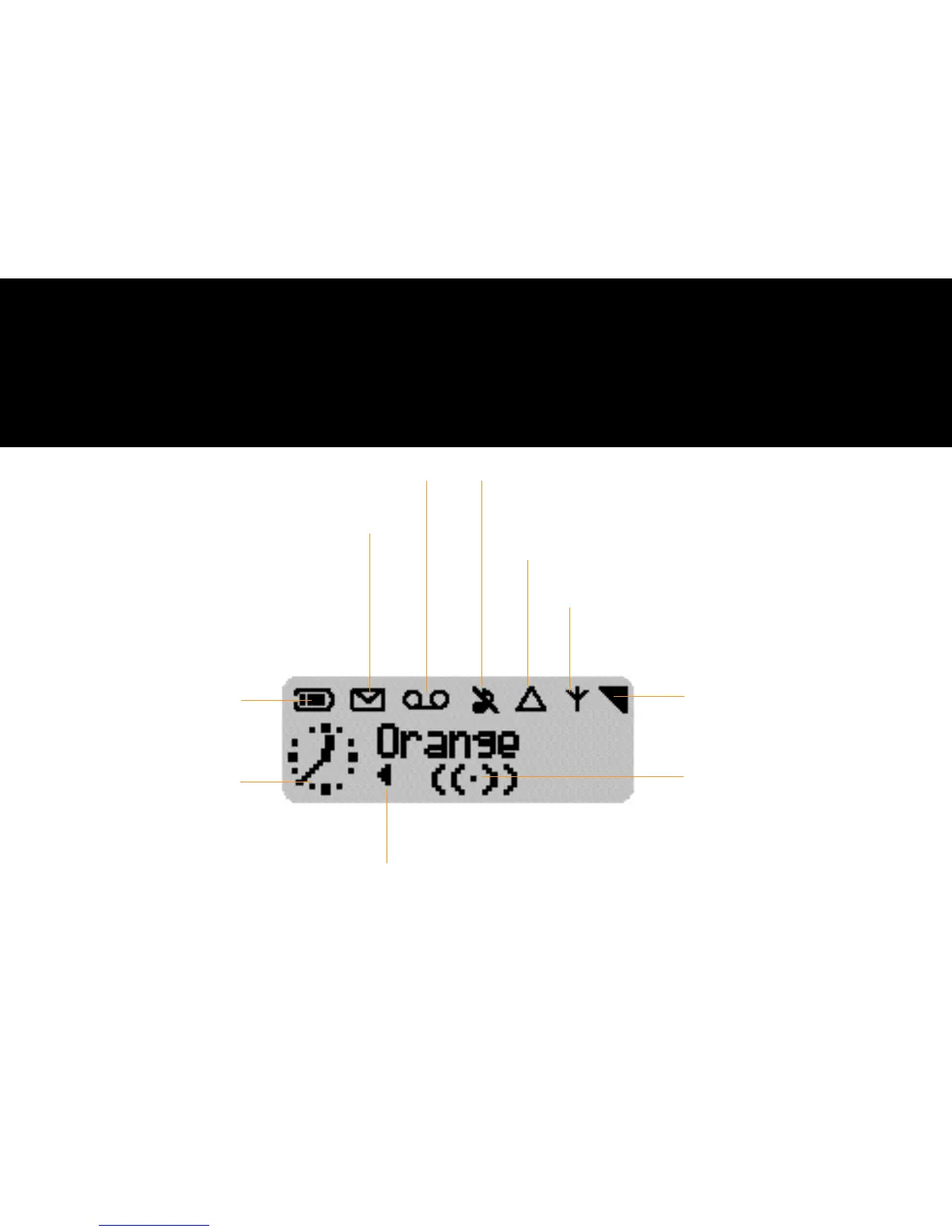
the phone’s display
2.1
New text message(s)
if showing, you have received new messages
if flashing, the memory is full,
you need to delete old messages
before you can receive new ones
Silent mode
if showing, your phone will not ring or beep
(except for the alarm clock)
Roaming
your phone is operating through a partner network abroad
Network
if showing, your phone is registered to Orange
if flashing, registration is in progress
Arrows
indicate the direction you
can go using the compass key
Graphics
displays the clock and
other menu icons
Battery level
the bars indicate the battery
level (4 bars means full, no bars
means recharging is required)
Reception
the more bars showing the
better the reception
Answer Phone message
if showing, you have at least one new Answer Phone message
Vibrating alert
if showing your vibrating alert
is turned on
Information on the phone’s display at-a glance



 To Next Page