12
4. Using your universal remote
and docking cradle
for iPod™
Learn how to operate your universal remote
and docking cradle for iPod™.
4.1 Using the universal remote for
iPod™ as a controller for iPod™
Control your iPod™ menus, playlists, music and
video libraries.
1. Position the correct dock adapter for your
specific iPod™ model in the
docking cradle.
2. Position your iPod™ in the docking cradle
Charging begins automatically.
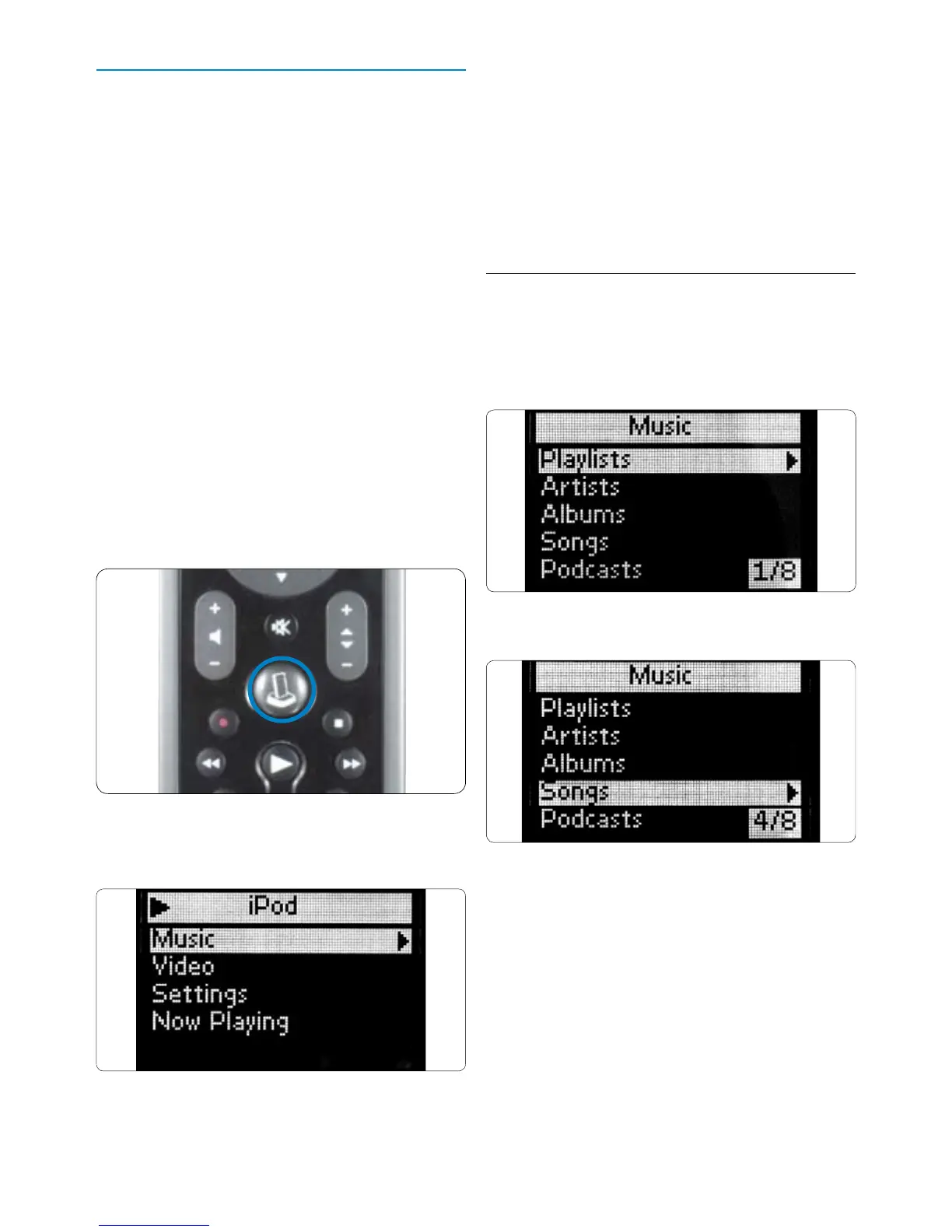
3. Press the
IPOD™ LAUNCH key.
The remote connects to your docked iPod™
and displays your iPod™ menu playlists.
D Note
If the No Connection icon begins blinking in
the upper right-hand corner of the screen,
the universal remote for iPod™ is not able to
connect to the docking cradle for iPod™. See
Section 8 Frequently Asked Questions to
solve the problem.
4.2 Browsing and playing music from
your iPod™
The menu on the universal remote for iPod™ is
similar to the menu on your iPod™.
Navigating in iPod™ mode:
1. Scroll to Music, Settings, Now Playing.
Press OK to select.
D Note
If the iPod™ is not Video capable, the Video
option will not appear on your screen.
D Note
“Now Playing” is only viewable when a song is
playing.
Getting Started



 To Next Page