Mechanical Instructions
EN 7SK5.0l CA 4.
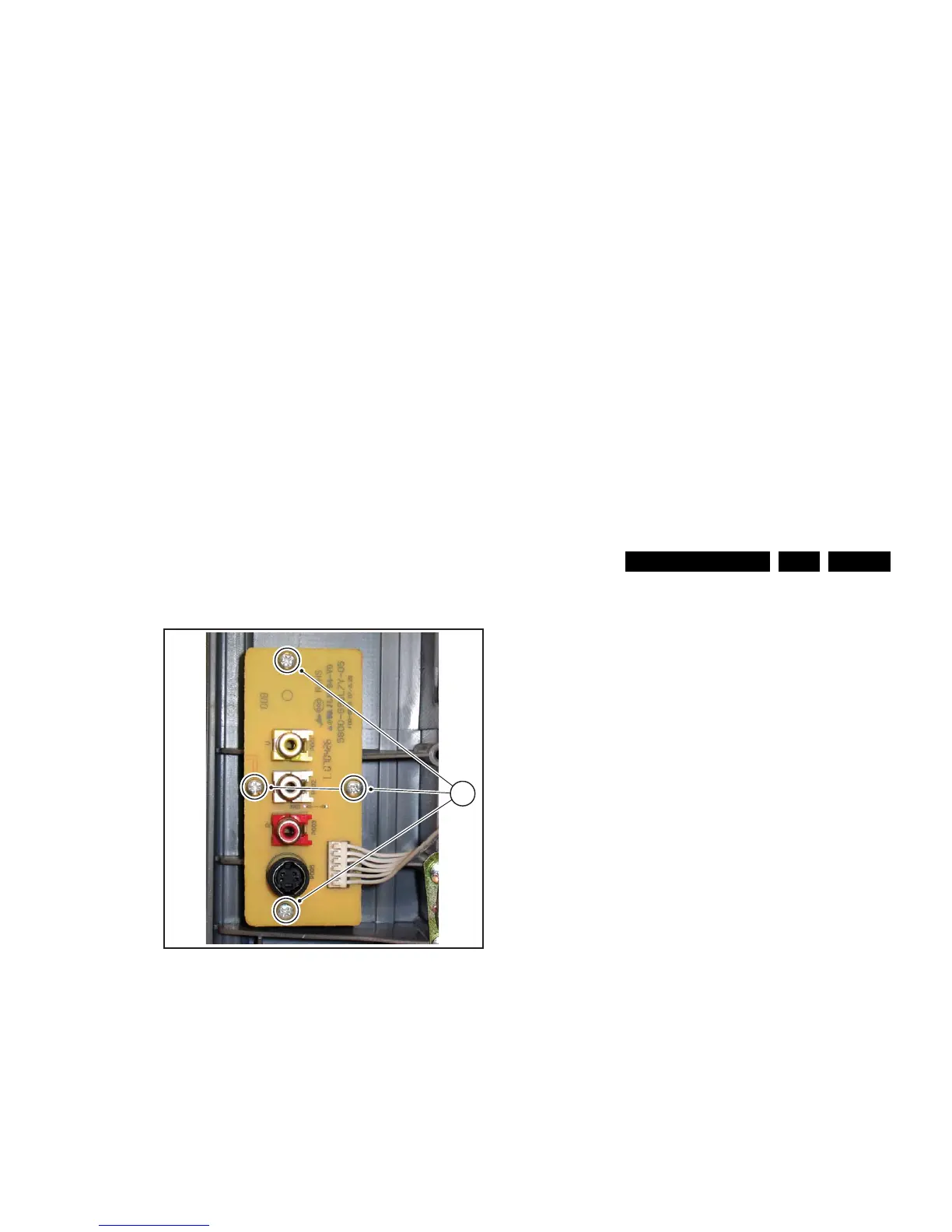
4.2.2 Side I/O Panel removal
Figure 4-3 Side-I/O panel removal
1. Disconnect the side panel cable from the mono carrier and
remove the cable from it’s strain reliefs.
2. Then, remove the four fixation screws [1] and remove the
board.
4.3 Set Re-assembly
To re-assemble the whole set, do all processes in reverse
order.
Be sure that, before the rear cover is mounted:
• The mains cord is positioned correctly in its guiding
brackets (make sure that the strain reliefs are replaced in
its correct position and that it will function correctly!).
• All wires/cables are returned in their original positions.
H_17220_023.eps
210607
1








 To Next Page