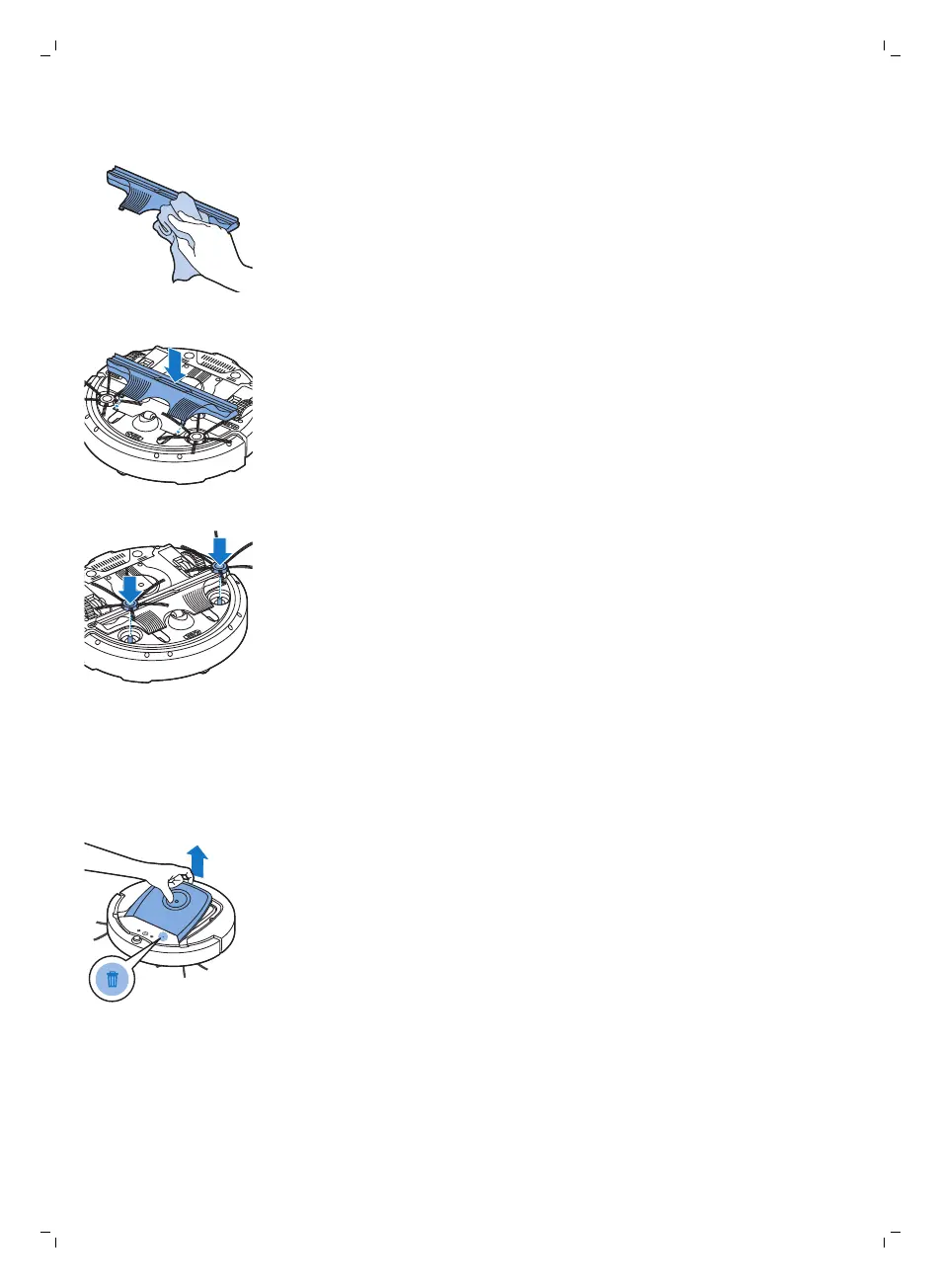
9 Remove all visible dirt from the TriActive nozzle.
10 Insert the snap hooks of the TriActive nozzle into the holes in the bottom
of the robot. Push the TriActive nozzle back into position. Check if the
nozzle can move a few millimeters up and down freely.
11 Push the side brushes onto the shafts on the bottom of the robot again.
Emptying and cleaning the dust container
Empty and clean the dust container when the dust container full indicator
lights up continuously.
1 Make sure that the power switch is in 'off' position.
2 Remove the cover.
21
English






 To Next Page