C
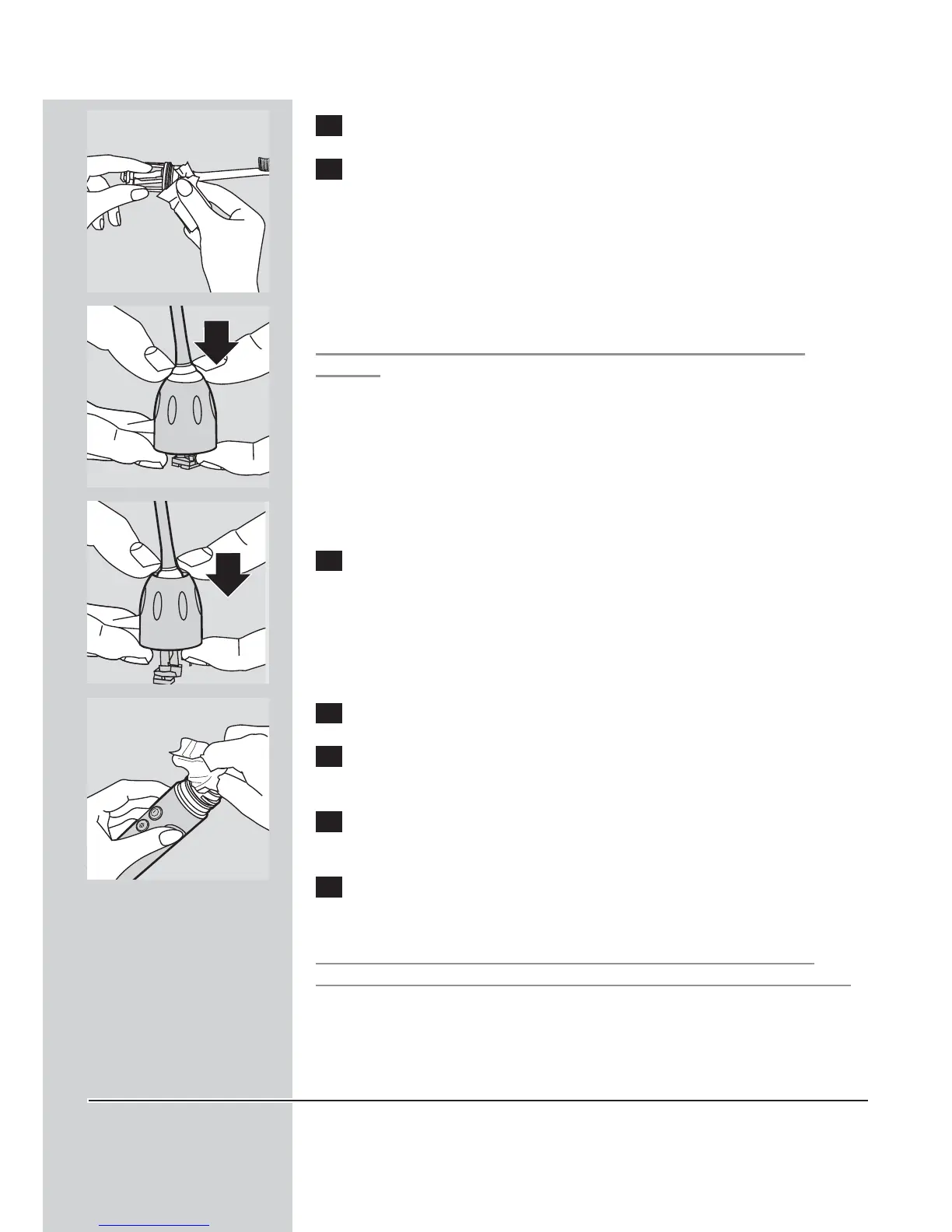
2 Clean the brush head weekly, including under the nut.
3 To remove the nut:
C
◗ Press down gently on the grey seal area.
Avoid using sharp objects to push on the seal as this may cause
damage.
C
◗ Push the nut up over the end of the brush head.
4 To replace the nut, slip the nut over the brush head shaft and
insert the lower part of the brush head into the handle.Turn
the nut clockwise until it is firmly tightened and the nut snaps
into the seal.
C
5 Clean the handle weekly.
6 Clean the charger periodically.
Unplug the charger before cleaning.
7 Examine the power cord periodically. Do not use the charger if
the power cord is damaged.
8 Use the cord wrap facility in the bottom of the charger to
store excess cord.
UNPLUG the charger before cleaning.After cleaning the charger
completely dry the charger before plugging it into an electrical outlet.
Mild soap, water and a moist cloth are recommended for cleaning your
Sonicare.
Brush head replacement
To maintain optimal brushing results, Sonicare brush heads should be
replaced every 6 months or sooner if signs of wear appear.
Use only Sonicare Elite\ series replacement brush heads.
ENGLISH 13





 To Next Page