
 Need help?
Do you have a question about the Philips sonicare ProtectClean HX6403/70 and is the answer not in the manual?
Explains the meaning of danger, warning, and caution symbols used in the manual.
Details critical safety precautions to prevent death, serious injury, or property damage.
Lists actions that must not be performed to ensure safety.
Outlines precautions related to electrical shock, fire, and damage from improper charging and handling.
Covers safe usage practices, including avoiding disassembly, water exposure, and use by children.
Advises on safe handling during charging, avoiding metal objects, and proper plug removal.
Warns against excessive force, sharing brush heads, and using on damaged teeth or gums.
States the product is for personal use and not for multiple patients. Advises consulting a dentist for specific oral conditions.
Provides guidance on brush head replacement timing and proper use of toothpaste.
Instructs users to check if all listed accessories and parts are included in the package.
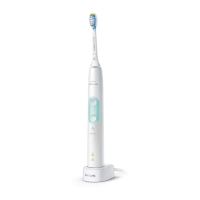
Illustrates and labels the toothbrush handle, brush head, charger, and travel case.
Details the steps to charge the toothbrush handle on the charging base.
Explains the charging time and approximate usage duration after a full charge.
Describes the meaning of different LED indicators during charging and when the battery is low.
Provides step-by-step instructions on how to attach and remove the brush head from the handle.
Offers advice on optimal brushing technique for best results, emphasizing gentle pressure.
Outlines the fundamental steps for brushing teeth with the Sonicare toothbrush.
Illustrates and explains techniques for brushing tooth surfaces, gumlines, and inner surfaces.
Offers advice for users with braces or dental restorations, and brush head replacement timing.
Explains how to navigate and select between the different brushing modes using the mode button.
Describes the purpose, recommended brush head, and duration for Clean, White, and Gum Care modes.
Explains the EasyStart feature that gradually increases vibration intensity for new users.
Describes the function that alerts users when it's time to replace the brush head.
Details how the pressure sensor alerts users to excessive brushing force.
Explains the Quadpacer feature that guides brushing time per mouth section.
Provides instructions on how to turn the overpressure sensor on or off.
Instructions for cleaning the toothbrush handle with a damp cloth.
Guidance on rinsing the brush head after use and wiping the charger.
Advises unplugging, cleaning, and storing the toothbrush in a cool, dry place away from sunlight.
Encourages recycling and proper disposal of the product and its lithium-ion battery.
Provides a detailed, step-by-step guide on how to safely remove the rechargeable battery.
Continues the detailed instructions for removing the battery, including tools and safety tips.
Addresses issues like the toothbrush not turning on and suggests checks for charging and brush head attachment.
Helps diagnose problems like inconsistent vibration or reduced power, suggesting charging or brush head replacement.
Solves problems related to weak brushing power, intermittent movement, or odd noises.
Shows a diagram with numbered components of the Philips Sonicare toothbrush for easy identification.
Lists critical safety warnings related to electrical hazards, water exposure, and damaged cords.
Details warnings to prevent burns, electrocution, fire, or physical injury from product misuse.
Covers warnings about forcing plugs, using damaged products, and unauthorized repairs.
Specifies limitations for use by individuals with reduced capabilities or lack of experience, requiring supervision.
Advises consulting a dentist for specific oral conditions and discontinuing use if pain occurs.
Provides compliance information for EMF and radio equipment directives.
Introduces the Philips Sonicare toothbrush and its purpose for oral health.
Details attaching the brush head and explains the BrushSync technology for reminders.
Step-by-step guide on aligning and attaching the brush head to the toothbrush handle.
Details the Clean mode, its duration, recommended intensity, and brush head.
Describes the White and Gum Care brushing modes, their durations, and recommended brush heads.
Explains how to select or change intensity levels for brushing.
Provides detailed instructions on brush placement, pressure, and motion for effective cleaning.
Guides users on cleaning the gumline, tooth surfaces, and between teeth.
Explains how to clean the inside surfaces of front teeth using specific strokes.
Details the use of the Quadpacer for even brushing across four mouth sections.
Lists and briefly describes key features like EasyStart, brush head reminders, pressure sensor, and Quadpacer.
Explains the EasyStart feature, its default state, and how it gradually increases power.
Describes how brush heads communicate with the handle to set optimal modes and intensity.
Provides instructions on how to activate or deactivate features like EasyStart and brush head replacement reminders.
Details the process to activate or deactivate the brush head replacement reminder feature.
Explains how to turn the EasyStart feature on or off, including confirmation signals.
Provides step-by-step instructions for activating and deactivating the pressure sensor.
Explains how to place the handle on the charger and the indication of charging status.
Describes how the LED indicator shows battery status when the handle is on or off the charger.
Instructions for cleaning the toothbrush handle, emphasizing caution with the rubber seal.
Guidance on rinsing the brush head after use and wiping the charger.
Advises on storing the toothbrush for extended periods.
Details how to dispose of the appliance and its battery, including recycling information.
Warns that removing the battery during disposal is the only acceptable time and voids the warranty.
Lists the tools required and the initial steps for removing the rechargeable battery.
Details the process of disassembling the handle to access the battery, including using a hammer.
Explains how to use a screwdriver to pry internal components and release the battery.
Provides caution regarding sharp battery tabs and covering contacts to prevent shorts.
Outlines the two-year warranty period and conditions for repair or replacement.
Lists items and conditions not covered by the warranty, such as brush heads and normal wear.
Discusses limitations on implied warranties like merchantability and fitness for purpose.
States limitations on Philips' liability for incidental or consequential damages.
Explains the warranty terms, period, and applicable parts.
Provides contact information for Philips support centers for inquiries and repairs.
Lists technical specifications such as model number, voltage, brush strokes per minute, and battery type.
Lists common issues users might experience and advises contacting support.
Outlines the conditions under which free repairs are provided according to the warranty.
Lists situations where repairs will not be free, such as misuse or damage from external factors.
Explains how to claim warranty service and contact the support center.
Describes how customer personal information is managed according to privacy policy.
Provides fields for the customer and retailer to fill in purchase details for warranty validation.
Displays the Philips support center phone number and website for inquiries and repairs.
 General
| Brand | Philips |
|---|---|
| Model | sonicare ProtectClean HX6403/70 |
| Category | Electric Toothbrush |
| Language | English |





 To Next Page