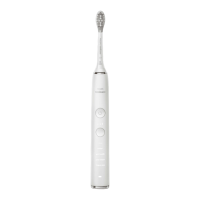
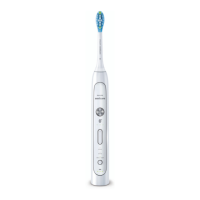
This document describes the Philips Sonicare FlexCare Platinum Connected toothbrush, a personal care device designed for superior oral hygiene.
Function Description:
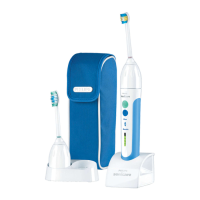
The Philips Sonicare FlexCare Platinum Connected is an advanced electric toothbrush that offers a comprehensive brushing experience. It is designed to operate within a voltage range of 100 to 240 volts. The toothbrush features multiple brushing modes and intensity levels, a pressure sensor, a Smartimer, and a BrushPacer to guide users through an effective brushing routine. A key feature is its Bluetooth connectivity, which allows the toothbrush to connect with the Philips Sonicare app on a mobile device (running Bluetooth 4.0 or higher). This app provides real-time brushing guidance, helps identify missed spots, and tracks brush head replacement reminders. Some models also include a UV sanitizer with an integrated charger for optimal brush head cleanliness.
Important Technical Specifications:
- Voltage: 100-240 volts.
- Connectivity: Bluetooth 4.0 or higher for mobile device integration.
- Battery: Rechargeable battery, requiring at least 24 hours for a full charge. The battery level indicator provides status updates (1 yellow LED for low charge, 3 green LEDs for full charge).
- UV Sanitizer (select models): Operates on appropriate voltage, runs a 10-minute UV clean cycle, and automatically shuts off. UV light bulb is replaceable.
- Brush Heads: Philips Sonicare brush heads with unique identifiers are recommended for optimal performance and warranty protection.
Usage Features:
- Attaching the Brush Head: Align the brush head with the bristles pointing in the same direction as the front of the handle, then firmly press it onto the metal shaft until it stops. Philips Sonicare brush heads are imprinted with icons for easy identification.
- Charging: Place the handle on the charger. A flashing battery level indicator light confirms charging. A full charge takes at least 24 hours. The toothbrush can be kept on the charger when not in use to maintain a full charge.
- Bluetooth Connectivity:
- Download the Philips Sonicare app from the App Store or Google Play.
- Ensure Bluetooth is enabled on your mobile device.
- Turn on the toothbrush (off the charger) by pressing the power on/off button or the brushing mode button.
- Open the Sonicare app and follow the on-screen instructions to connect. The app automatically connects; troubleshooting steps are available in the app if connection fails.
- For optimal data capture, keep your mobile device close while brushing.
- Brushing Instructions:
- Wet bristles and apply a small amount of toothpaste.
- Place bristles against teeth at a 45-degree angle, pressing firmly to reach the gumline or slightly beneath. Keep the center of the brush in contact with teeth.
- Press the power on/off button to start.
- Apply light pressure; do not scrub. Let the toothbrush do the work.
- Gently move the brush head slowly across teeth in a back-and-forth motion.
- For front teeth, tilt the handle semi-upright and use vertical overlapping strokes.
- The BrushPacer divides the mouth into 6 sections, guiding users to brush each section for 20 seconds (or additional 20-second intervals for front teeth in White mode). The app helps address missed spots.
- Brushing Modes:
- Clean mode: Standard mode for superior teeth cleaning (default 2-minute mode at high intensity for clinical studies).
- White mode: 2 minutes of Clean mode plus 40 seconds focused on visible front teeth.
- Deep Clean: Invigorating 3 minutes of alternating cleaning and massaging.
- Modes can be toggled using the mode button before turning on the toothbrush. The selected mode illuminates.
- Intensity Levels: Each mode has Low (1 LED), Medium (2 LEDs), and High (3 LEDs) intensity levels. Adjust intensity during brushing using the '+' and '-' buttons.
- Pressure Sensor: Alerts users with a change in vibration and sound when too much pressure is applied. It works in all 3 modes and intensity levels.
- Activation/Deactivation: Attach brush head, place handle in plugged-in charger/sanitizer. Press and hold power on/off and mode button for 2 seconds. 1 beep indicates deactivation, 2 beeps indicate activation.
- Smartimer: Automatically turns off the toothbrush after the recommended brushing cycle (typically 2 minutes).
- Easy-start: Gently increases power over the first 14 brushings to help users adapt. Each of the first 14 brushings must be at least 1 minute long.
- Activation/Deactivation: Attach brush head, place handle in plugged-in charger/sanitizer. Press and hold power on/off and mode button for 2 seconds. 1 beep indicates deactivation, 2 beeps indicate activation. Using Easy-start beyond the initial ramp-up period is not recommended as it reduces plaque removal effectiveness.
- Sanitizing (with UV sanitizer):
- Rinse brush head and shake off excess water after brushing. Do not place the travel cap on the brush head during sanitization.
- Open the sanitizer door.
- Place the brush head on one of the 2 pegs with bristles facing the light bulb. Only Philips Sonicare snap-on brush heads should be cleaned in the sanitizer.
- Ensure the sanitizer is plugged into a live outlet.
- Close the door and press the green power on/off button to start the UV clean cycle. The sanitizer only turns on if the door is properly closed and stops if opened during the cycle.
- The cycle runs for 10 minutes and then automatically shuts off. Light glowing through the window indicates operation.
- Discontinue use and contact Consumer Care if the UV light bulb remains on when the door is open, or if the window is broken/missing. UV light can be harmful to eyes and skin; keep out of reach of children.
- If the sanitizer gives off smoke or a burning smell, discontinue use.
- After 3 consecutive UV clean cycles, a minimum of 30 minutes 'Off Time' is required before starting another cycle.
Maintenance Features:
- Cleaning:
- General Warning: Do not clean the brush head, handle, travel charger, or UV sanitizer in the dishwasher.
- Toothbrush Handle: Remove the brush head, rinse the metal shaft area with warm water to remove residual toothpaste. Wipe the entire handle surface with a damp cloth. Avoid pushing on the rubber seal with sharp objects to prevent damage.
- Brush Head: Rinse bristles after each use. Remove from handle and rinse the connection with warm water at least once a week.
- Charger: Unplug before cleaning. Wipe the surface with a damp cloth, ensuring all toothpaste or residue is removed.
- Sanitizer: Do not immerse in water or rinse under the faucet. Do not clean when the UV light bulb is hot.
- Weekly Sanitizer Cleaning (recommended for optimal effectiveness):
- Unplug the sanitizer.
- Pull out the drip tray, rinse, and wipe clean with a damp cloth.
- Clean all interior surfaces with a damp cloth.
- Remove the protective screen (grasp edges, squeeze, pull out).
- Remove the UV light bulb (grasp and pull out of metal clasp).
- Clean the protective screen and UV light bulb with a damp cloth.
- Reinsert the UV light bulb (align bottom with metal clasp, push in).
- Reinsert the protective screen (align pegs with slots on reflective surface, push in).
- Storage: For long-term storage, unplug, clean, and store in a cool, dry place away from direct sunlight. The integrated cord wrap can be used for organized storage.
- Replacement:
- Brush Head: Replace every 3 months for optimal results. The Sonicare App provides reminders. Use only genuine Philips Sonicare replacement brush heads.
- UV Light Bulb: Available through Philips Sonicare Consumer Service Center (1-800-682-7664 in North America; contact local center outside North America).
- Disposal: This appliance contains a rechargeable battery that must be disposed of properly. Contact local officials for battery disposal information or call 1-800-8-BATTERY or visit www.rbrc.com for drop-off locations. For general assistance, visit www.philips.com/support or call 1-800-243-3050.
- Removing the Rechargeable Battery (for disposal only): This process is irreversible.
- Deplete the battery completely by running the toothbrush off the charger until it stops. Repeat until it no longer turns on.
- Remove and discard the brush head. Cover the handle with a towel or cloth.
- Hold the top of the handle and firmly strike the handle housing 0.5 inch above the bottom end with a hammer on all 4 sides to eject the end cap. (May require multiple strikes to break internal snap connections).
- Remove the end cap.
- Hold the handle upside down and press the shaft down on a hard surface to release internal components.
- Remove the inner assembly from the housing by prying with a small flat-head screwdriver into the slot opposite the circuit board.
- Grab the battery and pull it out of the internal assembly. Be aware of sharp edges on battery tabs.
- Cut the battery wires from the circuit board close to the battery.
- Cover battery contacts with tape to prevent electrical shorts. Recycle the battery and discard the rest of the product appropriately.

 Need help?
 General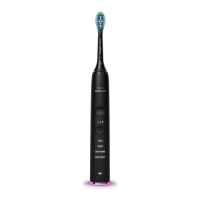


 To Next Page