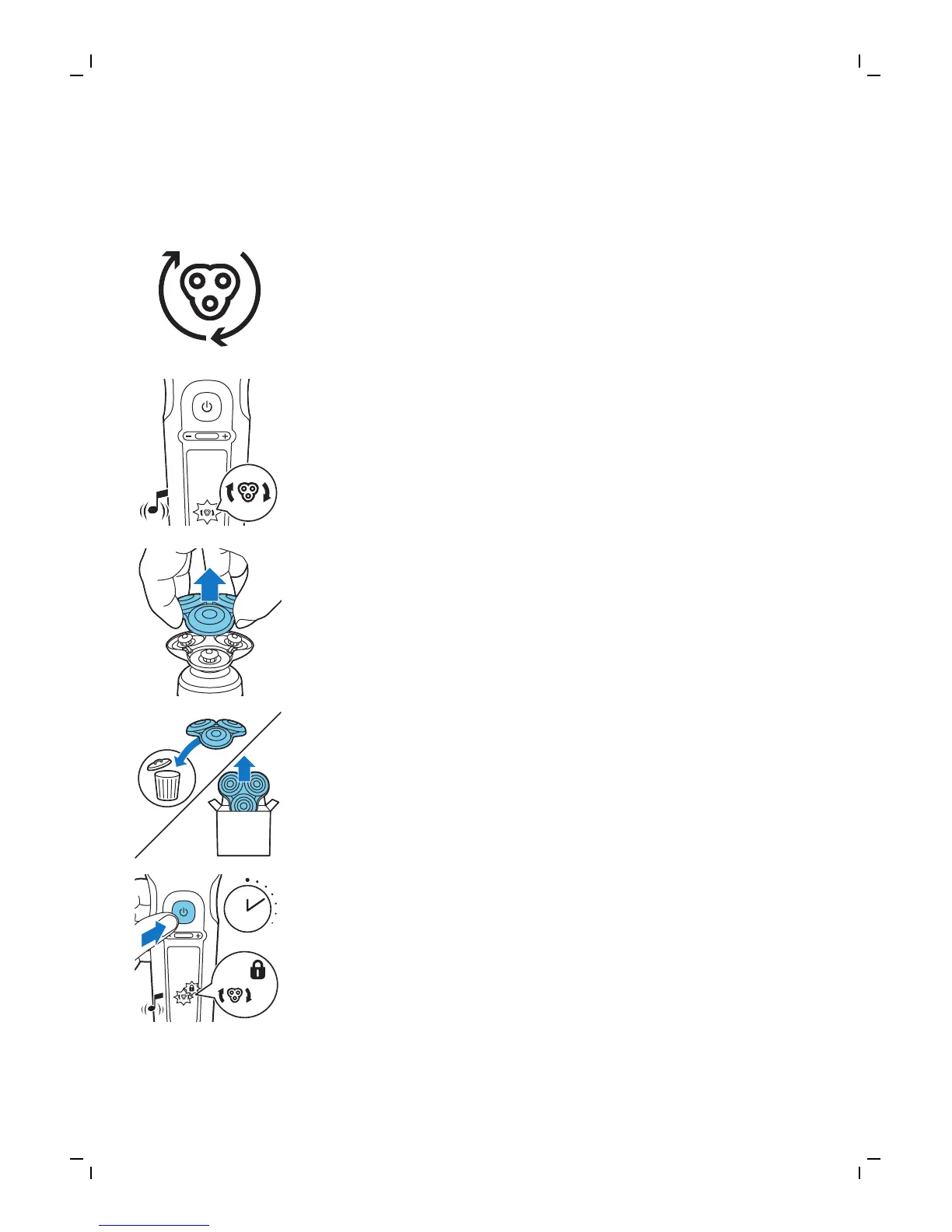
Always replace the shaving heads with original
Philips shaving heads (see 'Ordering accessories').
Replacement reminder
The replacement reminder indicates that the
shaving heads need to be replaced. The shaving
unit symbol lights up continuously, the arrows
flash white and you hear a beep when you switch
the shaver on or off.
1 Switch off the shaver. Pull the shaving head
holder off the bottom part of the shaving unit.
2 Discard the old shaving head holder and attach
the new shaving head holder to the bottom
part of the shaving unit (‘click’).
3 After replacing the shaving heads, you can reset
the replacement reminder by pressing the
on/off button for 7 seconds. Wait until your
hear 3 beeps.
If you do not reset the replacement reminder,
the shaver resets automatically after 9 shaves.
33
English




 To Next Page