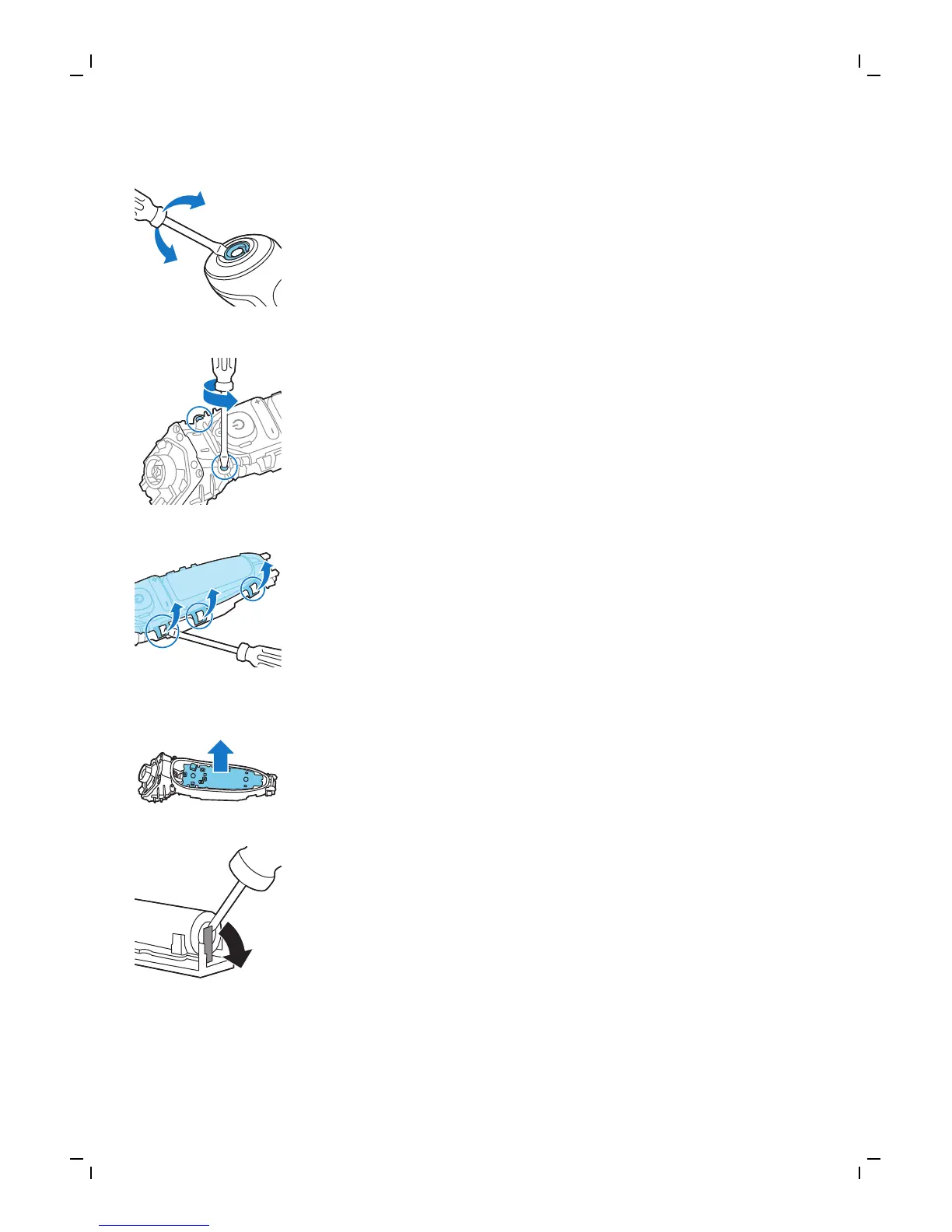
2 On top of the appliance insert a screwdriver
between the black cylinder and silver ring. Force
the silver ring up off the appliance and remove
the top panel.
3 Unscrew the two screws and remove the frame.
4 Remove the two back black covers and slide
the front housing off the appliance.
5 Unscrew the two screws at the top of the inner
panel.
6 Place a screwdriver between the lips of the
inner panel and bend them aside. Then remove
the inner panel.
7 Lift out the printed circuit board with the
rechargeable battery.
8 Bend the battery tags aside with a screwdriver.
9 Remove the rechargeable battery.
36
English




 To Next Page