EN
4
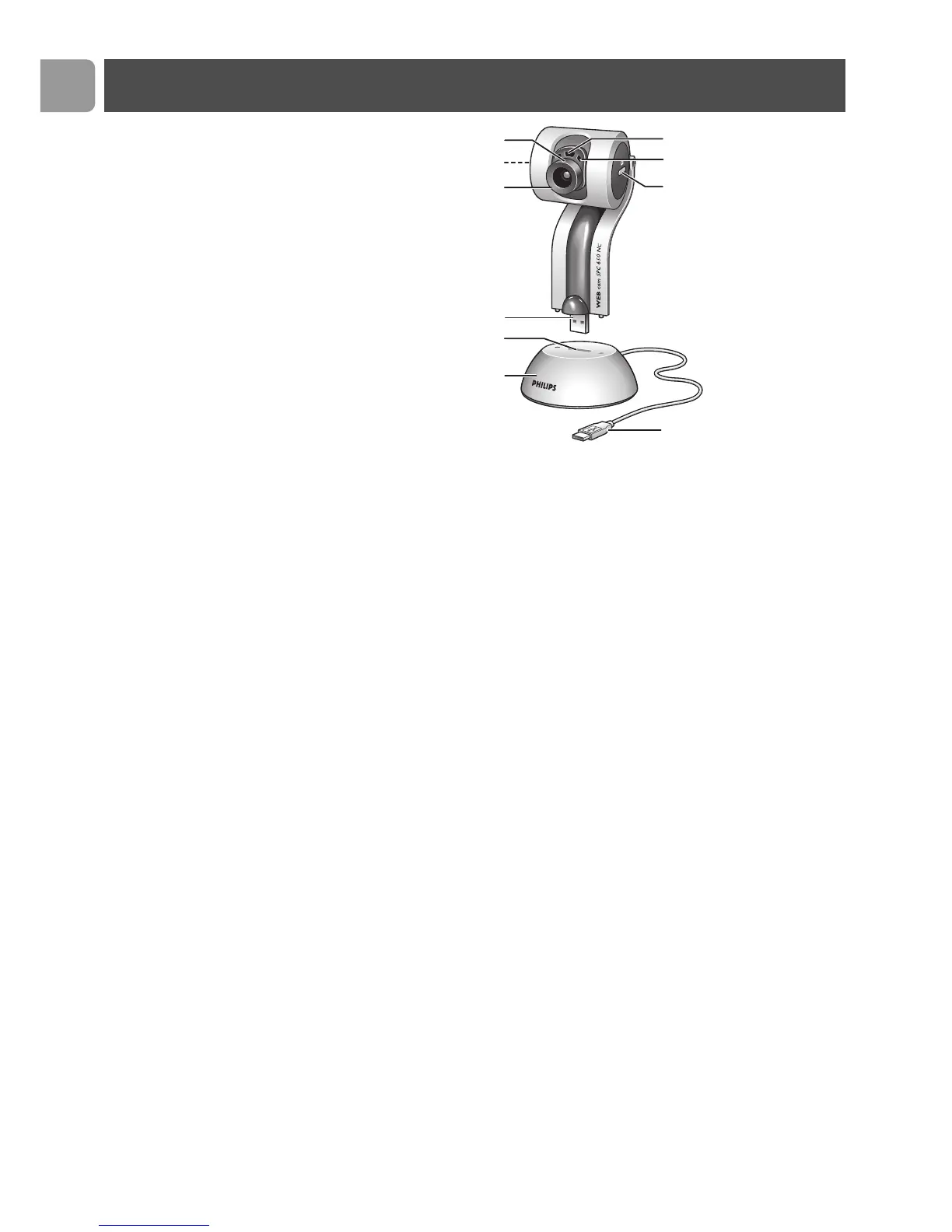
1 Viewing angle
For manually changing the vertical angle of the WebCam.
2 Quicklaunch button
For quick and easy start-up of the VLounge software.
3 Rotating lens
For adjusting the focus of the image manually.
4 USB connector
For connecting the WebCam to the USB port of the docking
base/stand.
5 USB port
For connecting the docking base/stand to the USB connector
of the WebCam.
6 Docking base/stand
– For stable placement of the SPC650NC WebCam.
– For connecting USB devices to your PC.
7 USB cable
For connecting the WebCam to the USB port of the PC.
The WebCam will derive its power from the PC when a USB
connection is made.
8 Snapshot button
For taking photos.
9 Built-in digital microphone
For adding sound when video chatting and recording.
10 Activity LED
Lights up when the WebCam is in use.
Legend of functions


 To Next Page