EasyManua.ls Logo

Philips SRU2040 - User Manual

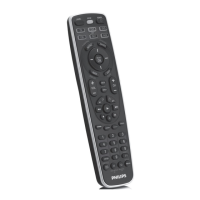
Philips SRU2040
17 pages
Print Icon
To Next Page IconTo Next Page
Loading...
SRU2040
Bilingual
Front
Cover Art

Other manuals for Philips SRU2040

Questions and Answers

  • M
    melissawhiteJul 30, 2025
    What to do if Philips SRU2040 does not operate my product?
    • O
      osmithJul 30, 2025
      If your Philips Universal Remote isn't operating your product, try the following: First, press the mode button for the device you're trying to control. If that doesn't work, program the remote with a new code. Also, ensure the batteries are new, and replace them if needed (note that you might have to reprogram the remote after a battery change). Finally, be aware that the remote might simply not be compatible with your product.
  • T
    Tammy AdamsAug 8, 2025
    Why Philips SRU2040 Universal Remote does not operate some features of my product?
    • J
      jordanmcleanAug 8, 2025
      If your Philips Universal Remote doesn't operate some features of your product, it might need to be programmed with a new code. Alternatively, the remote may not be able to operate all the features of your product, or the button names might be different.
  • I
    ifosterAug 18, 2025
    What to do if red indicator blinks after I program a product code on my Philips Universal Remote?
    • F
      Frank PierceAug 19, 2025
      If the red indicator blinks after you program a product code on your Philips Universal Remote, it means that the remote did not accept the code. You should try programming the code again or try a different code.

Summary

Introduction

Button Functions

General Controls

Description of primary buttons like Power, Volume, Channel.

DVD Functions

Buttons and their operations for DVD playback.

SAT Functions

Buttons and their operations for Satellite TV.

Backlighting Feature

Operation and activation of the button backlighting.

Setup Procedures

Battery Installation and Management

Procedures for installing and saving batteries.

Direct Code Entry

Steps to enter a 4-digit code for a device.

Code Search Methods

Automatic and brand-specific code searching.

Code Identification Feature

Identify the 4-digit library code stored for a device.

Sleep Timer Setup

Enable remote to turn off TV after a set period.

Combo Device and Power Control

Setup for combo devices and separate power buttons.

Punch-Through and Volume;Mute Control

Configure transport button punch-through and volume control.

Volume;Mute Mode Settings

Set all modes to use one mode's volume/mute or their own.

TV;VCR;INPUT Button Functions

Functions of the TV/VCR/INPUT button in different modes.

Troubleshooting

Remote Operation Issues

Solutions for remote not operating product or features.

Programming Errors

Diagnosing issues when red indicator blinks after programming.

Limited Lifetime Warranty

Philips SRU2040 Specifications

Power IconPower
battery saving managerAuto switch on/off
battery typeAAA / LR03 Alkaline
number of batteries2
Outer Carton Dimensions IconOuter Carton Dimensions
gross weight2.75 kg
length360 mm
width305 mm
height140 mm
Inner Carton Dimensions IconInner Carton Dimensions
gross weight0.8 kg
length290 mm
width115 mm
height115 mm
Packaging Data IconPackaging Data
gross weight0.18 kg
height30 mm
length283 mm
width110 mm

Related product manuals