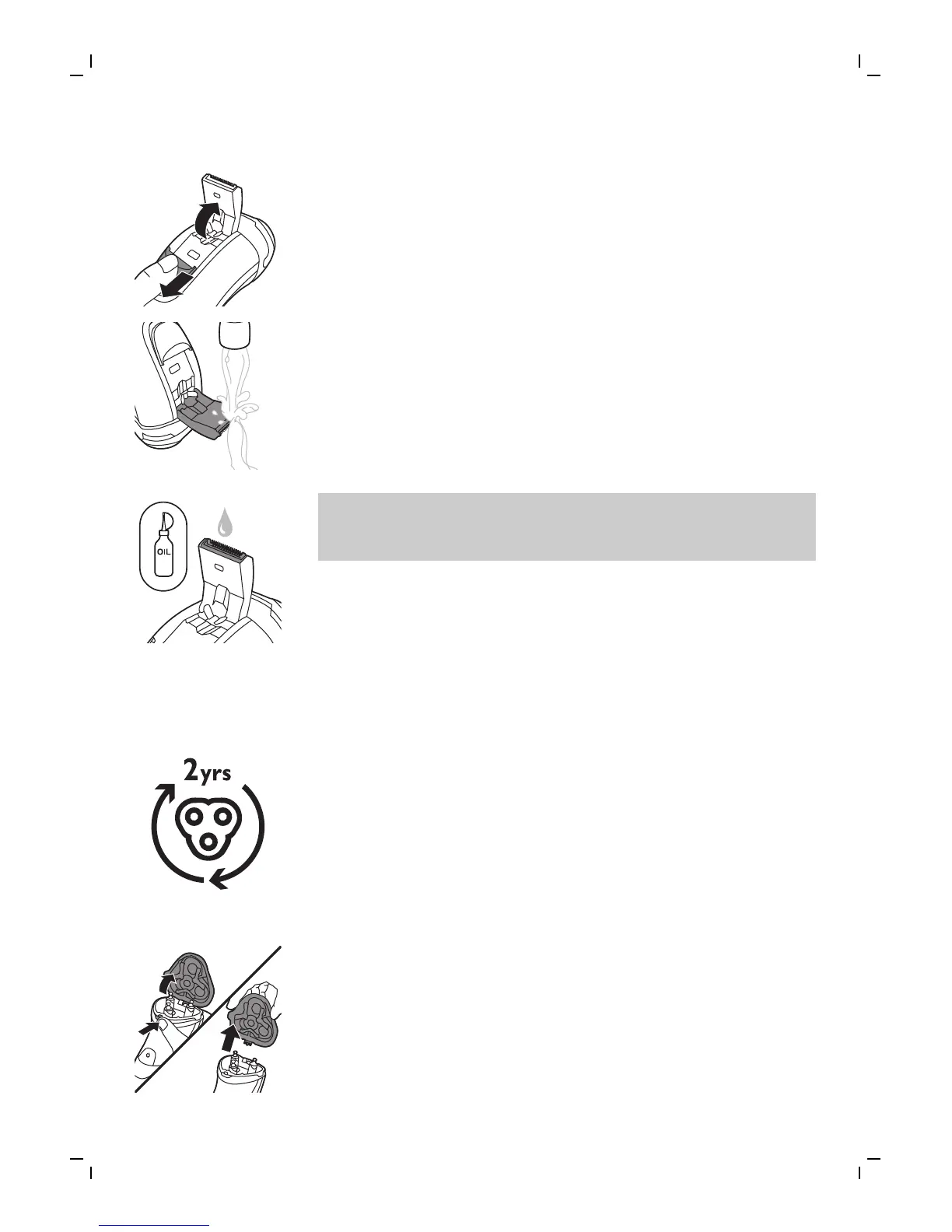
2 Push the trimmer release slide switch down to
open the trimmer.
3 Switch the shaver on and rinse the trimmer
under the tap.
4 Switch the shaver off after cleaning.
5 Carefully shake off excess water and let the
trimmer air dry.
6 Close the trimmer (‘click’).
Tip: For optimal performance, lubricate the
teeth of the attachment with a drop of sewing
machine oil regularly.
Replacement
Replacing the shaving heads
For maximum shaving performance, we advise you
to replace the shaving heads every two years.
Replace damaged shaving heads immediately.
Always replace the shaving heads with original
Philips shaving heads.
1 Switch the shaver off and disconnect it from the
wall socket.
2 Press the shaving unit release button to open
the shaving unit. Pull the shaving unit off the
shaver.
14
English


 To Next Page