(
I
0
(
m1
□
0
~1
1
DIGITAL
AUDIO
7 8 9
a b C
2.
CONTROLS
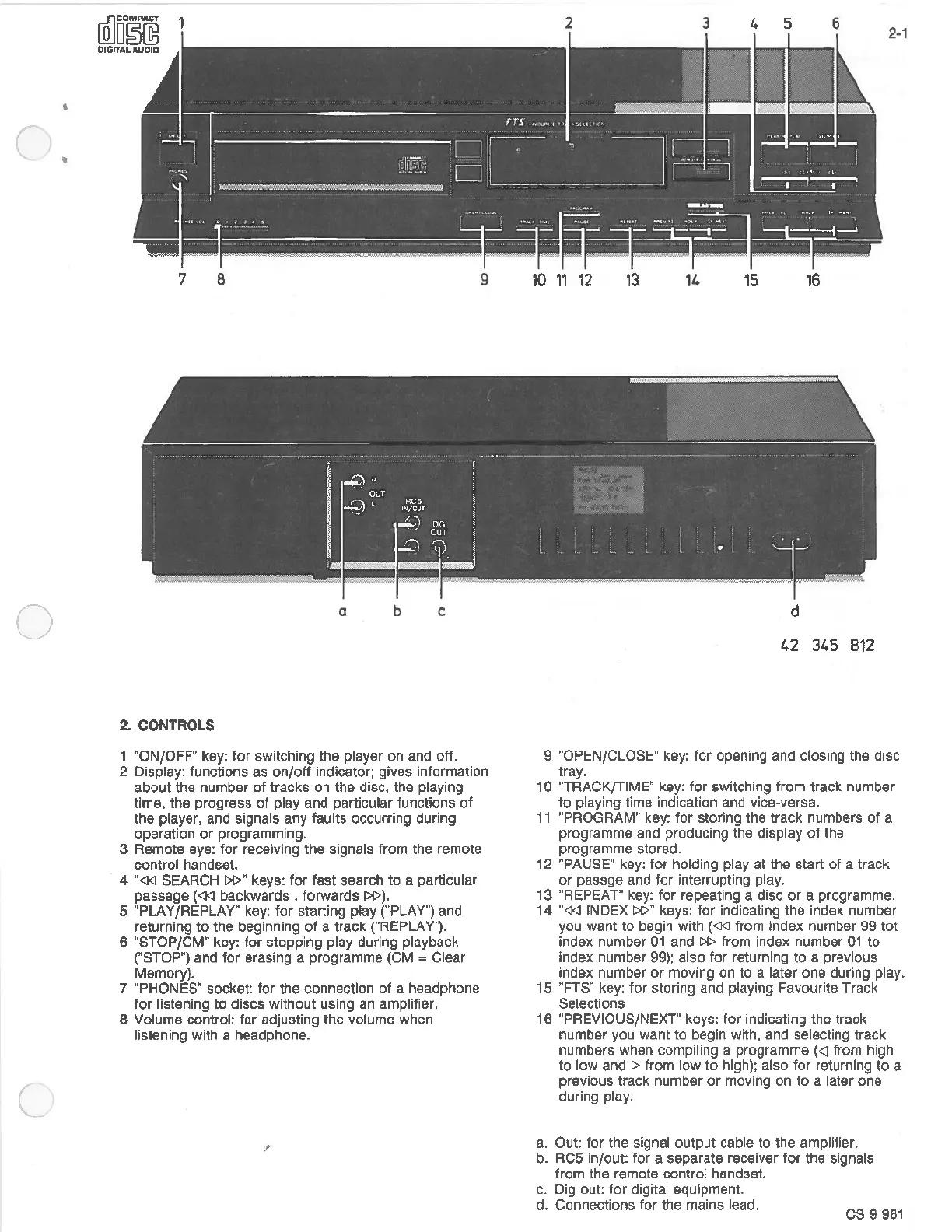
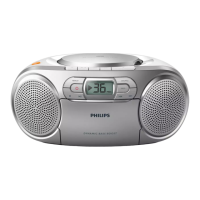
1 "ON/OFF" key: for switching the player on and off.
2 Display: functions as
on/off
indicator; gives information
about the number
of
tracks
on
the disc, the playing
time, the progress
of
play and particular functions
of
the player, and signals any faults occurring during
operation
or
programming.
3 Remote
eye:
for
receiving the signals from the remote
control handset.
4
"<J<l
SEARCH
l»ff
keys: for fast search
to
a particular
passage
(<J<l
backwards , forwards
I»).
5 "PLAY/REPLAY" key:
for
starting play ("PLAY") and
returning
to
the beginning
of
a track ("REPLA
V").
6 "STOP/CMff
key:
for stopping play during playback
("STOP") and
for
erasing a programme (CM = Clear
Memory).
7 "PHONES" socket: for the connection
of
a headphone
for listening to discs without using an amplifier.
8 Volume control: far adjusting the volume when
listening with a headphone.
·'
2 3 4 5
6
2-1
10
11
12
13
11.
15
16
d
42
31.5
812
9 "OPEN/CLOSEff key: for opening and closing the disc
tray.
10 "TRACK/TIME" key: for switching from track number
to
playing time indication and vice-versa.
11
"PROGRAM" key:
for
storing the track numbers
of
a
programme and producing the display
of
the
programme stored.
12 "PAUSE" key: for holding play at the start
of
a track
or
passge and for interrupting play.
13 "REPEAT'
key:
for repeating a disc
or
a programme.
14
"<J<l
INDEX
I»"
keys: for indicating the index number
you want
to
begin with
(<J<J
from Index number 99
tot
index number
01
and
I»
from index number
01
to
index number
99);
also for returning
to
a previous
index number
or
moving on to a later one during play.
15 "FTS" key: for storing and playing Favourite Track
Selections
16 "PREVIOUS/NEXT" keys: for indicating the track
number you want
to
begin with, and selecting track
numbers when compiling a programme
(<I from high
to low and
~
from low
to
high); also for returning
to
a
previous track number
or
moving on
to
a later one
during play.
a.
Out: for the signal output cable to the amplifier.
b.
RC5
in/out: for a separate receiver for the signals
from the remote control handset.
c. Dig out: for digital equipment.
d. Connections for the mains lead.
cs
9
981



 To Next Page