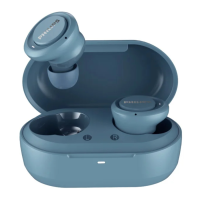
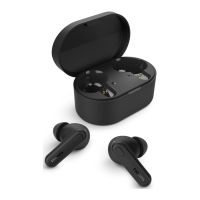
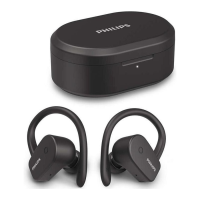
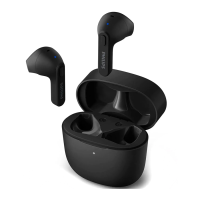
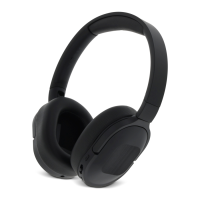
This document is the user manual for the Philips Kids Headphones 4000 Series, model TAK4607. These are wireless Bluetooth headphones designed for children, featuring specific functionalities for safe usage.
Function Description
The Philips Kids Headphones TAK4607 are Bluetooth wireless headphones primarily designed for children. They connect to mobile phones or other Bluetooth-enabled devices for audio playback and call management. A key feature is the ability to set playtime and volume limits via the Philips Headphones App, ensuring a safe listening experience for kids. The headphones are equipped with an LED indicator, a Type-C charging slot, volume controls, a power button, and a multi-function button (MFB) for various operations.
Important Technical Specifications
- Music time: 5 hours
- Talk time: 4 hours
- Standby time: 80 hours
- Charging time: 2 hours
- Rechargeable lithium polymer battery: 200 mAh
- Bluetooth version: 5.2
- Compatible Bluetooth profiles: HFP (Hands-Free Profile), A2DP (Advanced Audio Distribution Profile), AVRCP (Audio Video Remote Control Profile)
- Supported audio codecs: SBC
- Frequency range: 2.402-2.480 GHz
- Transmitter power: < 10 dBm
- Operating range: Up to 10 meters (33 feet)
- Environmental noise cancelation: 1 mic
- Auto power off: Yes
- USB-C port for charging: Yes
- Low battery warning: Available
- IP rating: IPX5 (meaning they are protected against low-pressure water jets from any direction)
- Storage temperature and humidity: -20°C (-4°F) to 50°C (122°F) with up to 90% relative humidity.
- Operating temperature and humidity: 0°C (32°F) to 45°C (113°F) with up to 90% relative humidity.
Usage Features
- Power On/Off: Press and hold the power button for 2 seconds to turn on, and for 4 seconds to turn off. A blue LED indicates power status.
- Bluetooth Pairing: The headphones automatically reconnect to the last paired device. If unavailable, they enter pairing mode (LED flashes blue quickly). To pair with a new device, ensure Bluetooth is enabled on the device and select "Philips TAK4607" from the Bluetooth device list. The default password is "0000" if prompted.
- Music Control:
- Play/Pause: Press the Multi-function button (MFB) once.
- Adjust Volume: Use the +/- buttons.
- Next Track: Long press the '+' button.
- Previous Track: Long press the '-' button.
- Call Control:
- Answer/Hang Up Call: Press the MFB once.
- Reject Call: Long press the MFB.
- Switch Caller during a Call: Press the MFB twice.
- Playtime Limit: This is a crucial safety feature for kids. The playtime limit can be set via the Philips Headphones App.
- A voice prompt "Playtime limit enabled" will be heard 10 minutes before the pre-set volume limit is reached.
- When the playtime limit is reached, the music pauses, and the voice prompt plays every 10 seconds until the battery runs out.
- The timer resets daily or can be manually reset in the app.
- Volume Limit: Similar to playtime, the maximum volume can be set and controlled through the Philips Headphones App, preventing excessively loud listening levels.
- Automatic Power Off: If the headphones fail to connect to any Bluetooth device within range for 5 minutes, they will automatically switch off to conserve battery life.
- LED Indicators:
- Connected/Standby/Listening: Blue LED flashes once every 4 seconds.
- Ready for Pairing: LED flashes blue quickly.
- On but Not Connected: Blue LED flashes twice every 3 seconds; turns off in 5 minutes if no connection is made.
- Low Battery: Blue LED flashes 3 times every minute until power runs out.
- Fully Charged: Blue LED is off.
Maintenance Features
- Charging: Charge the battery using the supplied Type-C USB cable. The LED turns blue during charging and turns off when fully charged. Avoid charging when the connector or socket is wet.
- Cleaning: Use a soft cloth, dampened with a minimum amount of water or diluted mild soap, if necessary. Do not use cleaning agents containing alcohol, ammonia, benzene, or abrasives.
- Battery Care:
- Do not expose the integrated battery to excessive heat (sunshine, fire, etc.).
- Danger of explosion if the battery is incorrectly replaced; replace only with the same or equivalent type.
- Do not dispose of the battery in fire or a hot oven, or mechanically crush/cut it, as this can result in an explosion.
- Avoid leaving the battery in extremely high temperatures or low air pressure environments, which can lead to explosion or leakage of flammable liquid/gas.
- Battery life may be shorter in high or low temperature conditions.
- Ensure the charging slot cover is closed to maintain the IPX5 rating.
- Disposal: The product contains a built-in rechargeable battery that should not be disposed of with normal household waste. It must be taken to an official collection point or a Philips service center for professional removal and recycling. The product itself should be disposed of according to local regulations for electrical and electronic products.
- Storage: Store in a place with temperatures between -20°C and 50°C with up to 90% relative humidity.
- General Safety:
- Limit high-volume use to avoid hearing damage.
- Do not expose headphones to excessive heat, dropping, dripping, or splashing.
- Do not submerge in water.
- Avoid using headphones with both ears covered while driving.
- Avoid distractions from music/calls in traffic or dangerous environments.

 Need help?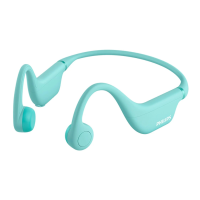

 To Next Page
 General