Need help?
Do you have a question about the Philips TAT3216 and is the answer not in the manual?
Listen at reasonable volumes for limited periods to prevent hearing damage.
Avoid heat, water, dropping, and use approved cleaning agents.
Lists all accessories provided with the earphones.
Specifies devices that can connect via Bluetooth.
Interface on earpiece for playback and call management.
LED lights on the earpieces show connection and pairing status.
LED lights on the charging case display battery and charging status.
Button on earpiece for various actions like power and pairing.
USB-C slot for charging the case.
Instructions for initial charging for optimal battery life.
Step-by-step guide to connect headphones to a Bluetooth device for the first time.
Connects headphones to a second Bluetooth device.
Instructions for using one earpiece independently.
Detailed steps for initial Bluetooth connection.
How to turn the headphones on and off.
Controls for playing, pausing, skipping music.
Controls for answering, rejecting, switching calls.
Explains LED lights for various headphone and case states.
Visual guide on how to properly wear the headphones for comfort and fit.
Step-by-step instructions to reset the headphones to factory default settings.
Details music time, talk time, battery, Bluetooth version, and profiles.
Details charging time and battery capacity for the case.
Statement of compliance with EU directives.
Instructions for environmentally responsible disposal of the product and battery.
Steps for safely removing the battery for disposal.
US FCC rules, radiation exposure limits, and cautions.
Conditions for license-exempt devices in Canada.
Canada limits for RF exposure in uncontrolled environments.
Information about the Bluetooth word mark and logos.
Information about the Siri trademark.
Information about Google and Google Play trademarks.
Troubleshooting steps for power issues.
Solutions for problems pairing or connecting headphones.
Troubleshooting for audio playing on phone speaker or poor quality.
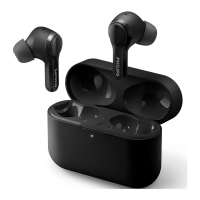
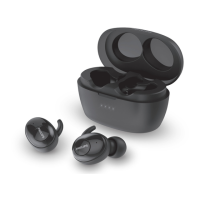
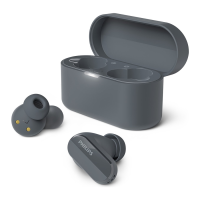
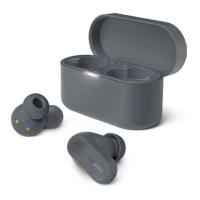
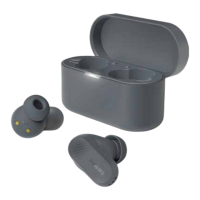
The Philips TAT3216 3000 Series True Wireless Headphones are designed to provide a convenient and immersive audio experience, whether you're listening to music or making hands-free calls. These in-ear headphones come with a portable charging case, ensuring that your music and conversations can continue throughout the day. The design emphasizes ease of use, with intuitive controls and clear indicators to keep you informed about their status.
The primary function of the Philips TAT3216 headphones is to deliver high-quality wireless audio. They connect to your Bluetooth-enabled devices, such as mobile phones, notebooks, PDAs, and MP3 players, allowing you to enjoy music and manage calls without the hassle of wires. The headphones are designed for true wireless freedom, with separate earpieces for the left and right ears that connect to each other automatically.
The headphones support hands-free calling, enabling you to answer, reject, and end calls directly from the earpieces. This feature is particularly useful for staying connected while on the go, without needing to reach for your phone. For music playback, you can play, pause, skip tracks forward, and skip tracks backward using the touch controls on the earpieces. The volume adjustment can be managed through your mobile phone.
The charging case serves as both a storage solution and a portable power bank for the earpieces. When the earpieces are placed inside the case, they automatically begin charging, ensuring they are ready for your next use. The case itself is rechargeable via a USB-C cable, making it convenient to power up from various sources.
Getting started with the Philips TAT3216 headphones is straightforward. Before initial use, it's recommended to fully charge the earpieces and the charging case for optimal battery capacity and lifetime. The charging process is indicated by LED lights on the back panel of the charging case. Once charged, simply open the top cover of the charging case, and the earpieces will automatically power on and enter pairing mode, ready to connect to your Bluetooth device.
Pairing with a Bluetooth device involves turning on the Bluetooth function on your device and selecting "Philips TAT3216" from the list of available devices. For devices with Bluetooth 3.0 or higher, no password is required. The headphones can store up to four paired devices in their memory, and if you attempt to pair a fifth device, the earliest paired device will be replaced. If the earpieces cannot find a previously connected Bluetooth device after powering on, they will automatically switch to pairing mode, simplifying the reconnection process.
The headphones offer flexibility in how they can be used. You can use both earpieces for a stereo experience, or use a single earpiece in "Mono mode" for situations where you need to stay aware of your surroundings or conserve battery life. When using a single earpiece, simply take either the right or left earpiece out of the charging box, and it will power on automatically, announcing "Power on." If you later take out the second earpiece, they will automatically pair with each other.
Controlling your music and calls is done through intuitive touch panels on the earpieces. A single tap on an earpiece can play or pause music, or pick up/hang up a call. Tapping twice skips a track forward, while tapping three times skips a track backward. To reject an incoming call or switch between callers during a call, you can tap and hold an earpiece for two seconds. These touch controls provide a seamless way to manage your audio experience without needing to interact directly with your connected device.
The LED indicators on both the earpieces and the charging case provide visual feedback on their status. Blue LED flashes indicate a connection to a Bluetooth device, while alternating blue and white flashes signify that the earpieces are ready for pairing. If no connection can be made, the earpieces will enter pairing mode, with the blue and white LEDs flashing. For battery status, a 'battery low' voice prompt will be heard from the headset when the earpieces' battery is low. The charging case's LED indicates its charge level: it turns off when fully charged, shows white for 36%-99% charge, and amber for 0%-35% charge.
The headphones are designed for comfortable wear. To wear them, gently insert each earpiece into your ear, ensuring a snug fit. The replaceable rubber ear caps, provided in three pairs, allow you to choose the size that best fits your ears for optimal comfort and sound isolation.
Maintaining your Philips TAT3216 headphones involves simple steps to ensure their longevity and optimal performance. Regular charging is crucial for the battery life of both the earpieces and the charging case. Always use the original USB-C charging cable provided to prevent any damage. It's also advised to finish any ongoing calls before charging the earpieces, as connecting them for charging will power them off.
For cleaning, avoid using cleaning agents that contain alcohol, ammonia, benzene, or abrasives. Instead, use a soft cloth, dampened if necessary with a minimum amount of water or diluted mild soap, to clean the product. This helps preserve the materials and finish of the headphones.
If you encounter any pairing or connection issues, the headphones offer a factory reset procedure. This involves removing the headphones from your Bluetooth device's memory, turning off Bluetooth on your device, placing both headphones back into the charging case, opening the cover, and pressing the multiple function button on the charging case three times. After this, you can re-pair the headset as if it were the first time. This reset function is a valuable troubleshooting tool for resolving connectivity problems.
The headphones are designed to be robust, but it's important to handle them with care. Avoid exposing them to excessive heat, dropping them, or submerging them in water. They are designed to withstand dripping and splashing water but are not meant to be fully immersed. Proper storage in a place with appropriate temperature and humidity ranges, as specified in the general information, will help prolong their lifespan.
The integrated battery is designed for safety, but it's important to be aware of the risks associated with incorrect replacement or extreme conditions. Always follow local regulations regarding battery disposal. If the product reaches the end of its life, it should be disposed of responsibly at an official collection point or a Philips service center to ensure the integrated rechargeable battery is removed and recycled properly, preventing negative environmental consequences.
 General
| Type | True Wireless |
|---|---|
| Water Resistance | IPX4 |
| Bluetooth Version | 5.2 |
| Charging Port | USB-C |
| Driver Size | 6 mm |
| Sensitivity | 101 dB |
| Battery Life | 24 h |
| Impedance | 16 Ohm |
| Frequency Response | 20 - 20000 Hz |

 To Next Page