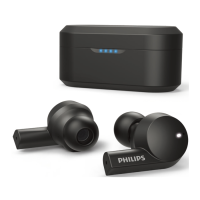
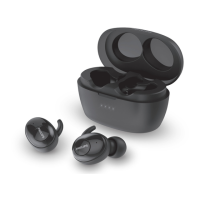
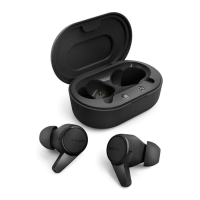
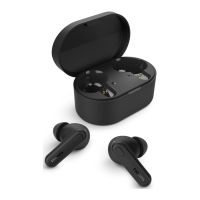
This document is a user manual for the Philips TAT4205 True Wireless Headphones, providing instructions on their use, maintenance, and troubleshooting.
The Philips TAT4205 headphones are designed for convenient wireless hands-free calls and enjoying and controlling wireless music. They allow users to switch between calls and music seamlessly. The package includes the Philips True Wireless headset (TAT4205), a USB Type-C charging cable for charging only, a quick start guide, and two pairs of replaceable rubber ear caps. The headphones are compatible with mobile phones or devices such as notebooks, PDAs, Bluetooth adapters, and MP3 players that support Bluetooth.
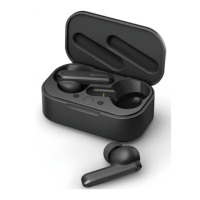
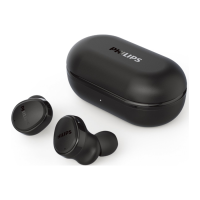
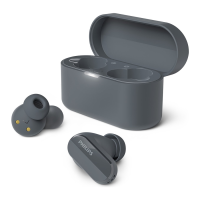
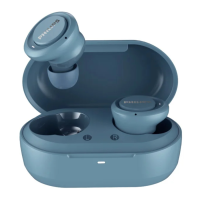
The headset features an eartip, a multi-function button, an LED indicator and microphone, charging spring pins, and a USB Type-C charging port on the charging case.
Getting Started
To begin using the headphones, they must first be charged. For optimal battery capacity and lifetime, place the headsets in the charging case and charge for 3 hours before the first use. Only the original USB Type-C charging cable should be used to prevent damage. It's recommended to finish any calls before charging, as connecting the headset for charging will power it off.
To charge the charging case, connect one end of the USB Type-C cable to the charging case and the other end to a power source. The charging process is indicated by a blue LED light on the charging case. Once fully charged, the blue light will remain on. A full charge for either the headset or the charging case typically takes 2 hours. The charging case acts as a portable backup battery, providing up to three full recharge cycles for the headset when fully charged.
To charge the headset, place the earpieces into the charging case. White LED lights on the earpieces will indicate the charging process, turning off once fully charged.
Pairing the Headset
For the first-time pairing:
- Ensure the headset is fully charged.
- Take both headsets out of the charging case. They will power on automatically, enter pairing mode, and connect to each other (Right & Left headset connected). A voice prompt will announce "Power on" followed by "Pairing." The LED will flash in white and blue.
- Turn on the Bluetooth function on your Bluetooth device.
- Pair the headset with your Bluetooth device by selecting "Philips TAT4205" from the list of available devices. If prompted, enter the password "0000" (four zeros). For Bluetooth 3.0 or higher devices, a password is not required. A voice prompt will confirm "Connected," and the LED will stay on for 5 seconds on both headsets. You can then use your device to play music or make calls.
If the headset cannot find a previously connected Bluetooth device after powering on, it will automatically switch to pairing mode.
Single Headset Pairing (Mono Mode)
- Take either the right or left headset from the charging case. The earpiece will power on automatically, and a voice prompt will announce "Power on."
- Turn on the Bluetooth function on your device, search for "Philips TAT4205," and tap to connect.
- Once pairing is successful, you will hear "Connected," and the indicator light will turn off.
Pairing with Another Bluetooth Device
If you wish to pair the headset with a different Bluetooth device, ensure the Bluetooth function on any previously paired or connected devices is turned off. Then, follow the steps for first-time pairing. The headset can store up to 8 devices in its memory; if a new device is paired beyond this limit, the earliest paired device will be replaced.
Using Your Headphones
Connecting to Your Bluetooth Device
- Turn on the Bluetooth function on your Bluetooth device.
- Take both headsets from the charging case. They will power on and attempt to reconnect automatically.
- If no device is connected, the headset will automatically turn off after 3 minutes.
- Both headsets will power on and pair with each other automatically.
- The headset will search for and reconnect to the last connected Bluetooth device. If unavailable, it will search for and reconnect to the second-to-last connected device.
The headset can only connect to one device at a time. If you have multiple paired Bluetooth devices, only activate Bluetooth on the device you wish to connect to. If you turn on Bluetooth on your device after turning on the headset, you may need to manually connect the headset from your device's Bluetooth menu. If the headset fails to connect to any Bluetooth device within 3 minutes, it will automatically turn off to save battery life.
Power On/Off
- To turn on: Take both headsets out of the charging case.
- To turn off: Place both headsets in the charging case.
- To manually turn off (Right/Left headset): Press and hold the multi-function button for 5 seconds. The white LED will flash 3 times.
Managing Calls and Music
Music Control
- Play or pause music: Press the multi-function button twice on either the Right or Left headset.
- Skip forward: Press and hold the multi-function button on the Right headset for 2 seconds.
- Skip backward: Press and hold the multi-function button on the Left headset for 2 seconds.
Call Control
- Pick up/hang up call: Press the multi-function button twice on the Right/Left headset.
- Reject an incoming call: Press and hold the multi-function button on the Right/Left headset for 2 seconds.
- Switch caller during a call: Use the mobile phone control.
Voice Control
- Siri/Google: Press the multi-function button 3 times on the Right/Left headset.
LED Indicator Status
- Headset connected to a Bluetooth device: White LED light stays on for 5 seconds.
- Headset powered on: White LED flashes 3 times.
- Headset in pairing mode: Blue and white LED flashes.
- Headset on but not connected to a Bluetooth device: Blue and white LED flashes. If no connection is made, the headset will turn off within 3 minutes.
- Low battery level (headset): You will hear 'battery low' on the headset, and the white LED will flash 3 times every 1 minute.
- Battery fully charged: The LED is off.
Battery LED Indicator on Charging Case
- While charging with a USB Type-C cable: Blue LED light will turn on and flash.
- When fully charged: Blue LED light will remain on.
- While charging the headset inside the case: White LED on the headset will light on.
- When fully charged (headset inside case): White LED on the headset will turn off.
How to Wear
The manual includes diagrams illustrating the correct way to wear the headphones, ensuring a secure and comfortable fit.
Factory Reset the Headset
If you encounter pairing or connection issues, you can perform a factory reset:
- On your Bluetooth device, go to the Bluetooth menu and remove "Philips TAT4205" from the device list.
- Turn off the Bluetooth function on your Bluetooth device.
- Put both headsets back into the charging case to turn them off.
- Take both headsets out of the charging case. They will power on automatically, announce "Power on" and "Pairing," and the blue and white LEDs will flash.
- Press the multi-function button five times on both headsets. You will hear a "beep sound." The headset LED will then flash in white and blue for 3 minutes.
- To pair the headset with a Bluetooth device, turn on the Bluetooth function on your Bluetooth device and select "TAT4205."
Troubleshooting (Frequently Asked Questions)
- Headset not turning on: Check battery level and charge the headset.
- Cannot pair with Bluetooth device: Ensure Bluetooth is enabled on your device and the device is turned on.
- Pairing not working: Place both earpieces in the charging case, disable Bluetooth on any previously connected devices, delete "Philips TAT4205" from your device's Bluetooth list, and then re-pair.
- Bluetooth device cannot find headset: The headset might be connected to a previous device (turn it off or move out of range), or pairing might have been reset. Re-pair the headset.
- Music plays on phone speaker instead of headset: Refer to your mobile phone's manual to select music playback through the headset.
- Poor audio quality/crackling noise: The Bluetooth device might be out of range (reduce distance, remove obstacles), or the headset might need charging.
- Poor audio quality/slow streaming: Ensure your mobile phone supports A2DP and is BT4.0x (or higher) compatible.
- Cannot control music (play/pause/skip): Ensure the Bluetooth audio source supports AVRCP.
- Volume level too low: Some Bluetooth devices may not sync volume with the headset. Adjust the volume on your Bluetooth device independently.
- Cannot connect to another device: Ensure Bluetooth is turned off on the previous paired device. Repeat the pairing procedure for the new device.
- Sound from only one earpiece: If on a call, sound comes from both. If listening to music, the other earpiece might be out of battery. Charge both earpieces fully. If earpieces are disconnected, turn both off, place them in the charging case for 5 seconds, then take them out to reconnect. If the headset is connected to multiple Bluetooth devices, switch off Bluetooth on all connected devices, turn off both earpieces, place them in the charging case for 5 seconds, then take them out and reconnect to your desired Bluetooth device.
- If solutions don't help: Perform a factory reset.
- For further support: Visit www.philips.com/support.
Maintenance Features
- Battery Removal: If there is no collection/recycling system for electronic products in your country, you can protect the environment by removing and recycling the battery before disposing of the headphones. Ensure the headset is disconnected from the charging case before removal. The manual provides diagrams for disassembling the headset and charging case to remove the battery.
- Cleaning: Do not use cleaning agents containing alcohol, ammonia, benzene, or abrasives. If cleaning is required, use a soft cloth, dampened with a minimum amount of water or diluted mild soap.
- Storage: Operate or store the headphones in a place where the temperature is between -15°C (5°F) and 55°C (131°F) (up to 90% relative humidity). Battery life may be shorter in high or low-temperature conditions.
- General Safety: Avoid exposing headphones to excessive heat, dropping them, or submerging them in water. Do not remove or refit earphones for any reason, as this may cause malfunction. The integrated battery should not be exposed to excessive heat. Replace only with the same or equivalent type to avoid explosion.

 Need help?
 General

 To Next Page