Need help?
Do you have a question about the Philips TAT4556 and is the answer not in the manual?
Guidelines for safe listening, limiting time at high volume, and avoiding distractions.
Information to avoid damage or malfunction, including heat, liquids, cleaning agents, and operating conditions.
Lists the items included in the product packaging: earpieces, ear caps, and charging cable.
Describes compatible external devices like mobile phones and tablets that support Bluetooth.
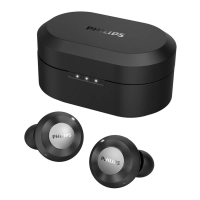
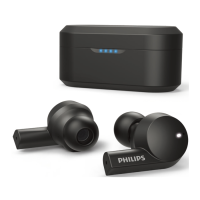
Identifies key components of the earpieces and charging box, including LED indicators and microphones.
Instructions for charging the earpieces and the charging box using the USB-C cable.
Guidance on selecting and fitting ear tips for optimal comfort, sound quality, and noise-cancellation.
Step-by-step guide to connect the earpieces to a new Bluetooth device, including pairing mode and password entry.
Instructions for using one earpiece for calls and music, and how the second earpiece pairs automatically.
Steps to connect the earpieces to a different Bluetooth device after initial pairing, including memory limitations.
Procedure to connect the earpieces to a Bluetooth device, including automatic reconnection and pairing mode.
How to enable and toggle between ANC ON, Awareness mode, and ANC OFF using double taps on the earpiece.
Methods for turning the earpieces on and off by removing or placing them in the charging box.
Controls for music playback (play/pause, skip) and call management (answer/end, switch caller) via earpiece taps.
How to activate Siri or Google Assistant by tapping and holding the earpiece.
Explanation of LED light patterns on the earpieces indicating connection, pairing, and battery status.
Interpretation of LED lights on the charging box, showing charging status and battery levels.
Procedure to reset earpieces to factory default by removing them from the device list and holding the touch control.
Detailed specifications including battery life, charging time, Bluetooth version, supported codecs, and operating range.
Statement of compliance with EU directives for electronic products, with a link to the full declaration.
Information on recycling and proper disposal of the product and its built-in battery according to European directives.
Instructions on how to safely remove the battery from the earpieces and charging box for recycling.
Statement regarding the product's compliance with standards for exposure to electromagnetic fields.
Details about packaging materials, recyclability, and local disposal regulations for components.
Details on FCC rules, including conditions for operation and potential interference issues for the device.
Statement on compliance with Canada's radiation exposure limits for wireless transmitters.
Information about Bluetooth word mark and logos being registered trademarks of Bluetooth SIG, Inc.
Siri is identified as a trademark of Apple Inc., registered in the U.S. and other countries.
Google and Google Play are stated as trademarks of Google LLC.
Troubleshooting advice for earpieces not powering on, suggesting battery charging.
Steps to resolve pairing issues, including enabling Bluetooth and checking device connections.
Common solutions for pairing failures, such as resetting earpieces and ensuring no other devices are connected.
Guidance on why a Bluetooth device may not detect the earpieces, suggesting checking previous connections and re-pairing.
Advice for directing audio playback to the earpieces instead of the phone speaker.
Troubleshooting steps for poor audio quality, including checking Bluetooth range, obstacles, and battery level.
Tips for improving audio streaming quality, ensuring mobile phone compatibility with Bluetooth profiles like A2DP.
 General
| Control type | Touch |
|---|---|
| Headset type | Binaural |
| Product type | Headset |
| Product color | Black |
| Wearing style | In-ear |
| Music playback | Yes |
| Operating keys | Answer/end call, Play/pause |
| Control unit type | On-ear control unit |
| Recommended usage | - |
| Protection features | Rain proof, Splash proof, Sweat resistant |
| International Protection (IP) code | IPX4 |
| Wireless range | 10 m |
| Bluetooth version | 5.2 |
| Bluetooth profiles | A2DP, AVRCP, HFP |
| Connectivity technology | Wireless |
| Impedance | 16 Ω |
| Driver type | Dynamic |
| Driver unit | 12 mm |
| Magnet type | Neodymium |
| Ear coupling | Intraaural |
| Headphone frequency | 20 - 20000 Hz |
| Maximum input power | 10 mW |
| Headphone sensitivity | 98 dB |
| Intraaural headphones type | Earbuds |
| Microphone type | Built-in |
| Base station USB connector | USB Type-C |
| Battery type | Built-in battery |
| Standby time | 80 h |
| Charging source | USB |
| Battery capacity | 55 mAh |
| Fast charging time | 10 min |
| Battery recharge time | 2 h |
| Continuous audio playback time | 9 h |
| Battery capacity (charging case) | 500 mAh |
| Continuous audio playback time (with ANC) | 6 h |
| Continuous audio playback time (with charging case) | 29 h |
| Continuous audio playback time (with charging case/with ANC) | 21 h |
| Package type | Box |
| Package depth | 39 mm |
| Package width | 95 mm |
| Package height | 175 mm |
| Package weight | 129 g |
| Eartips material | Silicone |
| Charging case type | Wired |
| Accessories included in set | 3 sizes silicone eartips |
| Harmonized System (HS) code | 85183000 |
 Weight and Dimensions
| Depth | 26.7 mm |
|---|---|
| Width | 23.1 mm |
| Height | 24.3 mm |
| Weight | 47 g |
| Charging case dimensions (W x D x H) | 71 x 40 x 31 mm |

 To Next Page