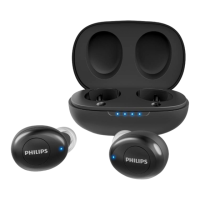
TAT1225
TAT1225
Take the L / R earpieces from the
charging case, the earpiece will
power on automatically. There will
be a voice " Power on" from L / R
earpiece.
4
If you’d like to switch from single earpiece
pairing to dual earpieces pairing mode,
please try below 2ways.
4.1 Put both L and R earpieces back into power
case and then take the 2 earpieces out to pair
and connect Bluetooth again;
4.2 If still not works, try to reset. Put L&R into power
case and press the button for 4 seconds until the
white LED ashes. Then take L&R out of power
case and select BT, connect Bluetooth again. ”
All manuals and user guides at all-guides.com



 To Next Page