EasyManua.ls Logo

Philips TSU9300 - User Manual

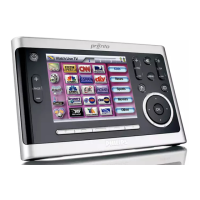
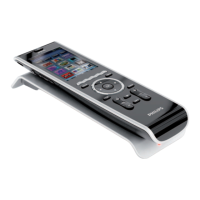
Philips TSU9300
16 pages
Print Icon
To Next Page IconTo Next Page
Loading...
TSU9300
Starter's Guide
Using the Control Panel
EN

Questions and Answers

  • G
    garciatonyaAug 11, 2025
    How to fix the touchscreen buttons on my Philips TSU9300?
    • R
      robertwashingtonAug 11, 2025
      If the buttons on the touchscreen of your Philips Remote Control are not working properly, recalibrate the touchscreen as described in "Changing the Pronto Settings" on page 5.
  • P
    psummersAug 17, 2025
    What to do if my AV equipment does not respond to Philips TSU9300 Remote Control?
    • X
      xrossAug 18, 2025
      If your AV equipment isn't responding to commands from the Philips Remote Control, check the battery level icon. If it's red, recharge the control panel as described in "Charging the Control Panel" on page 3. Also, remember that it might take the network a few seconds to wake up and start transmitting codes. Finally, make sure you are within range of the Wi-Fi network.
  • N
    nichole53Aug 23, 2025
    Why does my Philips Control Panel run out of power quickly?
    • M
      Monica DouglasAug 23, 2025
      If your Philips Control Panel runs out of power quickly, place it in the docking station after each use. Also, it may be time to replace the battery. Contact your installer for more information.
  • J
    Jill McgeeAug 29, 2025
    Why does the Wi-Fi activity icon show no Wi-Fi strength on my Philips TSU9300?
    • J
      James MillerAug 29, 2025
      If the Wi-Fi activity icon on your Philips Remote Control shows no Wi-Fi strength, the Wireless Access Point might be powered down or the Control Panel could be out of range. There might also be an encryption or IP problem. If an IP problem occurred, contact your installer to change the settings.
  • T
    Terry EdwardsSep 4, 2025
    How to stop Philips TSU9300 from going to stand-by mode automatically?
    • F
      felicia40Sep 4, 2025
      To stop the Philips Control Panel from automatically going into standby mode, adjust the time that the control panel stays active in the Settings-Screen page, as described in "Changing the Pronto Settings" on page 5.

Philips TSU9300 Specifications

General IconGeneral
TypeRemote Control
BrandPhilips
ModelTSU9300
CategoryRemote Control
WirelessYes
IR RangeUp to 10 meters
DisplayLCD
ConnectivityUSB
BatteryRechargeable
ChargingVia USB
CompatibilityCompatible with most devices that use IR

Related product manuals