6
❍ Setting the Clock/Date
1 Press PLAY
5
or STOP
∞
to
set the time. Each time you
press the button, the set time
changes by one-minute
intervals.
Press and hold the button to change time by 30-
minute intervals.
When the time is correct, press OK/STATUS.
2 Press PLAY
5
or STOP
∞
to set the date. Each
time you press the button, the date changes in
one-day increments. Press and hold the button to
change dates in 15-day increments. When the
date is correct, press OK/STATUS.
3 Press PLAY
5
or STOP
∞
to set the year. Each
time you press the button, the year changes by
one-year intervals. Press and hold the button to
change years rapidly. When the year is correct,
press OK/STATUS.
4 Press MENU.
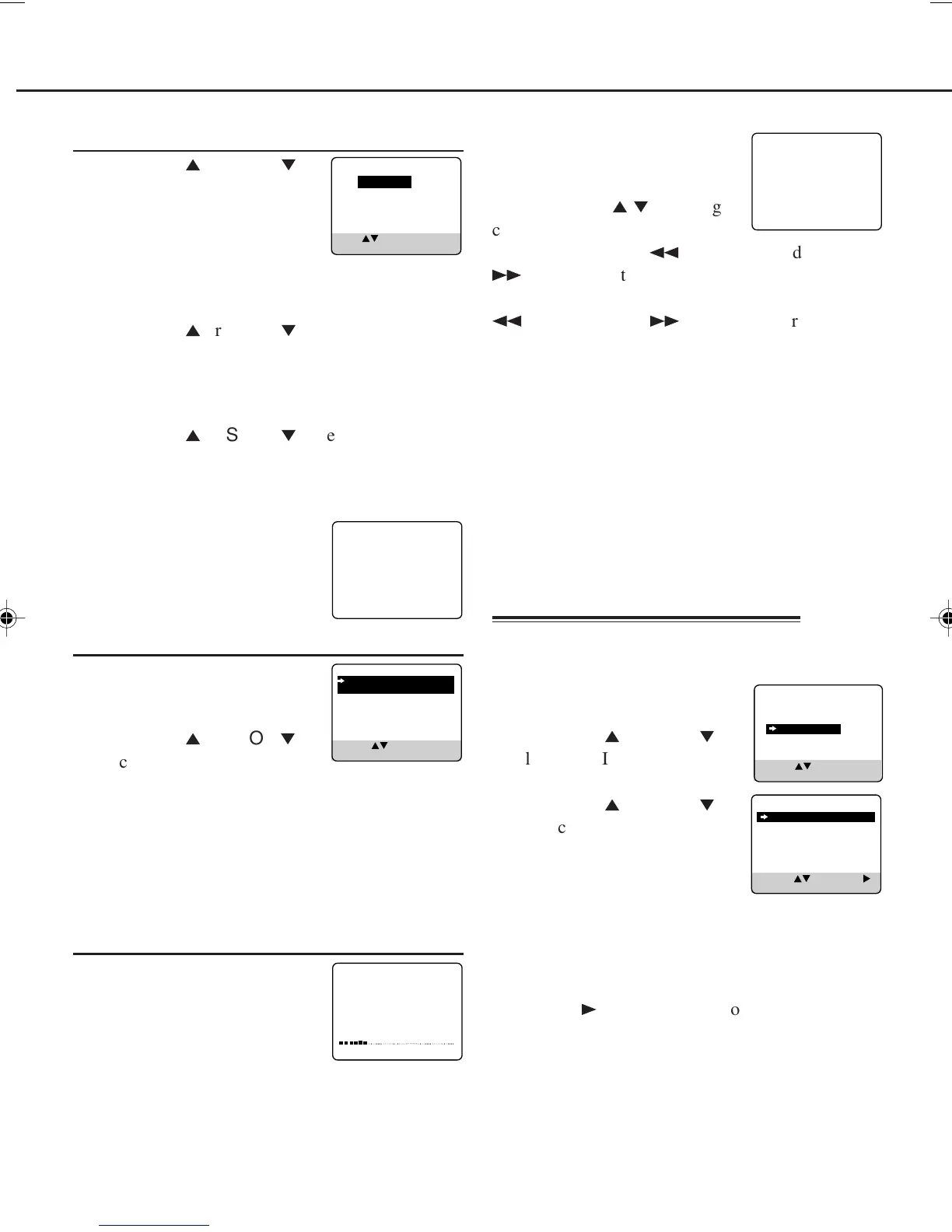
The message on the right
will appear.
❍ Select TV System
1 Press OK/STATUS. The TV
system selecting menu appears
on the TV.
2 Press PLAY
5
or STOP
∞
to
select the appropriate TV
system of your residential area.
B/G : For West Europe, ASEAN countries,
Australia, New Zealand.
D/K : For China, Russia, East Europe.
I : For Hong Kong, South Africa, United
Kingdom.
❍ Start Auto Channel Set
Press OK/STATUS to
programme the receivable
channels automatically.
The message on the right appears
on the TV.
❍
2
When the auto programming is completed
The following message appears
on the TV, and the lowest
channel will be tuned in.
Press VCR CH
5
/
∞
to change
channels on the VCR.
You can also use the
1
REW/CH- and
¡
FF/CH+ on the front panel. If there is a
cassette in the VCR, press CH before pressing the
1
REW/CH- and
¡
FF/CH+, otherwise it
functions as REW and FF.
You have now completed the initial setting.
If you stop the Inital Set Up procedure while it is
proceeding:
The VCR enters the Initial Set Up mode again the
next time you turn on the VCR.
Initial Set Up will not start in the following
cases:
• If there is a tape inserted.
• If any one of the Initial Set Up procedures is
finished manually.
3
CONNECT ANTENNA OR CABLE
TO VCR FOR AUTO CH. SET
READY: OK
END: MENU
AUTO CH. SET PROCEEDING
PLEASE WAIT
START FINISH
AUTO CH.SET COMPLETED
4
You can always change the time and language
setting after you completed the
initial set up.
1 Press MENU.
2 Press PLAY
5
or STOP
∞
to
select “INITIAL SET UP”
then press OK/STATUS.
3 Press PLAY
5
or STOP
∞
to select “CLOCK” or “
LANGUAGE”, depending on
which setting you want to
change.
4 To change clock/date:
Repeat step 3 (Setting the Clock/Date) of
“Initial Set Up” on page 5.
To change language:
Press FF
3
repeatedly to choose your preferred
language, Chinese or English, then press MENU.
TIME - - : - -
DATE 01/01/01
SET: NEXT: OK
END: MENU
SYS COUNTRY
B/G W.EUR. ASEAN AUST.
NZ
D/K CHINA RUS. E.EUR.
I HK S.AF. UK
SELECT: CONFIRM: OK
END: MENU
To Reset the Time or Language
VCR SET UP
TUNER SET UP
INITIAL SET UP
SELECT: CONFIRM: OK
END: MENU
SELECT: CHANGE:
END: MENU
CLOCK
LANGUAGE ENGLISH
407/55A5 01.10.2, 8:57 AM6



 To Next Page