PROGRAMMING TIMER WITHOUT VIDEO PLUS ENGLISH
42
42
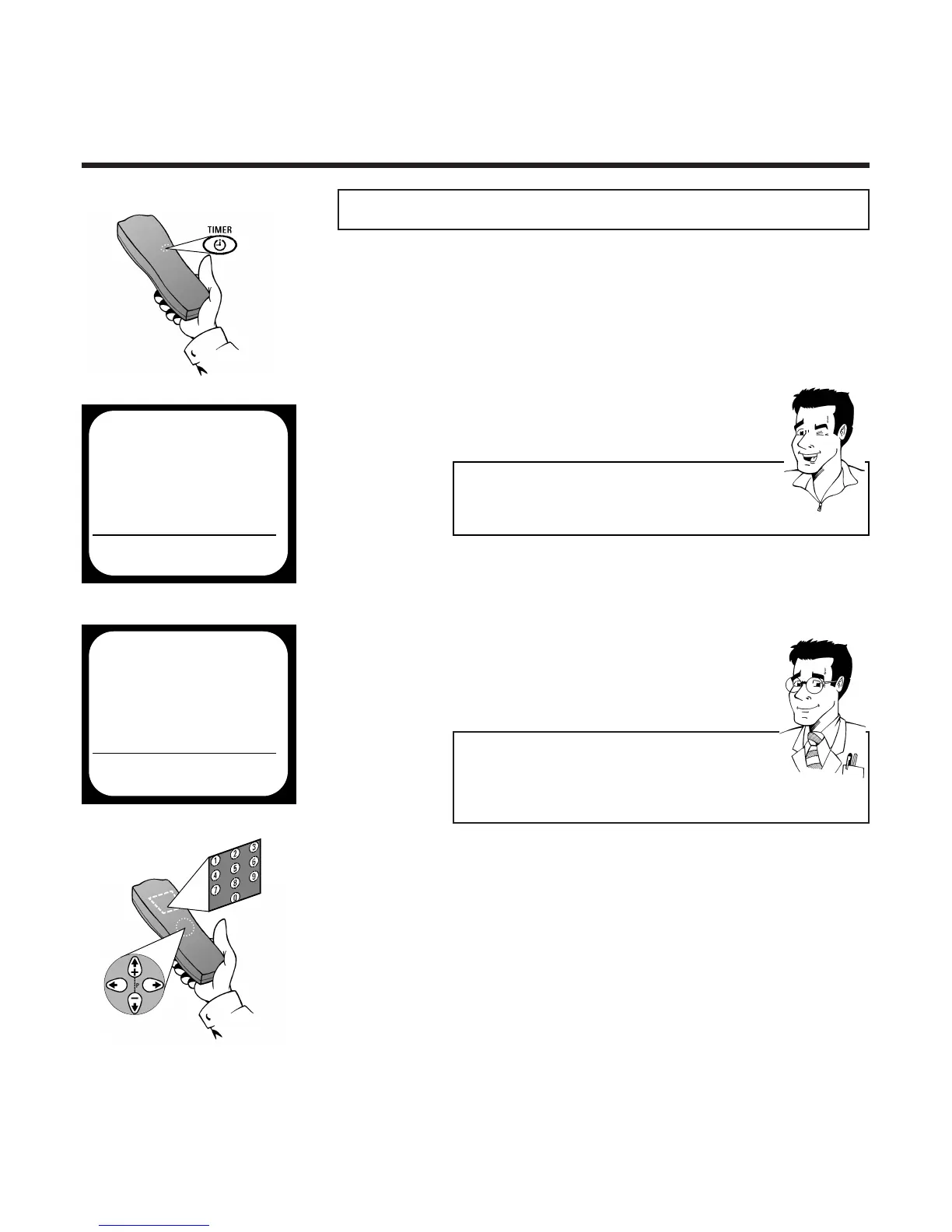
1 Press the button
TTIIMMEERR kk
PPrrooggrraammmmiinngg ttiimmeerr wwiitthhoouutt VVIIDDEEOO PPlluuss++
DDaaiillyy // wweeeekkllyy rreeccoorrddiinnggss
If you like, you can use
SSEELLEECCTT
MO-FR for
recordings which are repeated daily or WEEKLY for
recordings shown each week on the same day.
4 Use
PP
or
QQ
to select the entry field
DATE and use
==PP--
or
;;PP++
or the number
buttons
00--99
to enter the date of the desired
recording
FFOORR
EEXXPPEERRTTSS
5 Use
PP
or
QQ
to select the entry field PROG.
and use
==PP--
or
;;PP++
or the number buttons
00--99
to enter the programme number under
which the video recorder has stored the desired
TV channel
6 Use
PP
or
QQ
to select the entry field START
and use
==PP--
or
;;PP++
or the number buttons
00--99
to enter the start time of the desired recor-
ding
TIMER
TIMER PROGRAMMING
VPS
DATE PROG. START PDC END
21 01 20:00 * 21:30 SP
MO-FR/WEEKLY TO STORE
PRESS SELECT PRESS OK
TTIIPP
EEnntteerr tthhee vvaalluueess ccoorrrreeccttllyy
Numbers less than 10 must be entered with an
additional 0. For 9 thus 09 should be entered.
3 The timer screen appears
2 Use
==PP--
or
;;PP++
to select the option
TIMER RECORDING and confirm with P
TIMER
ÂÅ VIDEO PLUS PROGRAMMING Å
TIMER PROGRAMMING
TIMER LIST
TO EXIT
PRESS TIMER
É



 To Next Page